
Sending email to a hundred people is fairly easy. Sending it to ten thousand or more and having it actually arrive in their inboxes is a broader infrastructure challenge.
A bulk email service is what connects your application and the recipient’s mail server, making high-volume sending possible. It handles routing, throttling, authentication, and bounce processing so your messages don’t get flagged, delayed, or dropped without any warning by inbox providers who see a sudden spike from an unfamiliar source.
If you’ve ever tried sending a campaign through a regular business email account and watched your email deliverability collapse after a couple hundred messages, you’ve already run into the problem bulk email services exist to solve. Gmail, Outlook, and similar providers cap outbound volume precisely because mass sending from shared infrastructure damages everyone’s reputation on that server.
In this guide, I discuss how bulk email services work, what separates a capable provider from a mediocre one, and how to structure your sending so that volume doesn’t come at the cost of deliverability.
What a bulk email service actually does
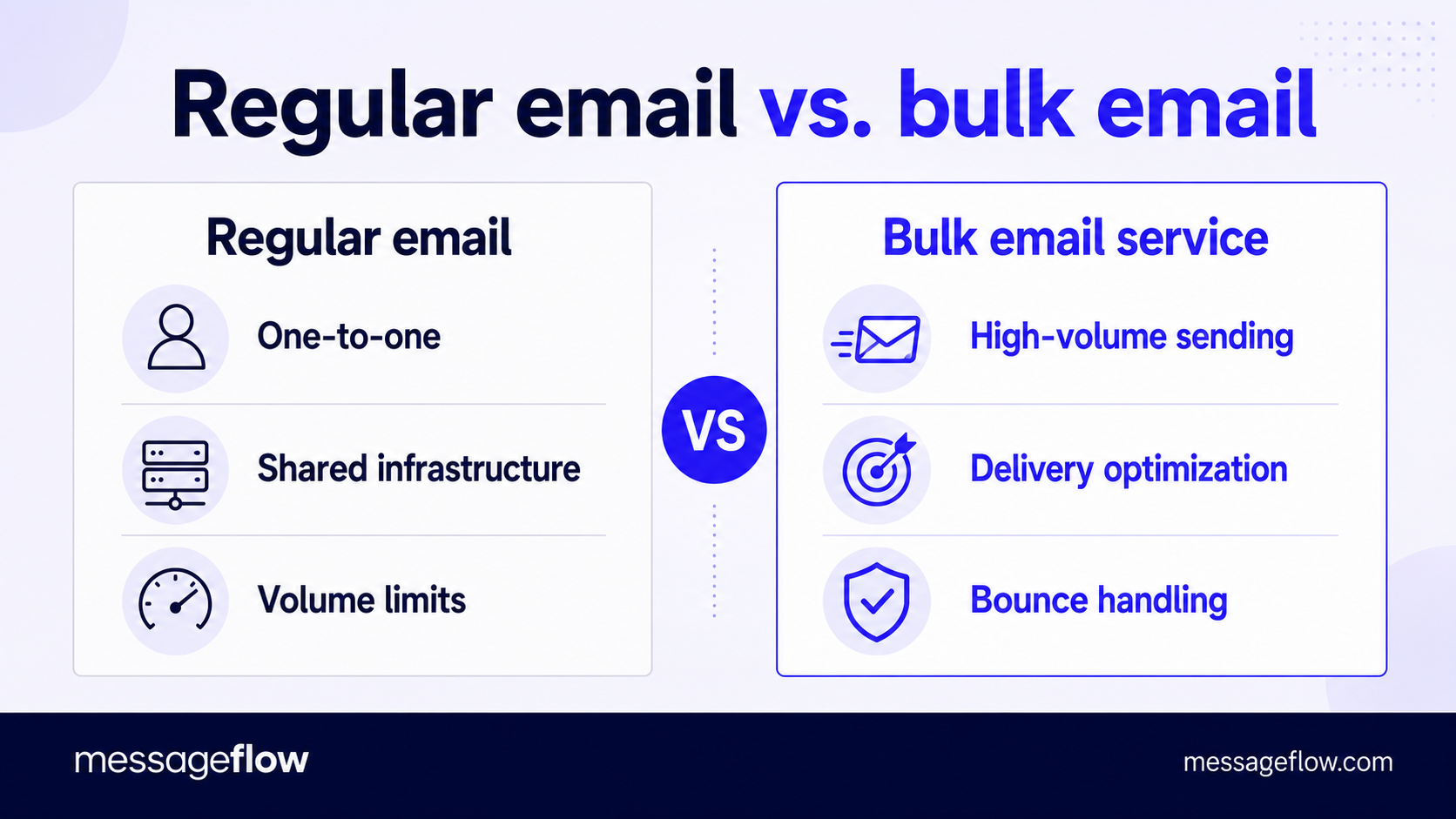
In simple terms, a bulk email service accepts a message from your system and delivers it to a large number of recipients through infrastructure built precisely for that purpose. But this is where the important differences from regular email live.
So, what exactly does a bulk email service offer?
Dedicated sending infrastructure
When you send using Gmail or Microsoft 365, your messages share IP addresses and servers with millions of other users. That may work fine for one-to-one communication but for volume sending it’s a liability – your reputation is tied to everyone else on that shared pool.
A bulk email service on the other hand can route your messages through dedicated IP addresses where your specific practices are the only thing that determines sender reputation. This separation is what makes consistent inbox placement possible at scale.
Delivery optimization in real time
Inbox providers like Gmail, Yahoo, and Microsoft each have their own rate limits, filtering rules, and throttling behavior. A competent bulk service manages this automatically, pacing delivery based on provider feedback, retrying soft bounces, and adjusting throughput so you don’t trip rate limits that would delay or block an entire batch.
Without this, sending 50,000 messages in one burst can trigger temporary blocks that cascade into hours of delivery delays.
Bounce and feedback processing
Every large-scale send generates bounces – hard bounces from invalid addresses, soft bounces from full mailboxes or temporary server issues. A bulk service categorizes these in real time and feeds them back to your system so you can suppress bad addresses before the next send.
It also processes feedback loops from inbox providers, catching spam complaints and flagging them before they accumulate enough to damage your domain reputation.
API and SMTP integration
Bulk email services usually offer two ways to connect: a REST API for programmatic sending (triggered emails, dynamic content, application-integrated workflows) and SMTP relay for systems that already speak the email protocol natively. The API route gives you more control – per-recipient personalization, metadata tagging, event webhooks – while SMTP relay is faster to set up when you just need to reroute existing outbound mail through better infrastructure.
None of this is visible to the recipient. What they see is an email that arrives on time, renders correctly, and comes from a sender whose domain checks out and who they trust. What happens behind the scenes to make that possible is the entire value proposition.
What to look for when choosing a bulk email service provider
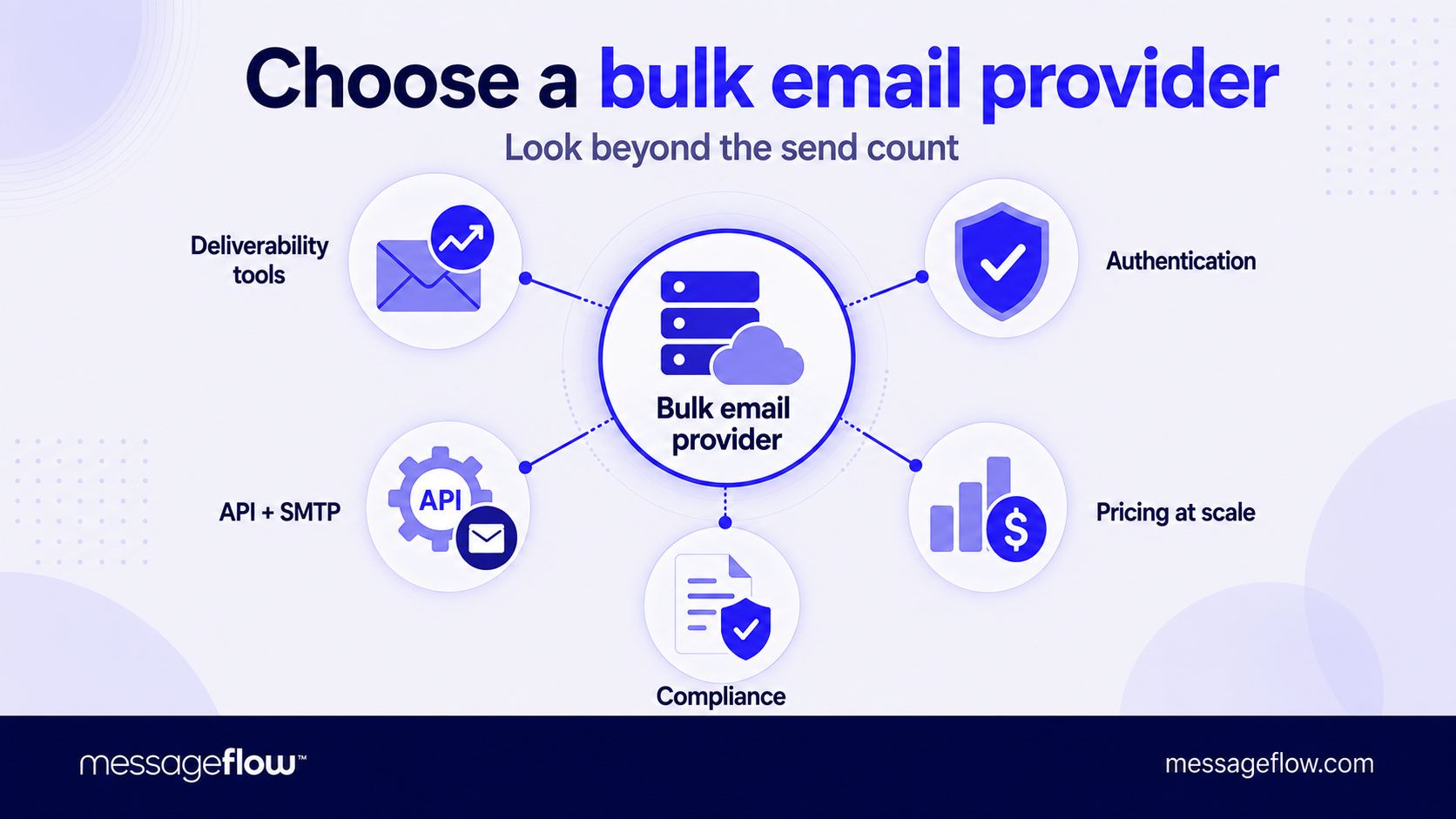
The market has no shortage of options, and most of them will technically send your email. The differences show up in what happens after the message leaves your system and in how much visibility you get into that process.
Deliverability tooling, not just delivery
Any service can accept a message and attempt to deliver it. What truly matters is whether the bulk email service provider gives you the tools to understand why messages succeed or fail.
This means bounce classification broken down by type and provider, complaint rate monitoring, inbox placement estimates, and alerts when something shifts. A provider that shows you a sent count and nothing else is a black box. You won’t know there’s a problem until your open rates have already collapsed.
Authentication support
SPF, DKIM, and DMARC configuration should be straightforward, well-documented, and verifiable within the platform. Some bulk email service providers handle DKIM signing automatically when you send through their infrastructure, others require manual DNS setup.
Either approach works but the provider should make it easy to confirm that everything is passing. If setting up authentication feels like guesswork, that’s a red flag about the provider’s operational maturity.
Flexible integration options
If you’re sending transactional emails triggered by user actions, think order confirmations, password resets, or account alerts, you need a reliable API with low latency and clear documentation. If you’re routing marketing campaigns from an existing platform, SMTP relay might be enough.
The best bulk email service providers support both and let you use different configurations for different email streams because transactional and marketing messages have different deliverability profiles and are often best kept on separate sending domains or IPs.
Transparent pricing at scale
Bulk email service pricing models vary: per message, per thousand, monthly tiers, or pay-as-you-go. The sticker price at low volume rarely matters. What actually does is the cost curve as you grow.
Some providers offer aggressive entry pricing that spikes sharply once you pass a threshold. Ask what happens at 100,000 messages, at a million, and at ten million. Overages and hidden fees for features like dedicated IPs or additional domains add up quickly if you’re not watching.
Compliance infrastructure
At a certain scale, managing unsubscribes, suppression lists, and consent records manually isn’t realistic. Your bulk email service provider should handle suppression automatically, honoring unsubscribe requests in real time and preventing sends to addresses that have bounced or complained.
This extends beyond a legal checkbox. It’s what protects your sending reputation from the kind of damage that’s slow and expensive to reverse.
How to send bulk email without landing in spam
Volume alone doesn’t land you in spam. Poor practices at volume do. The difference between a sender who delivers reliably at 500,000 messages a month and one who struggles at 5,000 usually boils down to a handful of operational habits.
Authenticate everything before you send anything
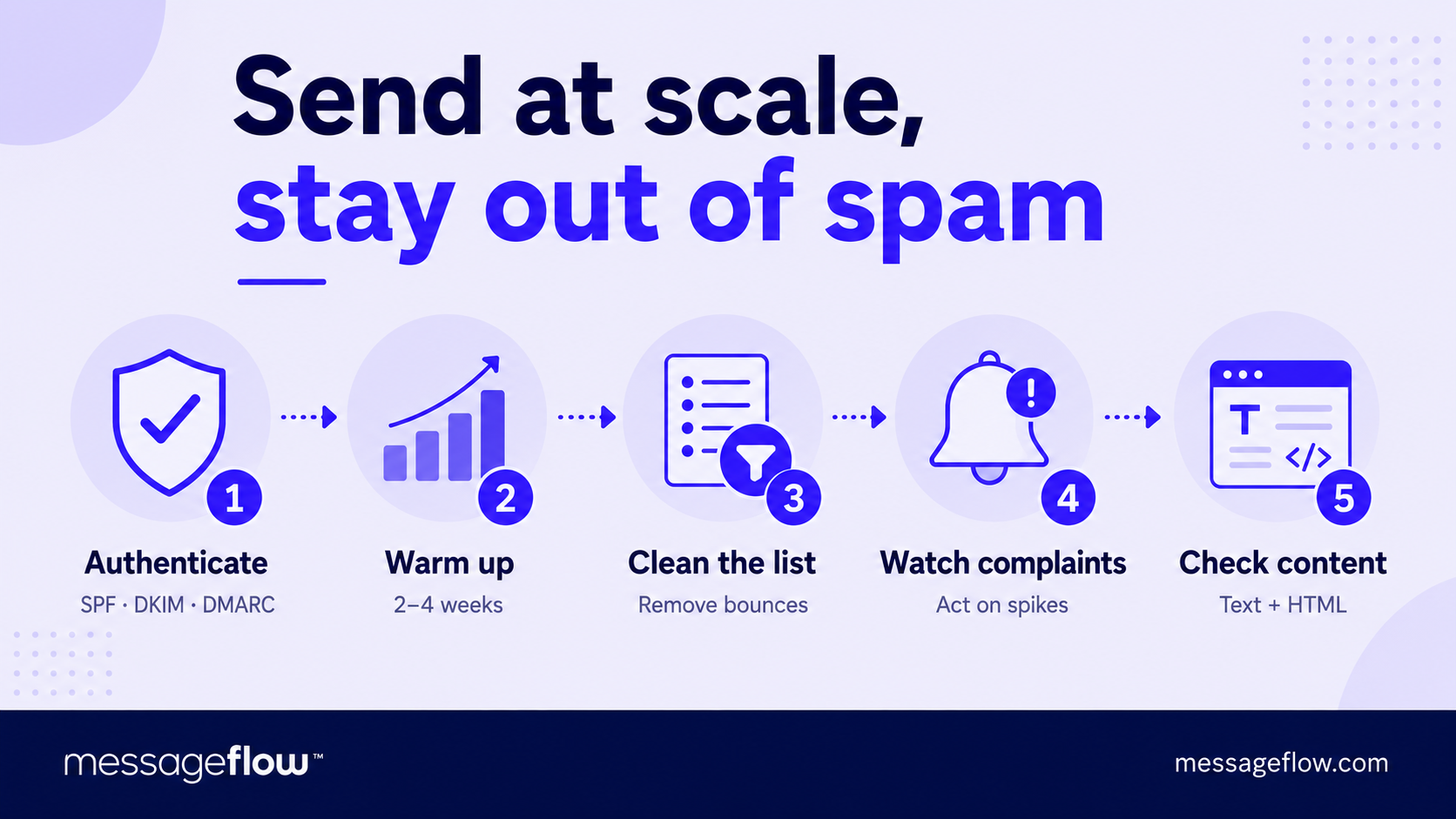
SPF, DKIM, and DMARC should be in place and passing before your first bulk send. Once you notice deliverability problems, it’s already too late. This is table stakes but a surprising number of senders skip it or configure it incorrectly and don’t verify.
💡 Send a test message, check the headers, and confirm all three protocols pass. If you’re using a bulk email service, make sure your DNS records account for their sending infrastructure too, not just your own mail server.
Warm up new domains and IPs gradually
Inbox providers are suspicious of unfamiliar senders who suddenly start pushing high volume. If you’re sending from a new domain or a newly assigned IP, start with your most engaged subscribers – the ones most likely to open and click – and increase volume over two to four weeks.
💡 A typical warm-up schedule might start at a few hundred messages per day and double every few days. Jumping straight to full volume on a cold domain is one of the sure shot ways to trigger spam filtering across the board.
Keep your list clean, and keep pruning it
A list that was accurate six months ago has already degraded. People change addresses, mailboxes fill up, domains expire. Every send to an invalid address generates a bounce, and high bounce rates tell inbox providers your list management is poor, which colors how they treat your entire sending stream.
💡 Remove hard bounces immediately, suppress addresses that soft-bounce repeatedly, and run periodic revalidation on segments that haven’t engaged in 90 days or more.
Watch your complaint rate like it’s a vital sign
Inbox providers publish thresholds – Google’s is 0.1% – above which they start throttling or filtering your domain. The issue is that complaint damage is cumulative and slow to repair. By the time you notice the impact in your open rates, the reputation hit has been building for weeks.
💡 If your bulk email service provider offers feedback loop data, monitor it per campaign and per segment. A spike in complaints on a specific send tells you something about that audience, content or frequency, and it needs a fraction before the next send, not after.
Don’t neglect content basics
Spam filters have gotten sophisticated but they still flag patterns like all-caps subject lines, excessive images with minimal text, link-heavy emails with no plain-text alternative, and misleading sender names. None of these should be part of a legitimate sender’s practice anyway, but at bulk volume, even mild infractions get amplified.
💡 A clean text-to-image ratio, a visible unsubscribe link, and a plain-text version alongside your HTML are signals that inbox providers use to distinguish legitimate senders from bad actors.
When bulk email service fits and when it doesn’t
Bulk email solves a specific problem: delivering a high volume of messages reliably and at a manageable cost. It doesn’t solve every communication problem, and treating it as a universal channel is where you may overextend.
Marketing campaigns are the obvious fit
Newsletters, product announcements, promotional offers, event invitations – anything where the same message (or a templated variant) goes to a large segment at once. This is the use case a bulk email service was built for, and where the economics make the most sense.
Transactional email at scale is the less obvious but equally important one
Once your application generates enough order confirmations, shipping updates, or account notifications, a standard SMTP server won’t keep up, and delays in transactional email directly hurt customer experience. A bulk service with API-triggered sending handles this cleanly, with the added benefit of keeping your transactional stream on separate infrastructure from marketing so the two don’t affect each other’s deliverability.
Where bulk email doesn’t fit
One-to-one sales outreach, high-touch relationship emails, or anything where the recipient expects a personal reply from a specific human. Routing those through bulk infrastructure creates a disconnect. The email feels automated even when it isn’t, and inbox providers may treat it differently than direct mail. For those use cases, a standard business email account with good domain authentication remains the right tool.
💡 It’s also worth being realistic about channel fit. If your audience lives in OTT messaging apps more than email, or if your communications are time-critical and need guaranteed delivery within seconds, SMS, RCS, or mobile push notifications may serve you better, either as a replacement or as a complement alongside email.
Sending at scale without the infrastructure headache
Building reliable bulk email delivery in-house means managing IPs, monitoring reputation, handling bounces, and staying ahead of inbox provider policy changes, all of which scale in complexity faster than in volume.
MessageFlow takes that off your plate: API and SMTP email delivery with built-in deliverability monitoring, automatic bounce and complaint handling, and the option to add SMS, RCS, and push when your communication needs to grow beyond email alone. Get in touch and we’ll help you set it up.