


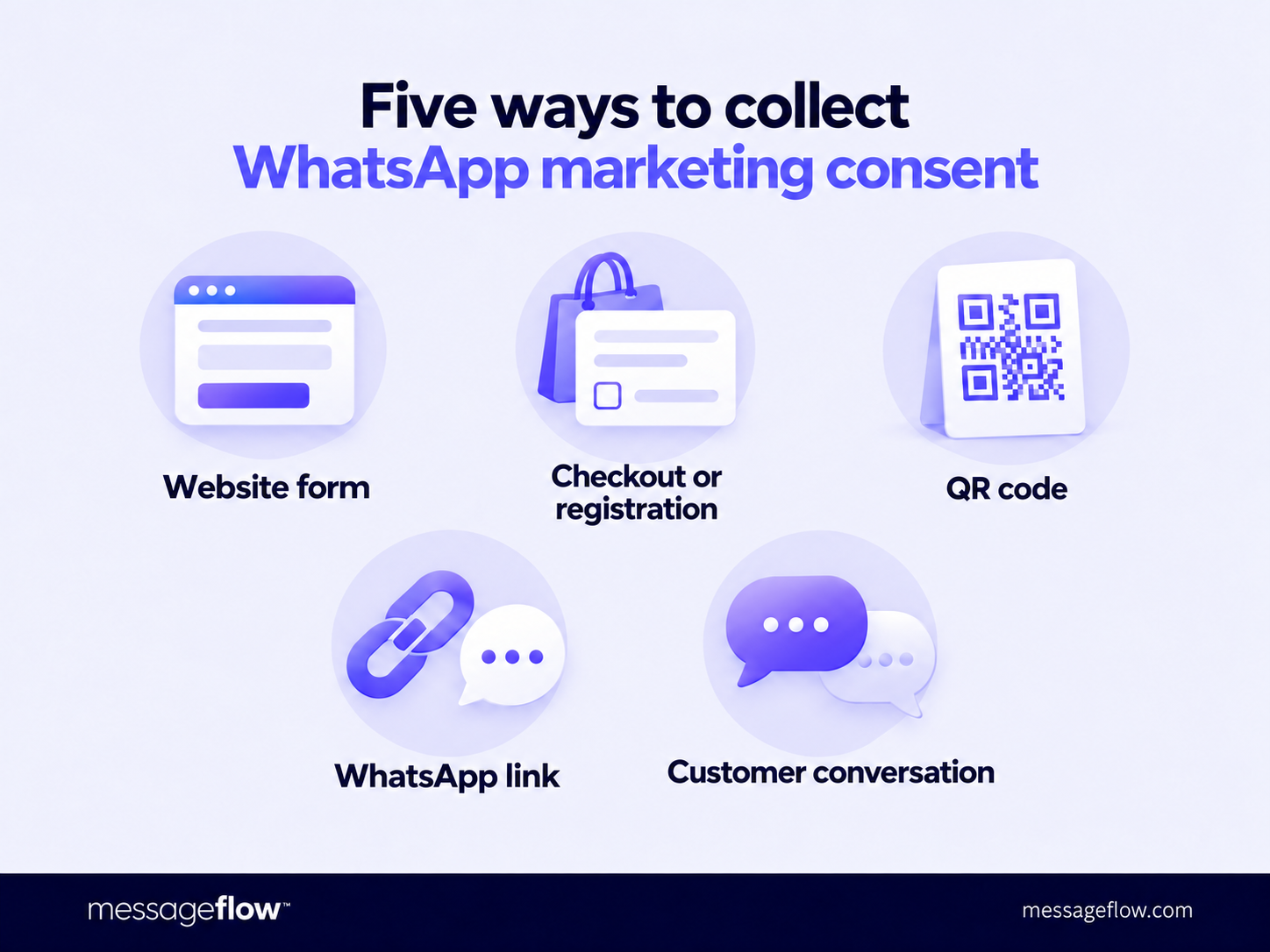
You can collect WhatsApp marketing consent through a website form, a checkbox at checkout, a QR code, a chat link, or during a conversation with a customer. In every case, recipients should understand which company will be messaging them and what types of messages they will receive, and actively confirm their opt-in.
Providing a phone number at checkout does not, in itself, constitute consent to receive promotional messages. Before adding a customer to a campaign, check what communications they have agreed to receive.
WhatsApp opt-in: What does marketing consent mean?
Opt-in means actively agreeing to receive messages. For WhatsApp marketing, the sign-up process should clearly identify the company, the promotional nature of the content, and the communication channel.
Meta’s policies require businesses to obtain consent for subsequent messages and comply with applicable law. In Poland, for example, Article 398 of the Electronic Communications Law (PKE) requires prior consent to send commercial communications, including direct marketing, using the means of communication specified in that article. Article 400 of the PKE refers to data protection provisions for the requirements governing how consent is obtained. The prohibition under the PKE also applies to business phone numbers.
Any assessment of the process should therefore consider both platform policies and legal requirements.
When designing your sign-up process, identify the sender, make the marketing purpose clear, and specify WhatsApp as the channel. Highlight a concrete benefit: updates on new collections, early access to promotions, or subscriber offers. A generic “Let’s stay in touch” does not explain what recipients are signing up for.
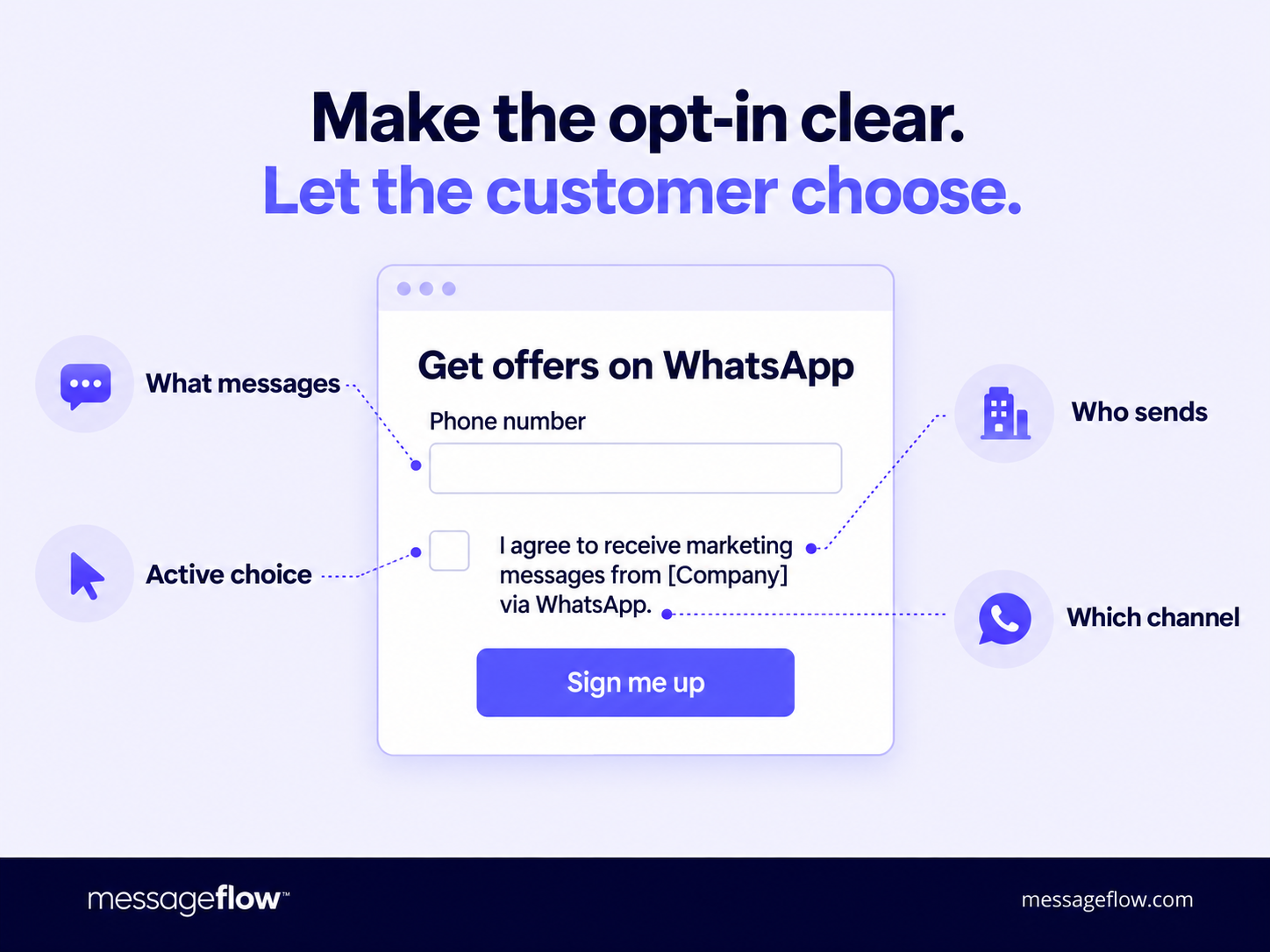
Also, make information on how to unsubscribe easy to find. This helps customers understand from the outset both what communications to expect and how to withdraw their consent.
⚖️ A phone number provided at checkout is intended for order fulfilment: customers share it to receive their parcel, not promotional offers. WhatsApp marketing serves a separate purpose and requires separate consent. Simply having a number in your database does not replace that consent.
5 ways to collect consent for WhatsApp marketing
Choose a sign-up method that fits how customers interact with your business. A form works well on your website, a QR code connects your physical store with mobile communication, and a conversation lets you invite customers to subscribe when the context is right.
Make sure customers can access information about how their data will be processed and how to unsubscribe before they give consent.
1. Website form
A dedicated form gives you space to briefly explain the benefits. Place it where customers explore your offer and ask for the phone number they use for WhatsApp. Avoid adding unnecessary fields such as a home address or date of birth just to complete the sign-up.
Good example: a heading that reads “Get updates on new collections and promotions on WhatsApp”, a phone number field, and a “Sign me up” button. Directly beside the button: “By clicking ‘Sign me up’, I agree to receive marketing messages from [company name] via WhatsApp”.
Mistake: a “Claim your discount” form that only reveals in the terms and conditions that signing up includes receiving future promotional messages. Consent collected this way cannot be justified as valid, and the numbers cannot be used to send marketing messages.
2. Checkbox at checkout or registration: sample consent wording
You can invite customers to subscribe when they make a purchase or create an account. Keep the opt-in visually separate from acceptance of the terms and conditions, and leave the checkbox unticked by default. Customers should be able to complete their order or registration without opting into marketing.
Good example: an optional checkbox with the wording “I would like to receive information about promotions and new products from [company name] via WhatsApp at the phone number provided”.
Mistake: a single mandatory checkbox stating “I accept the terms and conditions and agree to receive marketing messages”, without specifying the communication channel.
3. QR code in-store, on packaging, or at the checkout
A QR code lets you encourage people who encounter your brand offline to subscribe. Place a clear incentive beside the code and explain the next step. Treat the scan itself as the entry point to the sign-up process.
Good example: “Want to receive our promotions on WhatsApp? Scan the code and sign up”. The code leads to a form where customers can see who will send the messages and what they will receive, then actively confirm their subscription.
Mistake: labelling the code only with “See what’s new” and treating a scan as consent to receive future campaigns.
4. Link to WhatsApp
A link on your website or brand’s social media profile can take customers to a chat where they complete the sign-up process. Label it to reflect its purpose: “Sign up for offers via WhatsApp” clearly signals marketing.
Good example: after opening the chat, the customer receives clear information about the subscription and actively sends a statement: “I would like to receive messages about promotions and new products from [company name] via WhatsApp”.
Mistake: a “Chat with us” button that automatically adds users to the marketing database when clicked.
5. Sign-up during a customer conversation
During a conversation in a showroom or store, customers may ask about other promotions or new collections. This is a natural opportunity to invite them to subscribe. Keep the answer to their immediate question separate from their decision to receive future offers. In line with Meta’s guidance, recipients should expect the types of messages you plan to send.
Good example: a customer asks how to find out about upcoming sales. A staff member explains how the subscription works, and the customer confirms that they want to receive these messages from the specified company via WhatsApp. Make sure this confirmation leaves a record: a form or QR code displayed on an in-store device works better than a staff member’s note.
Mistake: treating the question “Will this model be cheaper on Friday?” as consent to receive all future campaigns.
Your WhatsApp contact database: How to record consent and manage withdrawals
Already have an SMS or email contact database? Before using it for WhatsApp marketing, check the scope of the consent you have collected. A contact’s presence in your database does not automatically mean you can message them through another channel. If their existing consent does not cover the WhatsApp communications you plan to send, obtain the appropriate consent before launching the campaign.
Regardless of how someone signs up, link their phone number to details of what they agreed to and evidence of their decision. The team preparing the campaign should be able to check this information before sending.
As part of the sign-up process, record:
- The phone number and scope of consent: which company the customer wants to hear from, what content they want to receive, and through which channel.
- The date and source of the sign-up: for example, a website form, a form accessed via a QR code, or an in-store conversation.
- The consent wording and evidence of the customer’s action: retain the version of the wording shown to the customer and a record of their acceptance. A simple “marketing: yes” label does not capture the circumstances of the sign-up.
- The current consent status: record any withdrawal of consent and take it into account when selecting recipients for future campaigns.
Make unsubscribing easy, too. You can instruct customers to reply “STOP”, but also honor plain-language requests such as “Please stop sending me offers”. Meta’s policies require businesses to respect opt-out requests made both on WhatsApp and outside it. Unsubscribing should be just as easy as signing up.
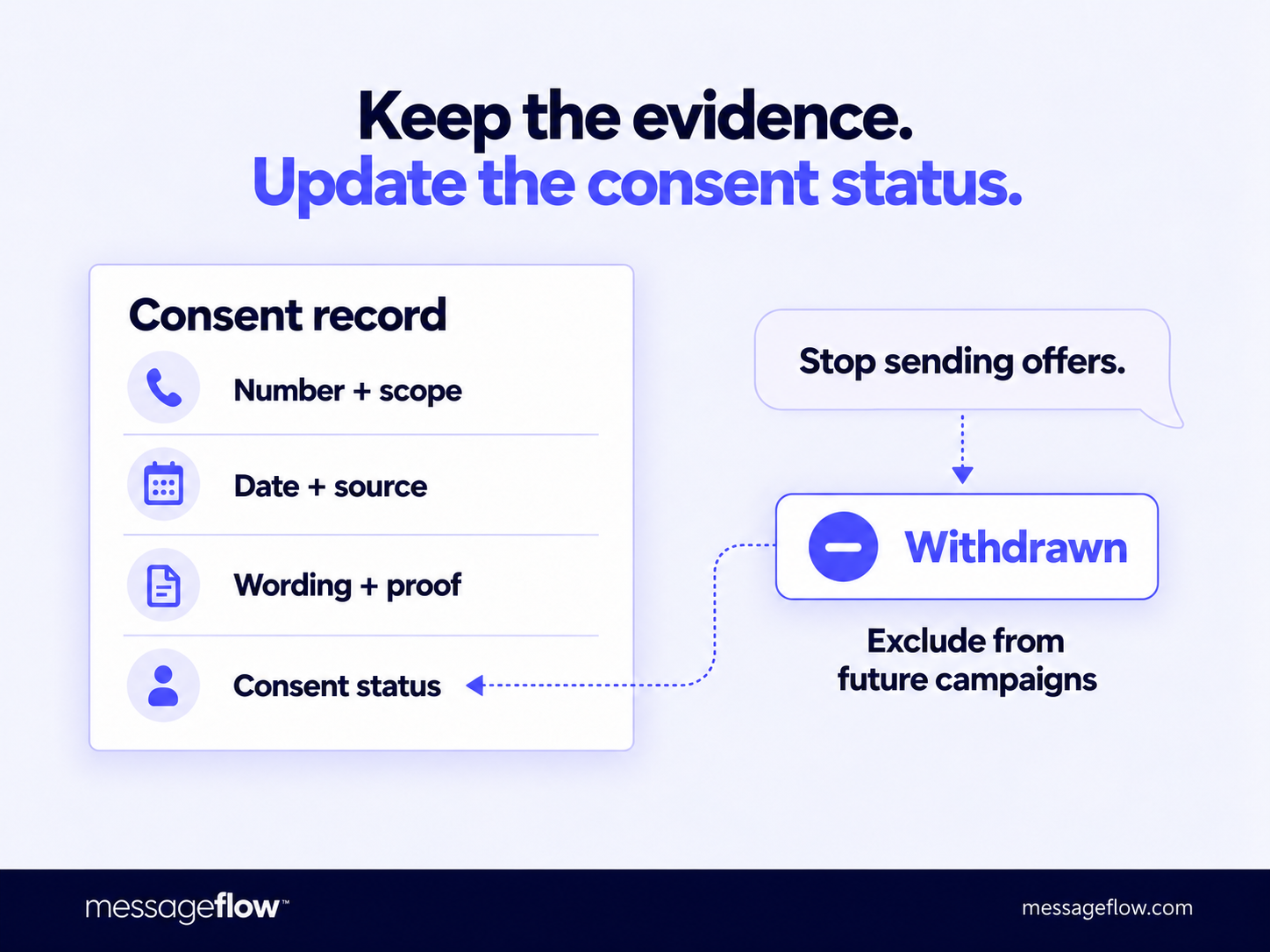
If a customer service representative receives the request while another team prepares campaigns, establish a process for updating the consent status before the next send. This is particularly important when contacts come from multiple forms or systems.
⚖️ Retain evidence of consent after a customer unsubscribes so you can demonstrate the basis for messages you sent previously. Keep it for as long as claims or a regulatory inspection remain a realistic possibility, and retain the number only on a suppression list.
How can MessageFlow help you set up an opt-in process?
When implementing WhatsApp, it makes sense to plan how you will grow your subscriber base alongside setting up the channel. MessageFlow supports businesses using the WhatsApp Business Platform and can help build a sign-up process, from choosing where to collect consent to determining how consent information feeds into your sending workflow.
Bring a specific scenario to the discussion: a form in your online store, a QR code at checkout, or sign-up during a conversation. This makes it easier to identify the steps and integrations needed and give your legal team the wording and sign-up flow to review.
If you are also just getting started with the channel, see our guide to WhatsApp Business Account configuration.
Start with one method that fits your customer journey. Check the entire process, from the invitation to subscribe through to handling opt-out requests. If you are preparing your first campaign, talk to us about launching the channel and building your subscriber base.
This content is for informational purposes only and does not constitute legal advice.