
Let’s be honest, email authentication sounds like one of those dry, backend technical topics that only IT folks lose sleep over. But if you’re sending marketing or transactional emails at scale, DMARC is something you can’t afford to ignore anymore.
In fact, inbox providers are already making it crystal clear: authenticate your emails properly or watch your deliverability tank.
In this article, I’ll walk you through what DMARC is, why it matters more than ever, and how to approach it with clarity and confidence. I’ll also show you how we at MessageFlow handle it – practically and painlessly – so you can focus more on performance and less on protocols.
Update: DMARC is now an official IETF standard
In May 2026, DMARC was formally adopted as an IETF internet standard through three documents: RFC 9989, RFC 9990, and RFC 9991 collectively referred to as DMARCbis. Together they replace the informational RFC 7489 from 2015 that underpinned DMARC practice up to now.
For most senders, this is good news: the mechanics you know are largely unchanged. Existing DMARC records remain valid, the none/quarantine/reject policies work the same way, and the Gmail, Yahoo, and Microsoft requirements covered below still apply. DMARCbis mostly tightens definitions, clarifies edge cases, and introduces one meaningful new mechanism which I’ll cover later, in the section on alignment.
In short: if you have DMARC properly deployed, there’s nothing you need to change overnight. But it’s worth understanding what’s shifted, especially if you’re planning an audit or configuring authentication for new domains.
What is a DMARC record and how does it work?
Let’s start with the basics: DMARC stands for Domain-based Message Authentication, Reporting & Conformance. It’s an authentication protocol designed to protect your email domain from unauthorized use – think phishing, spoofing, and business email compromise (BEC). In simpler terms, it helps prevent cybercriminals from pretending to be you. As of May 2026, it also holds the formal status of an IETF internet standard (previously it existed as an informational specification).
But DMARC doesn’t work in a vacuum.
How DMARC builds on SPF and DKIM
DMARC builds on two other authentication protocols you might have heard of: SPF (Sender Policy Framework) and DKIM (DomainKeys Identified Mail). SPF lets you specify which servers are allowed to send mail on your behalf, while DKIM attaches a digital signature to your message that the receiving email server can verify.
DMARC comes in to tie SPF and DKIM together and says to the receiving server:
“Only accept this email if either SPF or DKIM checks out and the domain aligns with the one I’m claiming to send from. Otherwise, feel free to reject or quarantine it.”
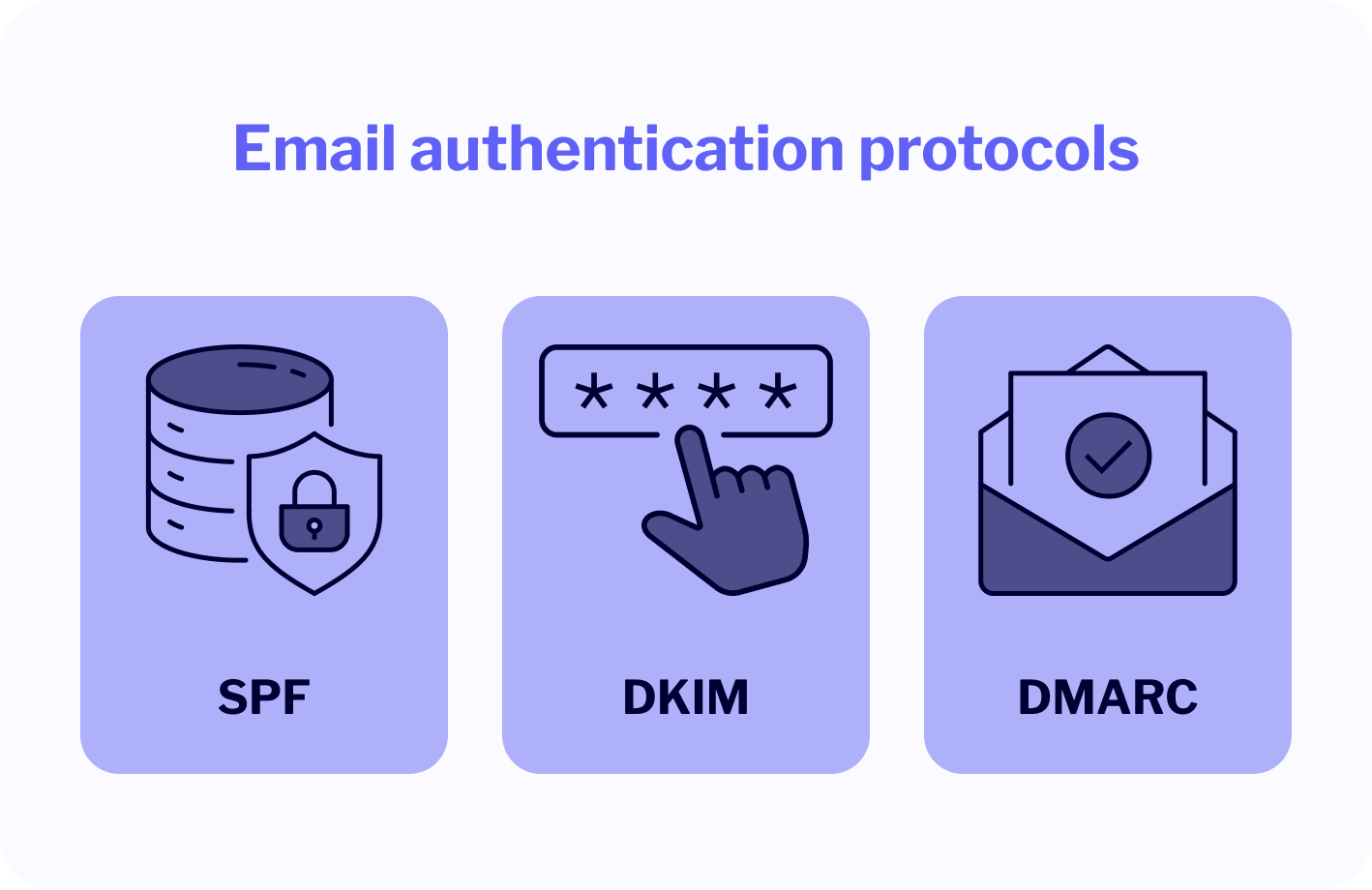
DMARC also gives you visibility. When implemented, it sends back regular reports about who’s sending emails using your domain and whether they passed or failed SPF/DKIM checks. That’s how you catch abusers impersonating your brand before they reach your customers’ inboxes.
Here’s an overly simplified analogy:
- SPF → the bouncer checking if the sender is on the guest list.
- DKIM → the UV stamp proving they really got in.
- DMARC → the club owner setting the rules and reviewing security footage.
DMARC works as an extra security layer
Think of this protocol as the final decision-maker. It’s the policy layer on top of SPF and DKIM that enforces your rules and monitors execution.
💡 Without DMARC, even if SPF and DKIM are configured, a malicious actor could spoof your email domain and still slip through the cracks. That’s because many receiving servers won’t act on SPF/DKIM failures unless DMARC tells them to.
This is why DMARC isn’t optional anymore. It’s the protocol that turns email authentication from passive suggestion into active enforcement.
Bottom line: DMARC adds teeth to your email authentication setup. And with inbox providers like Gmail, Yahoo, and Microsoft ramping up enforcement (more on that later), it’s not just best practice, it’s becoming baseline.
The ever-changing landscape of inbox provider requirements
If you’ve ever felt like the rules of email marketing are constantly shifting under your feet, well, you’re not wrong.
Inbox providers are no longer just evaluating your emails by content or engagement. They’re judging you by your infrastructure. And DMARC is right at the center of that.
What used to be an optional best practice is now, quite literally, a deliverability gatekeeper. The biggest players including Gmail, Yahoo, and now Microsoft, are drawing a hard line. Authenticate, or be filtered into oblivion. Let’s look at the milestones that brought us here.
Gmail & Yahoo DMARC enforcement in February 2024
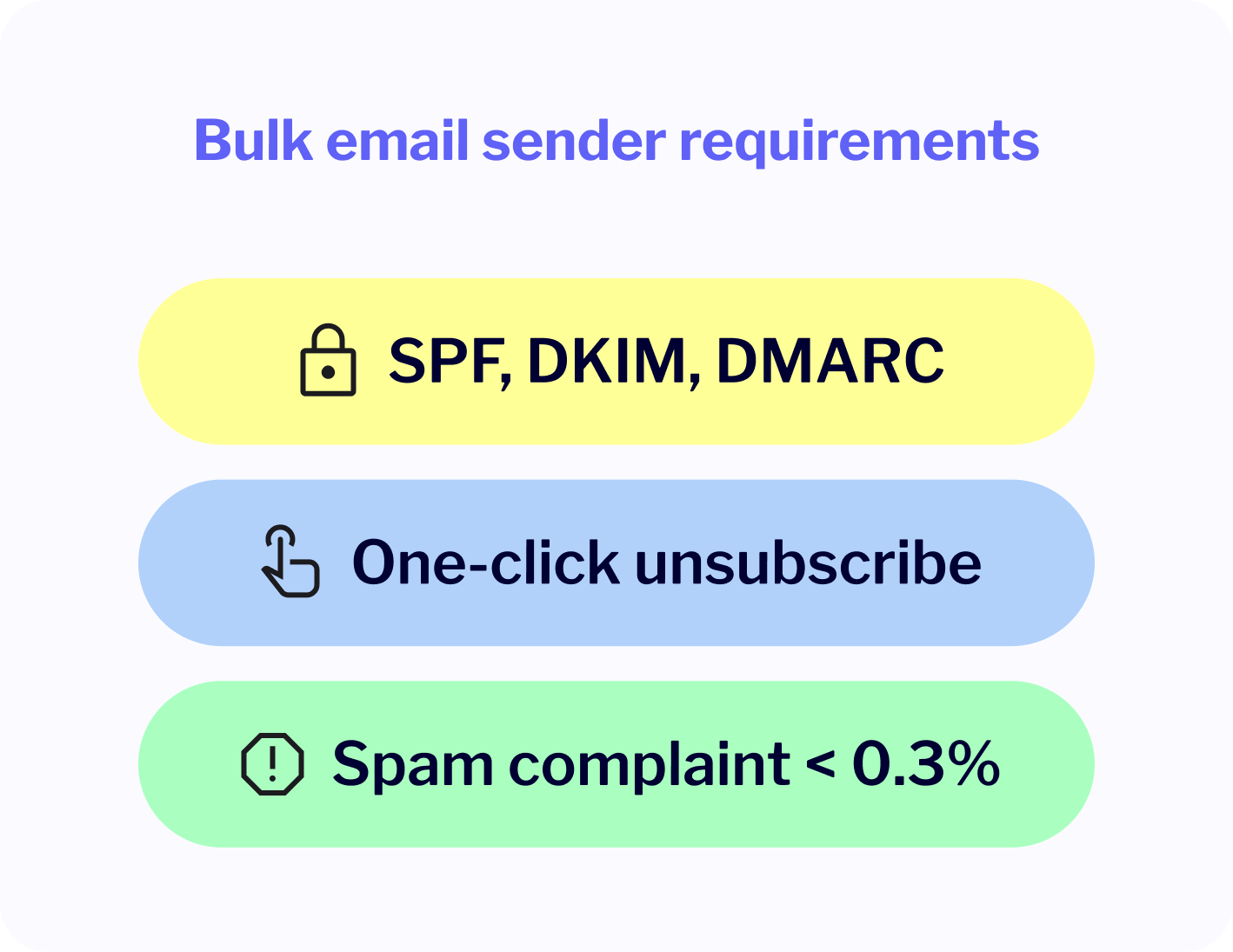
Starting in February 2024, both Gmail and Yahoo began enforcing new requirements aimed especially at bulk senders, meaning anyone dispatching 5,000 or more messages per day. If you fall into that group (and most serious senders do), here’s what you’re now expected to have in place:
- SPF and DKIM authentication
- A DMARC policy set for your sending domain
- A functional one-click unsubscribe header
- Spam complaint rates below 0.3%
These changes were no bluff. Since enforcement began, marketers have reported increased bounce rates, lower inbox placement, and in some cases outright blocks for non-compliant domains.
Gmail even went one step further: in April 2024, it applied a p=quarantine DMARC policy to the entire gmail.com domain. This means anyone spoofing Gmail addresses (yes, even in reply-to or friendly-from headers) gets hard filtered. No DMARC policy? No delivery.
Now, what does this mean in practice?
Let’s say you’re using but your emails are actually being sent via an ESP or CPaaS platform that hasn’t configured SPF/DKIM correctly or you’ve skipped DMARC entirely. Gmail now treats this with suspicion. Your carefully crafted email message may not even make it to the Promotions tab.
If you haven’t reviewed your setup since these changes rolled out: do it today.
Microsoft joins the trend in May 2025
Gmail and Yahoo were the warning shots. Microsoft is the confirmation: this is the new normal.
Starting May 2025, Microsoft began enforcing SPF, DKIM, and DMARC for all senders targeting Outlook, Hotmail, and Live.com inboxes, again, with a 5,000 messages/day threshold. The policy enforcement mirrors Gmail and Yahoo’s, but with one notable addition: Microsoft has already started rejecting emails with a 550 5.7.15 error if authentication isn’t aligned.
This isn’t a soft rollout. It’s a splash of cold water for anyone who’s still lagging on proper DNS records or ignoring DMARC policy alignment.
And let’s not forget: Microsoft has a massive footprint in enterprise and government communications. Getting blocked here could mean missing critical transactional email delivery like password resets, confirmations, or invoices, the very messages your business can’t afford to lose.
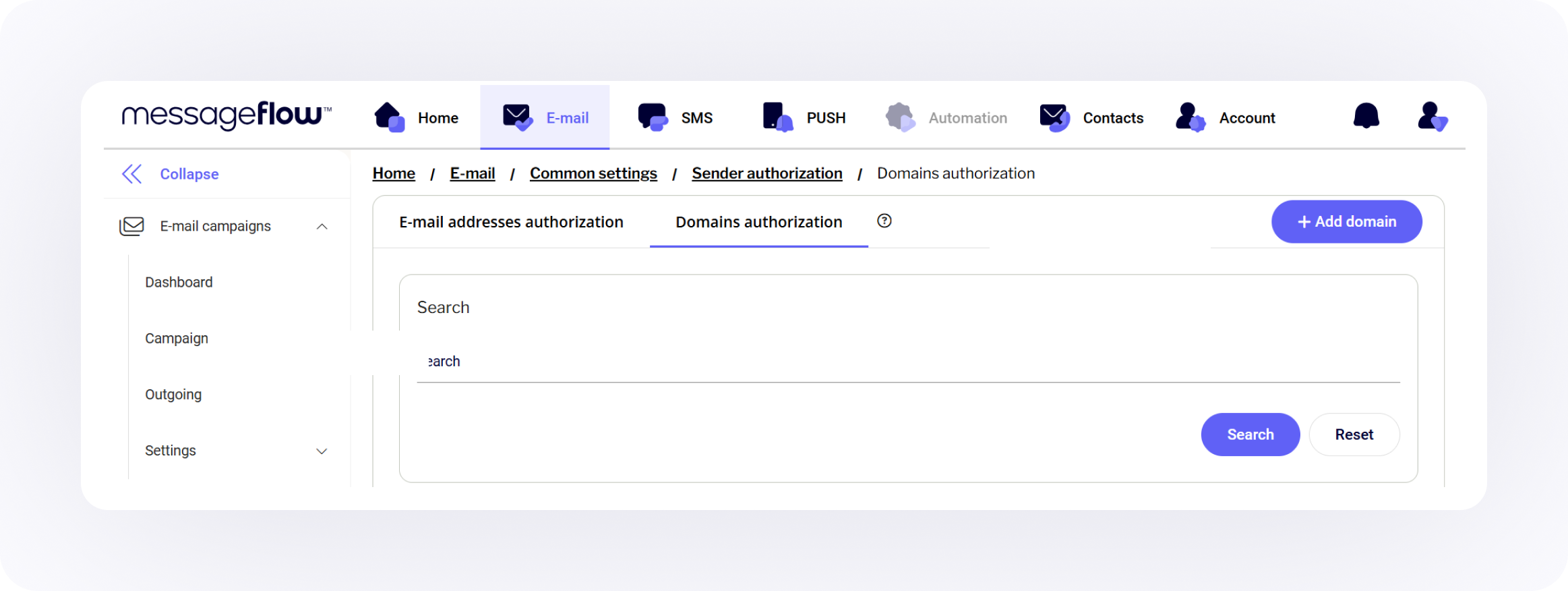
💡 If you’re managing multiple domains, working with third-party senders, or juggling multiple email tools, this can get complex fast. That’s why, at MessageFlow, we’ve baked email address and domain authentication management right into our platform so you can stay compliant without playing DNS detective every time something changes.
Why you need to implement DMARC now
Is DMARC necessary? Absolutely. And not just because inbox providers say so.
Email has evolved into one of the most valuable, and most abused, communication channels in digital business. If you’re not authenticating properly, you’re not just risking lower open rates, you’re risking your domain reputation, customer trust, and in some industries, legal consequences.
Let’s break down the real reasons why DMARC can’t be an afterthought anymore.
Improving deliverability and trust
Marketers love to talk about email deliverability, but too often the conversation stops at subject lines, send times, and content tweaks. Those things matter but not nearly as much as your infrastructure.
Here’s the hard truth: if you’re not using DMARC, inbox providers will treat your emails with suspicion, no matter how polished your messaging is.
By implementing DMARC alongside SPF and DKIM, you’re sending a clear signal to Gmail, Outlook, Yahoo and others that:
“This email really is from us. We have a policy in place, and we’re watching what happens to our messages.”
That last part is important because DMARC doesn’t just validate your messages, it also gives you reporting visibility. You can see who’s sending mail on your behalf (legit or otherwise) and where authentication is failing. This insight is gold for both marketers and security teams.
And let’s not forget the human side of trust.
When your domain is protected by DMARC and properly aligned with BIMI (more on that later), your messages can include your brand logo right in the inbox. That’s not just an eye-catching detail but it’s also reassuring recipients that this message is really from you. It’s visual trust, baked into the delivery.
Bottom line: Authenticated email gets delivered more reliably, earns more trust, and generates better results.
Combatting phishing, spoofing, and business email compromise attacks
You’re not the only one interested in your domain. So are cybercriminals and they’re not shy about using it.
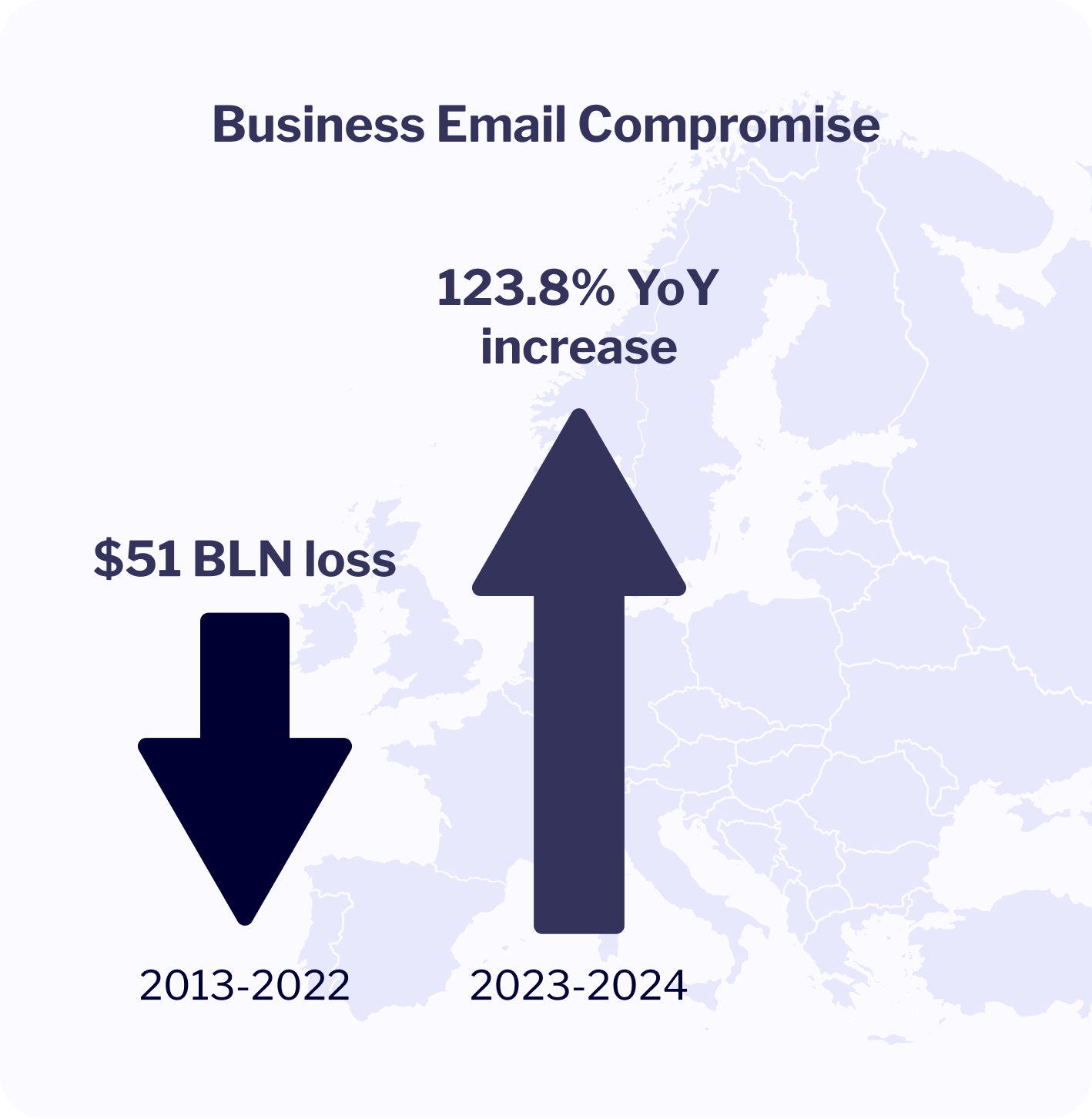
Business Email Compromise (BEC) is one of the costliest types of cybercrime today. Between 2013 and 2022 the resulting losses are estimated to have reached close to 51 billion USD globally. Europe alone suffered from a 123.8% YoY increase in BEC attacks between April 2023 and April 2024.
This type of cybercrime works because the attacker doesn’t need to hack your systems. They just need to impersonate you convincingly enough to trick someone into paying an invoice, wiring money, or handing over access credentials.
How do they do that?
With simple methods like spoofing and phishing. Forged headers, lookalike domains, or sending from your real domain using a mail server you didn’t authorize.
DMARC puts a massive wall in front of those tactics. By enforcing alignment between the “From” address and authenticated records (SPF/DKIM), it prevents unauthorized senders from using your domain and lets receiving servers know how to handle email that fails checks.
This protocol is as much about security as it is about taking ownership.
With DMARC, you take control of who gets to use your domain name, and you protect your audience from becoming the next victim of a scam.
The role of one-click unsubscribe and spam rate thresholds
DMARC is just one piece of a bigger puzzle. Modern inbox providers are raising the bar across the board. To even stay in the inbox,especially if you’re sending at scale, you now need to:
- Include a one-click unsubscribe header (RFC 8058 compliant)
- Maintain a spam complaint rate below 0.3% (for Gmail, this is a hard cap)
These aren’t “nice-to-haves.” Gmail, Yahoo, and Microsoft now treat these as compliance requirements, alongside SPF, DKIM, and DMARC. Miss the mark, and you could find your messages quietly routed to spam or blocked entirely.
It’s a tough new world, especially for marketers. The margin for error is shrinking.
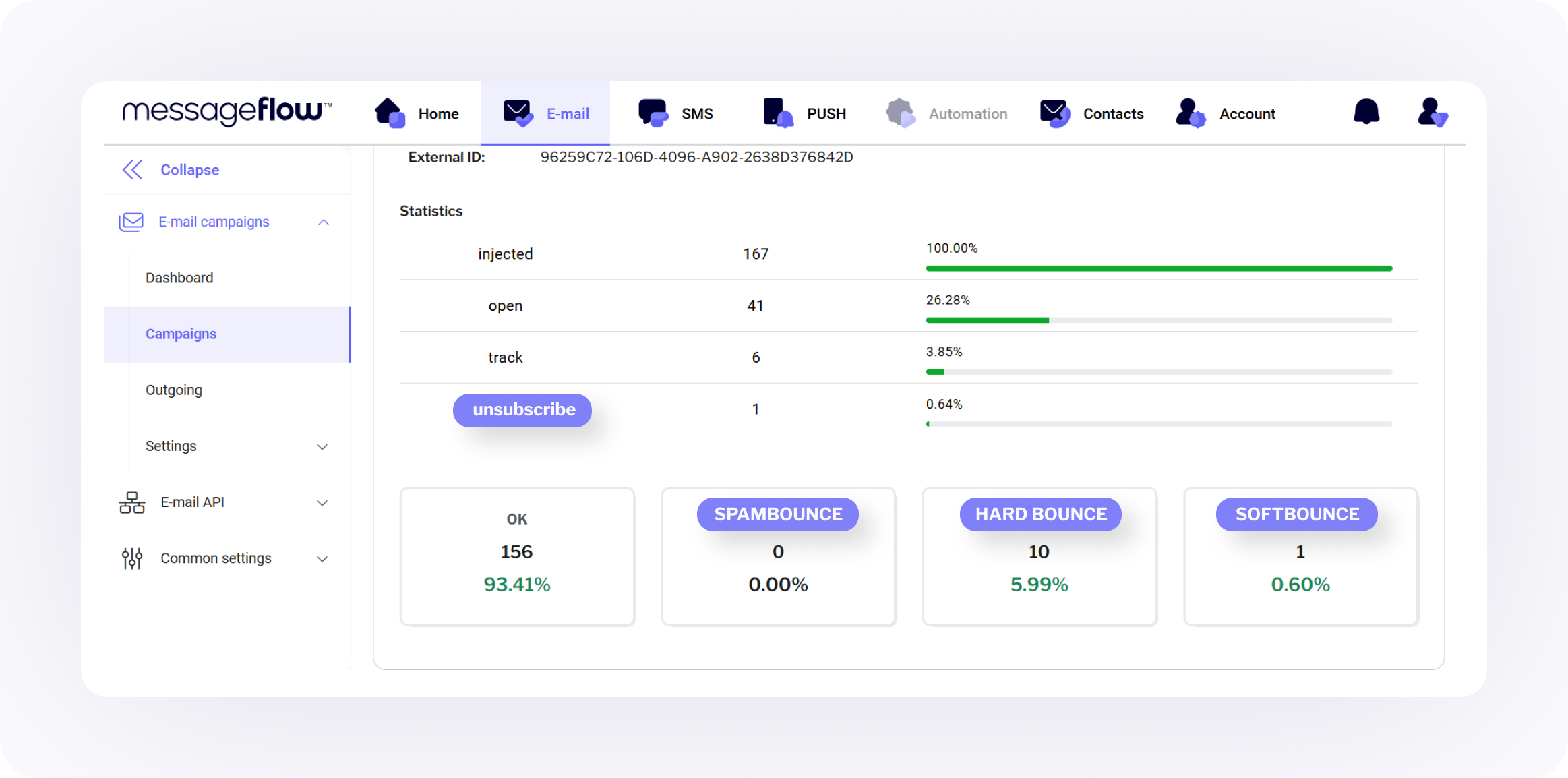
💡 That’s why we’ve made unsubscribe handling and bounce rate monitoring a built-in part of MessageFlow’s email setup process. You shouldn’t have to patch together five tools to stay compliant. You need a platform that does it with you, automatically.
How to set up DMARC for email security
Implementing DMARC isn’t as difficult as it may seem but it’s also not something you want to wing. A sloppy setup can backfire, causing legitimate emails to bounce or land in spam. The good news? With a structured approach, you can roll out DMARC incrementally, avoid surprises, and reap all the benefits we’ve talked about so far.
Let’s walk through how to get this right.
Choosing a DMARC policy
DMARC authentication policies come in three flavors:
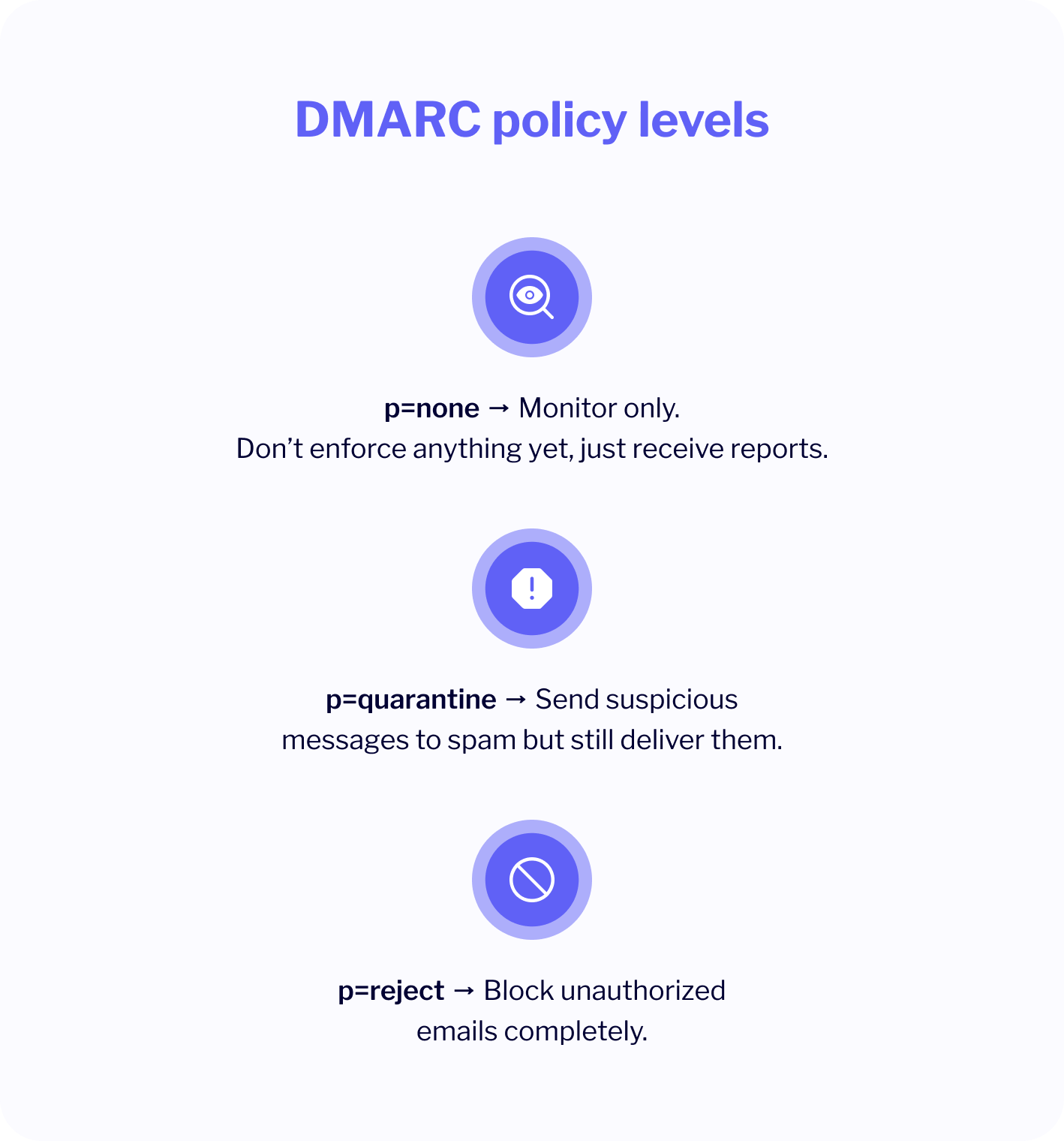
- p=none → Monitor only. Don’t enforce anything yet, just receive reports.
- p=quarantine → Send suspicious messages to spam but still deliver them.
- p=reject → Block unauthorized emails completely.
If you’re just starting out, you’ll want to begin with p=none. This lets you gather data about your sending infrastructure before making enforcement decisions. You’ll start receiving aggregate reports (RUA) that show how your domain is being used and potentially abused. In order to take advantage of this, make sure you include the RUA tag in your DMARC record.
Once you’re confident that your legitimate senders are passing authentication, move to p=quarantine. Monitor again. If things still look clean, go all in with p=reject.
To minimize risk, consider staging enforcement gradually rather than switching to a strict policy in one move. Historically, this was done with the pct tag (e.g., pct=10), under DMARCbis, the recommended mechanism is the t tag instead (see the tag updates section below). Monitor using RUA reports.
Think of it like moving up security levels:
- none = observe
- quarantine = warn
- reject = enforce
Example record:
v=DMARC1; p=none; rua=mailto:; pct=100Keep in mind that BIMI requires p=quarantine or p=reject before granting you the benefit of logo display.
What DMARCbis changes: tag updates
DMARCbis leaves the three policies (none, quarantine, reject) exactly as they were, but the tag set around them has been meaningfully revised. Three tags from RFC 7489 have been deprecated:
- pct – the percentage tag, removed. Appendix A.6 of RFC 9989 explains the reasoning: receivers implemented it inconsistently (most reliably honored only pct=0 or pct=100), and it was frequently misused as a permanent state rather than a rollout step.
- rf – the report format tag, removed. Only one format ever saw real-world use.
- ri – the requested report interval, removed. Receivers are now expected to send aggregate reports daily.
In pct’s place, DMARCbis introduces the t (testing) tag. Instead of sampling a percentage of failing messages, t=y tells receivers to apply the next-lower policy during a trial so a domain publishing p=reject; t=y is treated as if it were p=quarantine. It’s a coarser instrument than pct=25 → pct=50 → pct=100 but more deterministic and better matched to how receivers actually behave.
Two other new tags are worth knowing about:
- np – a subdomain policy specifically for non-existent subdomains, letting you define how receivers should handle mail claiming to come from subdomains you never send from.
- psd – the public suffix domain flag covered later in the alignment section, relevant to infrastructure operators rather than typical senders.
What this means in practice: existing records with pct=X still work – DMARCbis receivers treat any pct<100 as pct=100 so partial percentages no longer soften enforcement but nothing breaks. If you’re deploying a new record today or updating an existing one, drop pct, rf, and ri when you next touch DNS and use t=y for staged rollout instead of a percentage.
Configuring DMARC alignment (SPF vs. DKIM alignment)
This is where many marketers glaze over but bear with me, because alignment is where DMARC gets its teeth.
💡 DMARC checks whether the domain in the “From” header (what the user sees) matches the domains used in SPF and DKIM authentication. That’s called alignment.
There are two types:
- SPF alignment: The domain in your Return-Path (aka envelope sender) matches your From domain.
- DKIM alignment: The domain used to sign the message with DKIM matches your From domain.
Here’s where people trip up:
Does DMARC require both SPF and DKIM? No, DMARC passes if either SPF or DKIM passes and is aligned. You don’t need both to pass… but it’s highly recommended to configure both for redundancy and resilience.
So, what’s the difference between DKIM and DMARC?
- DKIM record is a cryptographic signature. Proof that the email message was sent by a server authorized to use the domain.
- DMARC uses DKIM (and SPF) as inputs. It enforces policies and defines how receivers should react to failures.
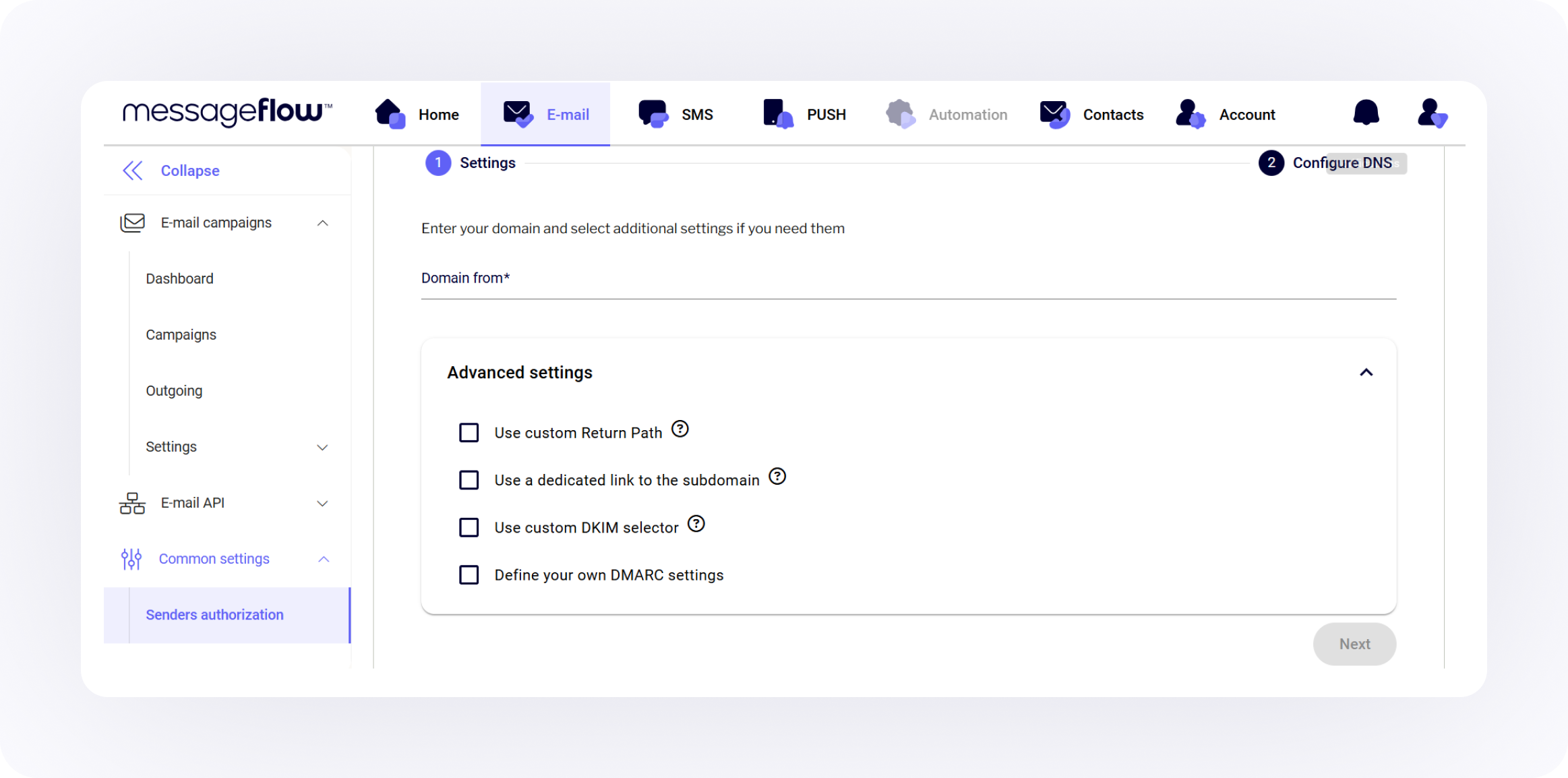
Quick tip: Make sure your ESP or sending platform lets you customize the DKIM domain. If their signature uses their own domain, it won’t align with yours and DMARC will fail. (At MessageFlow, you can bring your own domain and fully align DKIM right from the user panel.)
What DMARCbis changes: Determining the organizational domain
Under the previous version of DMARC (RFC 7489), receiving servers had to answer a deceptively simple question: where in the DNS hierarchy does one organization end and another begin? For sub.brand.com, that’s brand.com. But what about company.co.uk? Or domains hosted on platforms like mystore.shopify.com?
The answer relied on the Public Suffix List (PSL) – a publicly maintained list of domain suffixes. It worked but had drawbacks: the PSL is an external resource updated manually, different operators used different versions, and emerging public domains were often underrepresented.
DMARCbis replaces this mechanism with a process called tree walk. Instead of consulting an external list, the receiving server climbs up the DNS hierarchy from the sender’s domain, looking for a DMARC record. The first record it finds defines the organizational boundary. It’s deterministic, doesn’t depend on external resources, and handles unusual domain structures more gracefully.
For most senders, this change is invisible. If you have a DMARC record published on your primary domain, tree walk will find it exactly where PSL would have. Things get more nuanced only if you:
- manage a portfolio of subdomains with different DMARC policies
- operate on a domain with an unusual structure
- are yourself a public domain operator (e.g. a hosting provider whose customers use subdomains)
For that last group, DMARCbis introduces a new tag: psd=y. Published at the level of a public domain, it signals to receiving servers that the domain acts as a “public suffix domain” and that tree walk should not stop there when determining the organizational boundary. It’s a technical detail relevant mainly to infrastructure operators, a typical marketing or transactional sender won’t need to touch it.
In short: alignment works the same way it always did, but the way receiving servers determine “whose” a given domain is has become more predictable. If you publish DMARC on your primary domain and don’t run public hosting infrastructure, there’s nothing you need to change.
Reporting mechanisms (rua, ruf, pct, etc.)
One of the most valuable things about DMARC is the reporting it provides. When you publish a DMARC record, you can specify where to send two types of reports:
- RUA (aggregate reports): XML files sent daily showing high-level data – who sent mail using your domain, did it pass, where did it come from.
- RUF (forensic reports): More detailed reports, often including headers or original content. In practice, almost unused – most mail operators don’t send them due to privacy concerns, and DMARCbis further discourages reliance on this mechanism. Realistically, focus on RUA reports and treat RUF as a legacy option.
Key tags to know:
- rua=mailto: – where to send aggregate reports
- ruf=mailto: – where to send forensic reports (if supported, rarely in practice)
- pct=100 – apply policy to 100% of messages (legacy tag, deprecated in DMARCbis in favor of t=y, though existing pct values remain valid)
- aspf / adkim – set alignment mode to strict or relaxed (strict is better, but more likely to cause delivery issues if your setup isn’t airtight)
Sample record with reporting:
v=DMARC1; p=quarantine; rua=mailto:; pct=100; adkim=s; aspf=sQuick tip: Make sure your report inbox is ready, those XML files pile up quickly. You can use visualization tools like DMARCian, Postmark, or dmarc.report to make sense of the data. More about this later in the article.
Common pitfalls and forwarder/list issues
Even with the best intentions, DMARC can break stuff. Here are some traps to watch out for:
- Email forwarding: Forwarders often break SPF. If the policy is too strict, forwarded emails may fail DMARC authentication. DKIM can help mitigate this if the signature remains intact.
- Mailing lists: Some lists modify your message (e.g. adding footers), which can break DKIM signatures.
- ESP misalignment: Some platforms send using their domain by default in the DKIM signature or Return-Path. Unless they allow customization, DMARC alignment will fail.
- Incorrect DNS formatting: DMARC records must be published as a TXT record at _dmarc.yourdomain.com not your root domain. Miss that and the policy won’t be seen.
TL;DR: Test, monitor, iterate. DMARC is powerful but it’s not plug-and-play.
The role of ARC
To solve authentication issues with forwarding and mailing lists, the industry developed ARC (Authenticated Received Chain). This protocol allows intermediaries to “seal” the original authentication results (SPF/DKIM) before forwarding the message. This helps the final recipient’s server trust the email, even if the direct SPF or DKIM check fails after modification, making ARC a critical component for robust DMARC deployment.
Getting started with DMARC DNS txt record – examples for popular hosts
To implement DMARC, you need to publish a specific TXT record in your domain’s DNS zone. This is typically done through your hosting provider’s admin panel.
Conceptually, the process is the same across platforms: you enter the TXT record at the correct hostname (usually _dmarc.yourdomain.com) and specify the right value. However, small differences in interface and input formatting between providers can make step-by-step instructions vary slightly. That’s also why creating universal how-to guidance for every single provider isn’t very practical.
Even if you use a different host than the ones listed below, these examples should give you a solid understanding of how to approach your own setup. For these two specific providers, we’ve linked directly to detailed walkthroughs in our documentation.
All that being said, many service providers, like MessageFlow, simplify DMARC setup using a CNAME record. You will be asked to publish a simple CNAME record in DNS, which points to the full DMARC TXT record hosted on the provider’s infrastructure. This popular method is fully compliant with the standard and effectively eliminates the risk of syntax errors, as you don’t have to write the DMARC policy by hand.
Cloudflare DMARC DNS record creation
Cloudflare’s DNS management panel makes it easy to add and edit TXT records, including DMARC entries. To ensure a smooth setup, follow our guide covering the exact steps, naming format, and record value examples tailored to the Cloudflare interface.
👉 Step-by-step guide to setting up a DMARC record in Cloudflare
GoDaddy DMARC DNS record creation
GoDaddy users can configure DMARC records directly in the DNS Management section of their domain settings. Our walkthrough highlights what to enter, where to enter it, and how to confirm that the record is live and properly configured.
👉 How to create a DMARC record in GoDaddy the right way
How BIMI relies on DMARC
Let’s shift from backend policy to front-end perception now. Because while DMARC protects your domain behind the scenes, BIMI puts your brand front and center, quite literally, right in the inbox.
But here’s the catch: you can’t use BIMI without having your email authentication sorted first. And that starts with a strict DMARC policy.
What is BIMI and why it matters
BIMI stands for Brand Indicators for Message Identification. In short, it allows you to display your official brand logo next to your emails in inboxes.
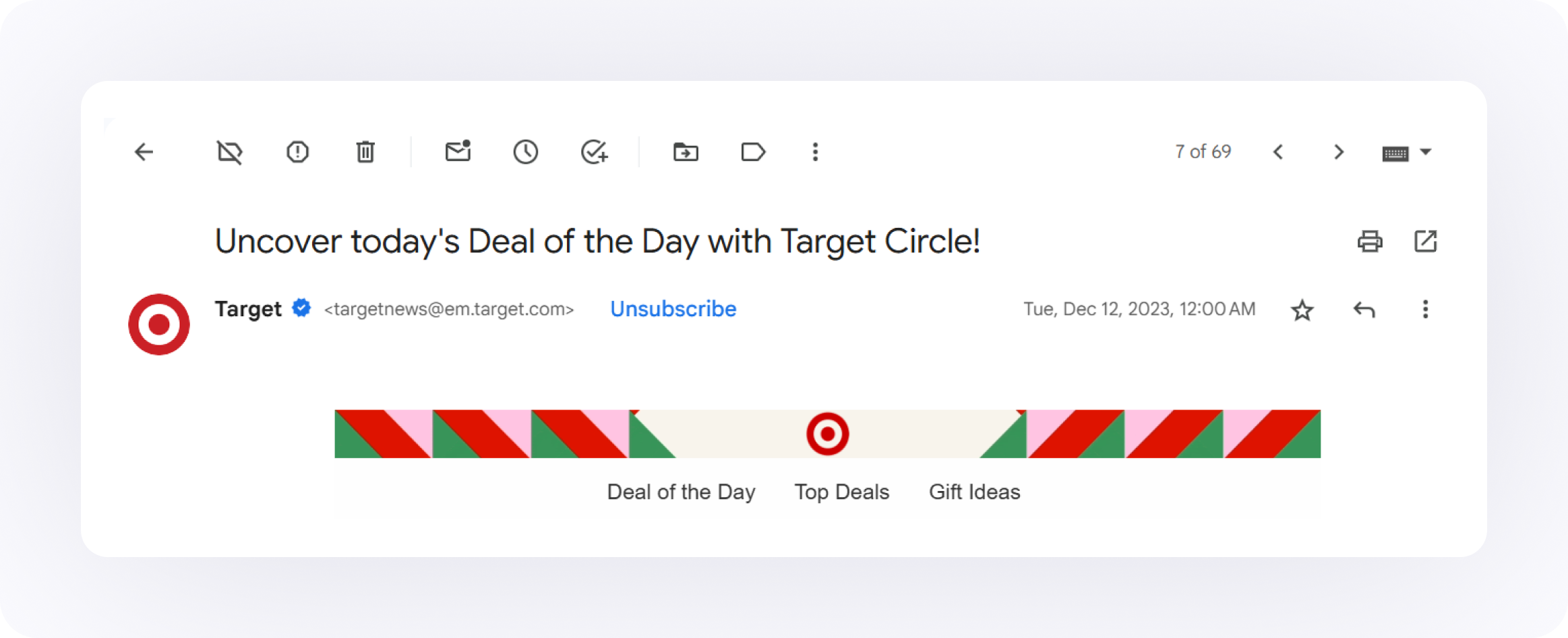
Think of it as the email equivalent of a verified badge on social media. Your subscribers open their inbox and immediately see that your message is backed by a recognizable, authenticated visual identity.
Here’s why that’s a big deal:
- It increases brand recognition at the moment of engagement.
- It builds trust before your subject line even gets read.
- It can improve open rates (some studies report improvement as high as 39% while others show a bit more modest 10%).
But none of that happens by default. BIMI isn’t magic branding dust you sprinkle on your campaigns. It’s the reward you earn by playing the authentication game right.
BIMI prerequisites: strict DMARC
Here’s what inbox providers require before they’ll even consider displaying your BIMI logo:
- A valid DMARC record with a policy of either p=quarantine or p=reject.
- SPF and/or DKIM must be aligned with your “From” domain.
- A hosted, SVG-format version of your official logo accessible via HTTPS.
- A VMC (Verified Mark Certificate), especially if you’re targeting Gmail (also supporting CMC – Common Mark Certificate or iCloud Mail.
That first point is key: BIMI will not function with a p=none policy. And this makes sense. BIMI is essentially saying to inbox providers:
“Hey, we’ve locked down our domain. We’ve verified who we are. Now let us show our face.”
No lock, no logo. Simple as. Keep in mind, however, that this is more of a strategic move, not just a technical one.
Brand trust and visual impact in the inbox
Let’s be clear: BIMI isn’t a deliverability hack. It won’t bypass spam filters or rescue poor sender behavior. But when combined with proper authentication, consistent sending, and list hygiene, it becomes a powerful engagement multiplier.
Here’s how it achieves that:
- Trust → Seeing your brand logo boosts user confidence. No “is this a scam?” hesitation.
- Engagement → Trust leads to higher open rates and click-throughs.
- Deliverability → Higher engagement sends positive signals to inbox providers, increasing your inbox placement rate (IPR) over time.
But again, and this can’t be stressed enough, BIMI is an enhancement on top of a solid email foundation. If your emails are unauthenticated, unaligned, or generating high spam complaints, BIMI won’t save you. In fact, you won’t even qualify.
Think of it this way:
DMARC is the lock. DKIM and SPF are the keys. BIMI is the front-facing sign that says, “This business is legit.” Get the fundamentals right first. Then enjoy the visibility boost that BIMI provides.
How MessageFlow helps you meet email authentication requirements
Email authentication is the starting point of secure, trusted, and inbox-ready communication. That’s why we’ve made it a priority at MessageFlow to equip senders like you with the right tools to manage email authentication confidently, even as requirements continue to evolve.
Whether you’re sending transactional updates, marketing campaigns, or service alerts, it all starts with proper domain authentication.
Authenticating your sending domain in the user panel
At MessageFlow, authenticating your domain is a guided, streamlined process, available directly within the user panel.
You can add your domain, generate the necessary SPF, DKIM, and DMARC records, and access platform-specific values ready to be copied into your DNS settings. The process is straightforward, but if you’re new to it or just want to make sure everything’s covered, we’ve documented each step for you.
👉 See our full guide on domain authentication in MessageFlow
Best-practices for DMARC txt record implementation
No matter what platform you use, successful DMARC deployment depends on a few universal best practices. Here’s what we recommend to any sender looking to stay compliant and boost deliverability:
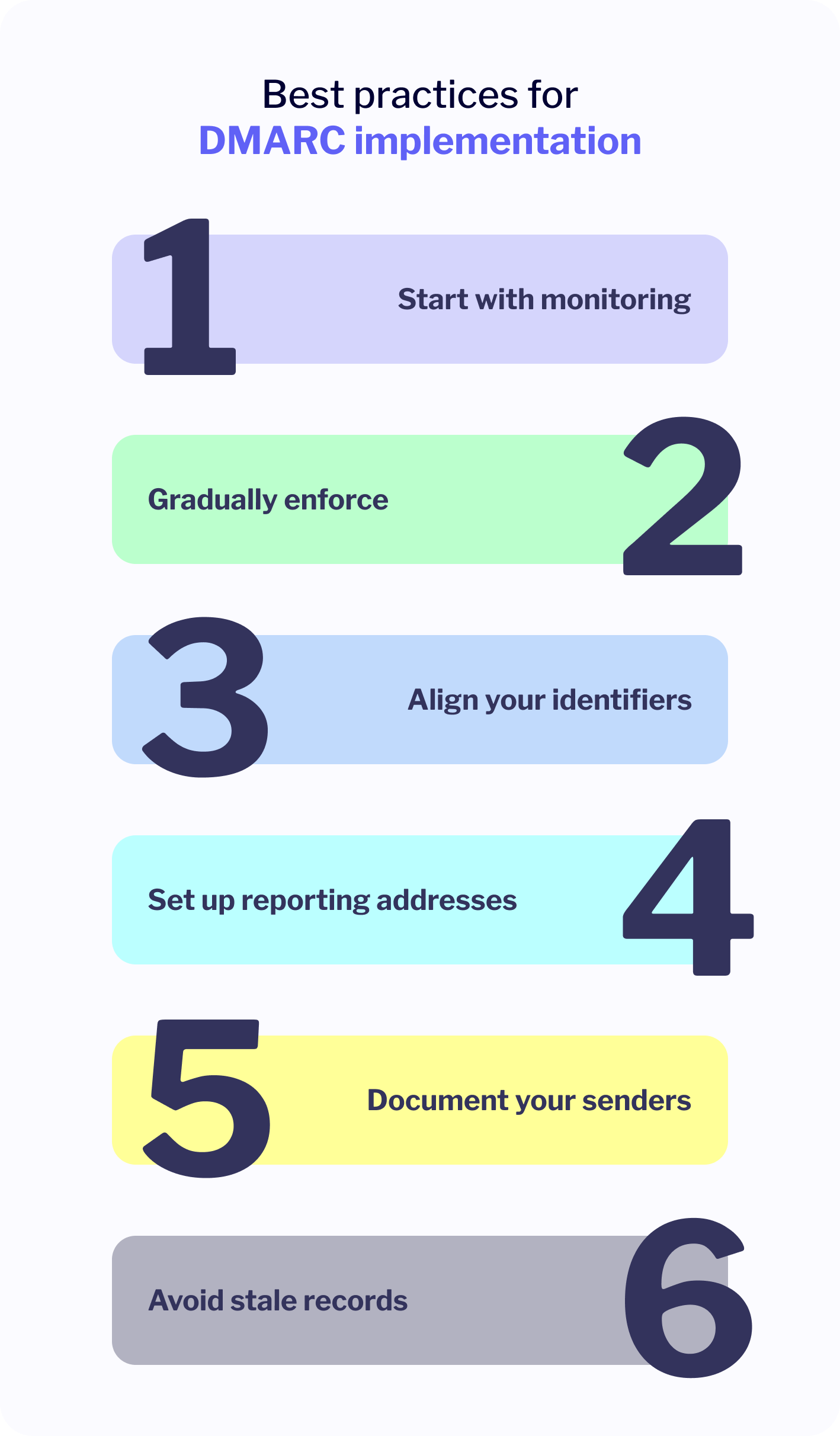
- Start with monitoring. Always begin with p=none so you can observe your sending behavior without impacting delivery. Use the DMARC aggregate reports to map out all legitimate sources.
- Gradually enforce. Once you’re confident everything is aligned, transition to p=quarantine, then p=reject. Take it slow, there’s no need to rush enforcement.
- Align your identifiers. Ensure the domains used in SPF and DKIM align with the “From” domain. Misaligned records are the #1 reason for DMARC failures.
- Set up reporting addresses. Use the rua tag to receive daily summaries and monitor unauthorized usage of your domain.
- Document your senders. If you use multiple tools or services to send email (e.g. CRMs, marketing platforms, billing systems), confirm that each is properly authenticated with your DNS settings.
- Avoid stale records. As your infrastructure evolves, review and update DNS entries regularly. Clean out old or unused sources.
Advanced monitoring and troubleshooting
Once you’ve implemented DMARC, the job isn’t done. Like any good security measure, DMARC isn’t something you “set and forget.” It needs to be monitored, fine-tuned, and adapted as your sending ecosystem evolves.
This is where visibility and ongoing diagnostics make all the difference. Whether you’re managing one brand domain or twenty, consistent monitoring can catch misconfigurations, unauthorized senders, or simple human error before they turn into deliverability disasters.
Interpreting DMARC reports – rua and ruf insights
When you publish a DMARC record with the rua and ruf tags, you’re telling inbox providers: “Keep me in the loop.” And they will, usually daily.
- RUA (aggregate reports): These are XML-based summaries showing how many messages passed or failed SPF/DKIM, where they came from, and how they were handled. Think of this as your email authentication scoreboard. You’ll use these reports to map out which services are sending on your behalf, spot anomalies, and verify alignment.
- RUF (forensic reports): These are more detailed, sometimes including full message headers (and rarely, the body). They’re not universally supported, and privacy concerns mean they’re less commonly used. But, when available, they’re incredibly useful for pinpointing specific failures.
Reading these reports raw is a headache, trust me. That’s why many teams route them to parsing tools (more on that next) or set up automated alerts for unusual spikes in DMARC failures.
Quick tip: When interpreting reports, look for repeat failures from unknown sources. One-off fails may be noise. Patterns mean something’s misconfigured or someone’s trying to spoof you.
Third-party tools and automation
If your first experience opening an XML DMARC report made you quietly panic, you’re not alone.
Thankfully, there’s a growing list of tools, free and paid, that take care of the heavy lifting. These platforms can help you visualize authentication status, drill into failures, and even get proactive about changes in sender behavior.
Some trusted options include:
- dmarcian
- Valimail Monitor
- Postmark DMARC Digests
- DMARC Analyzer
- EasyDMARC
- Google Postmaster Tools (for Gmail-specific insights)
Most of these tools support alerting, historical trend analysis, and per-source filtering. Comes in handy when you’re juggling multiple ESPs, internal systems, and vendors.
💡 One more thing worth flagging: DMARC reporting is now available directly in the MessageFlow panel. If you’re already sending through us, you can consume RUA data alongside your other authentication and deliverability signals in one place with no separate tool needed. Our DMARC documentation walks through the setup and shows what the reports look like once they land.
All in all, DMARC provides lots of useful insights you can capitalize on by using some of the specialized tools mentioned above.
Scaling authentication across multiple domains
If you’re handling email for a single brand domain, DMARC is manageable. If you’re overseeing a portfolio – subsidiaries, sister brands, regional branches – it gets a lot more complex, fast.
Here’s how to stay ahead of the chaos:
- Centralize your reporting. Use a single rua address across all domains to track authentication globally.
- Label and segment. Use tools that let you tag senders or domains to quickly spot misaligned sources.
- Standardize your setup. Define naming conventions and policy defaults across your organization (e.g., always start at p=none, always enforce DKIM alignment).
- Audit regularly. Set a quarterly reminder to review all DNS records. As teams change tools or vendors, these can easily drift.
- Automate onboarding. If your company spins up new domains regularly, consider templating your SPF/DKIM/DMARC process so setup is repeatable and fast.
Frequently asked questions on how to use DMARC
DMARC can get technical fast, and not every use case is straightforward. This section tackles some of the most common questions we hear from teams getting started with implementation. Use it as a quick reference or to troubleshoot specific concerns.
DMARC FAQ
Start with p=none to monitor traffic safely. Once you’re confident everything is authenticating correctly, move to quarantine or reject to enforce protection.
Technically, no but inbox providers may still penalize unauthenticated emails. Even small senders benefit from DMARC, especially to prevent spoofing.
Your emails may still be delivered, but you’re unprotected against spoofing. ISPs won’t know how to handle failed SPF/DKIM, and your brand is more vulnerable.
Not necessarily. DMARC passes if either SPF or DKIM passes and aligns with your “From” domain. You only need one to succeed.
Yes, but it’s risky. If your SPF breaks (e.g. due to forwarding), you have no fallback. For reliable authentication, configure both SPF and DKIM.
Most changes propagate within a few hours, but full global propagation can take up to 48 hours.
Yes, especially with p=reject. Forwarders often fail SPF, and mailing lists may break DKIM. Use aligned DKIM and monitor closely before enforcing.
Start with p=none and set up RUA reporting. Review reports over a few weeks, identify gaps, then phase into quarantine and eventually reject.
DMARCbis is the collective name for three RFC documents published in May 2026 (9989, 9990, 9991) that formally replace the informational RFC 7489 from 2015. The most notable changes: DMARC now holds official IETF standard status, organizational domain determination uses a tree walk mechanism instead of the Public Suffix List, and three tags have been deprecated (pct, rf, ri) in favor of a new testing tag (t) and two situational tags (np for non-existent subdomains, psd for public suffix domains). The none, quarantine, and reject policies remain unchanged.
In most cases, no immediate action is required. DMARCbis is largely backward-compatible – existing records remain valid, though receivers will now treat pct<100 as pct=100. An update is worth considering if you operate a public suffix domain (relevant for psd=y), manage a complex subdomain portfolio, or run a scheduled audit, at which point the cleanest move is to remove the deprecated pct, rf, and ri tags and use t=y for staged rollout.
Conclusion and next steps
The inbox is no longer a neutral playing field. It’s a security-first, policy-driven communication ecosystem. And DMARC has become the protocol that separates trusted senders from everyone else. If you’ve made it this far, the takeaway should be clear:
With the publication of DMARCbis in May 2026, the protocol is no longer just a well-established practice, it’s now a formal internet standard. That’s the seal on a multi-year process in which email authentication shifted from “nice to have” to “we can’t operate without this.”
Whether you’re trying to protect your domain from abuse, improve inbox placement, or build a path toward BIMI and better brand visibility, it all begins with proper email authentication. Start small, but start now:
- Publish a DMARC record in DNS with p=none.
- Monitor reports and fix alignment issues.
- Move to quarantine, then reject, once you’re confident.
At MessageFlow, we’ve made this easier by baking authentication tools right into our platform. From domain verification to SPF/DKIM generation and DMARC monitoring, you’ll find everything you need to build a secure, reliable foundation for your email communication.
👉 Explore our domain authentication features and technical documentation.
👉 Read more about how to improve your email deliverability.
👉 Have a complex setup or want a second pair of eyes? Reach out to our team, we’re happy to help