
TL;DR:
Email hosting gives you a professional mailbox on your own domain, such as . It is not the same thing as software for sending newsletters, product alerts, or high-volume campaigns.
For most teams, the shortlist starts with Google Workspace, Microsoft 365, and Zoho Mail. The better choice depends on how your team works, how much storage each user needs, and whether you are buying an inbox or a sending infrastructure.
The best email hosting service for most businesses in 2026 is Google Workspace or Microsoft 365, depending on which ecosystem your team already works in. Budget-conscious small businesses should start with Zoho Mail or registrar-bundled email, and any team planning newsletters, campaigns, or application-triggered messages needs a separate sending platform on top of the inbox.
Most rankings of the best email hosting services make the same mistake: they compare too many different things under one label.
A business inbox, a newsletter platform, a cold outreach tool, and an email API may all send email, but they are not built for the same job. If all you need is , you are buying email hosting. If you want to send one message to 5,000 customers, you are buying something else.
That distinction matters because the wrong setup can become expensive quickly. A five-person agency does not need the same email stack as a 200-person company. A founder who only wants one domain-based inbox may be overbuying with a full productivity suite. A SaaS company sending thousands of product notifications should not be doing that from the same mailbox used for sales conversations.
Below is a practical comparison of 13 email hosting providers in 2026, focused on the things that matter after the first invoice: storage, uptime, security, admin control, migration, and fit.
Pricing and limits change often, especially with first-year discounts, annual billing, regional pricing, and renewal terms. Treat the prices below as directional and check the provider’s current pricing page before you buy.
What Email Hosting Actually Means
Email hosting means your business email lives on your own domain.
Instead of using a free address like , you send and receive email from an address such as , , or .
That may sound like a small branding detail, but it changes a few important things.
First, it looks more professional. A potential client may not think about email infrastructure consciously, but a message from a domain-based address usually feels more credible than one from a personal inbox.
Second, the company keeps control. If an employee leaves, an administrator can reset access, forward messages, archive the account, or assign the mailbox to someone else. With a private Gmail account, the company depends on the person who owns it.
Third, paid business email normally includes features you do not get from a free inbox: higher storage limits, admin controls, spam and malware filtering, domain aliases, shared calendars, migration tools, retention features, and support.
The simplest way to think about it is this:
- Email hosting is for one-to-one business communication.
- Bulk email software is for sending one message to many recipients.
- Email API or SMTP infrastructure is for applications, transactional messages, notifications, and large-volume sending.
If you are writing to one client, supplier, colleague, or lead, email hosting is the right category. If you are sending a campaign, a product update, a receipt, or a password reset at scale, skip to the section on bulk sending later in this guide.
Quick Comparison: Best Email Hosting Services in 2026
| Provider | Typical storage | Starting price | Best fit |
|---|---|---|---|
| Google Workspace | 30 GB to 5 TB pooled storage per user | From about $7/user/month | Teams already using Gmail, Docs, Drive, and Meet |
| Microsoft 365 | 50-100 GB primary mailbox, with archive options on higher plans | From about $6-7/user/month | Teams standardized on Outlook, Word, Excel, and Teams |
| Zoho Mail | 5 GB to 100 GB per user, depending on plan | Free tier in select regions; paid from about $1/user/month | Small businesses that want low-cost domain email |
| Fastmail | 5 GB to 50 GB+ per user, depending on plan | From about $4/user/month | Teams that want clean, private email without a full office suite |
| Hostinger Mail | 10 GB to 50 GB on common business plans | Promotional plans often start below $2/mailbox/month | Very small businesses already buying hosting |
| Namecheap Private Email | Varies by plan | Budget annual pricing, often with a trial | First business mailbox on a tight budget |
| Rackspace Email | 25 GB mailbox, with archiving add-ons | From about $10/mailbox/month | Teams that value support and migration help more than low price |
| Proton Mail Business | Plan-based storage, privacy-first | Paid business plans | Companies where confidentiality is a serious requirement |
| Neo Mail | 10 GB to 100 GB, depending on tier | Paid plans with domain/website bundle options | Solopreneurs and freelancers starting from zero |
| Tuta | 1 GB to 1 TB, depending on plan | Paid plans for business use | Privacy-first teams comfortable with fewer integrations |
| Mailfence | 500 MB to 50 GB, depending on plan | Paid plans available | Professionals who want secure email plus basic productivity tools |
| OVHcloud Email / Exchange | 5 GB free mailbox with domain; larger paid plans | Free with some domain orders; paid plans available | Businesses that prefer European hosting and GDPR-friendly positioning |
| Openprovider Mail | From 15 GB | Reseller-focused pricing | Agencies, domain resellers, and white-label email providers |
There is no universal winner here.
A solo consultant who needs one inbox may not need Google Workspace. A 20-person team that already works inside Google Docs probably should not waste time trying to save a few dollars per user on a cheaper but less integrated provider. A reseller managing mailboxes for 100 client domains has a completely different problem again.
How to Choose the Right Email Host
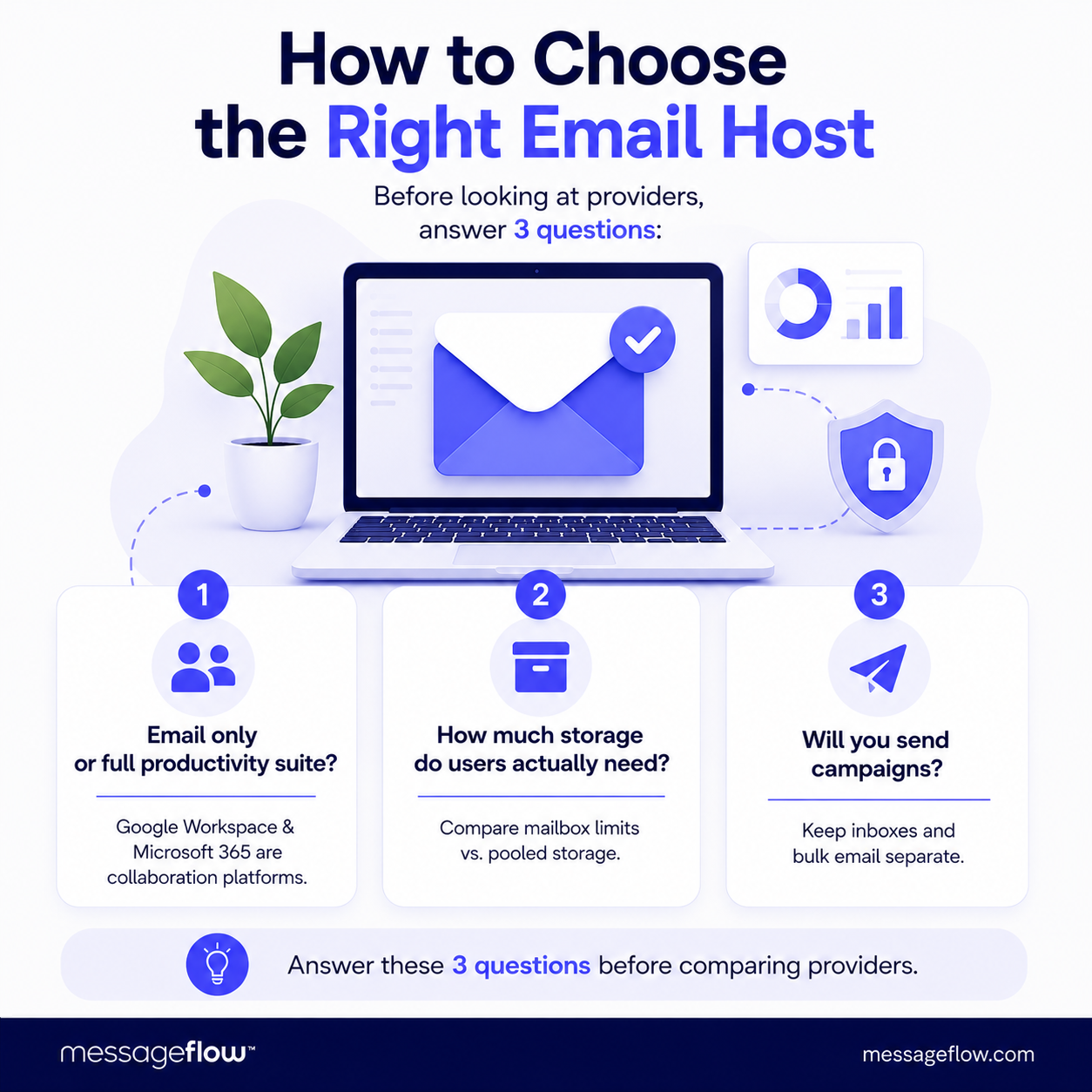
Before looking at individual providers, answer three questions.
1. Are you buying email only, or a full work suite?
Google Workspace and Microsoft 365 are not just email hosts. They are collaboration platforms. You pay for Gmail or Outlook, but you also pay for documents, calendars, file storage, video meetings, admin features, identity controls, and security tooling.
That is good value if your team uses those tools every day. It is less attractive if you only want one custom-domain inbox.
2. How much storage do users actually need?
Storage numbers can be misleading.
Some providers advertise mailbox storage. Others advertise pooled storage across email, files, and other services. Some include archive storage separately. Some offer cheap entry plans that look fine until one sales mailbox fills up with attachments six months later.
For most teams, the practical question is not “how much storage is included?” It is: what happens when one heavy user runs out of space?
3. Will you ever send campaigns from this setup?
If the answer is yes, do not use your ordinary business mailbox for that job.
Hosted inboxes are designed for normal communication. They have sending limits, abuse monitoring, spam controls, and reputation systems. That is exactly what makes them reliable for daily email. It is also what makes them a poor fit for bulk campaigns.
Keep business email and bulk sending separate from the beginning. It is much easier than repairing a damaged sender reputation later.
13 Best Email Hosting Services in Detail
1. Google Workspace
Google Workspace is usually the easiest recommendation for teams that already live in Gmail, Google Calendar, Drive, Docs, Sheets, and Meet.
The email experience is familiar, onboarding is simple, and most employees need very little training. For small teams without a dedicated IT person, that matters more than it may seem. A tool that people already understand creates fewer support tickets and fewer workarounds.
Google’s business plans now use pooled storage per user rather than a strict mailbox-only number. Business Starter includes 30 GB pooled storage per user, Business Standard includes 2 TB, and Business Plus includes 5 TB. That storage is shared across Gmail, Drive, and other Google services, so a team using Drive heavily should treat the numbers as workspace storage, not just inbox storage.
Best for: teams already using Gmail and Google Docs.
Why choose it: easy setup, strong webmail, excellent collaboration tools, simple user management, good mobile experience.
Watch out for: price at scale, pooled storage, and the fact that it is still not a bulk email platform. Gmail has daily sending and recipient limits, and those limits can interrupt users who try to use Workspace for campaigns.
If your team works in Google tools every day, Workspace is often worth the money. If you only need one mailbox, it is probably more than you need.
2. Microsoft 365
Microsoft 365 is the natural choice for companies built around Outlook, Excel, Word, SharePoint, OneDrive, and Teams.
For many organizations, the decision is less about email and more about habits. If the finance team depends on Excel, leadership lives in Outlook, and documents move through Word, choosing Microsoft 365 avoids the hidden cost of switching workflows.
Mailbox storage depends on the exact plan and licensing model. Microsoft business and Exchange plans commonly include large primary mailboxes, and higher-tier plans may add archive storage options that can reach much higher limits. That makes Microsoft especially attractive for organizations with heavy email retention needs, legal hold requirements, or users who keep years of correspondence in Outlook.
Best for: teams standardized on Outlook and Microsoft Office.
Why choose it: familiar desktop apps, strong Outlook experience, enterprise-grade admin controls, retention and compliance options, deep Microsoft ecosystem integration.
Watch out for: licensing complexity. Microsoft plans can look similar at first glance, but differences in desktop apps, archive storage, security features, Teams availability, and regional pricing matter.
If changing tools would slow down your team, Microsoft 365 usually wins. If your team already works browser-first in Google Docs, it may feel heavier than necessary.
3. Zoho Mail
Zoho Mail is one of the strongest low-cost options for small businesses that want professional email without paying for a full Google or Microsoft suite.
Its biggest advantage is value. Zoho offers a free email hosting tier for up to five users in select regions, with 5 GB of mail storage per user. Paid plans start low and scale into larger Workplace plans with more storage and collaboration tools.
There is a tradeoff. Zoho’s free tier is useful for testing or for very small teams, but it has limitations, including no IMAP/POP/ActiveSync on the free plan. That means it is not always the right choice if your team wants to use Apple Mail, Outlook, or another desktop client from day one.
Best for: budget-conscious small businesses.
Why choose it: low entry cost, free option in selected regions, custom domain support, clean admin panel, broader Zoho ecosystem if you need CRM or other apps later.
Watch out for: free-plan limitations and the learning curve if your team is used to Gmail or Outlook.
Zoho is a good first serious business email setup. It is not as universally familiar as Google or Microsoft, but the cost difference can be significant for small teams.
4. Fastmail
Fastmail is a good fit for people who want email to be email.
It does not try to replace your entire operating system at work. It focuses on fast, private, ad-free email with calendars, contacts, custom domains, aliases, and a clean interface. That makes it appealing to founders, consultants, agencies, and small teams that do not want to buy a full productivity suite just to get reliable domain email.
Fastmail’s business pricing has changed over time, but current business-oriented plans generally start around a few dollars per user per month, with higher plans adding more storage and better access to third-party mail apps. The product also handles aliases and custom domains well, which is useful if you manage several brands or need addresses like billing@, support@, and press@ without creating unnecessary extra inboxes.
Best for: teams that want reliable private email without Google or Microsoft.
Why choose it: fast interface, no ads, strong alias support, good custom-domain experience, simple administration.
Watch out for: fewer bundled office apps. If you need document editing, video meetings, shared drives, and enterprise collaboration in one package, Fastmail is not trying to be that.
Fastmail is underrated because it is not flashy. For teams that care about email quality and do not need a giant suite, that is exactly the point.
5. Hostinger Mail
Hostinger Mail makes the most sense when you are already buying web hosting and want business email in the same place.
That is the appeal: one account, one invoice, one dashboard, and a simple path from domain to website to inbox. For a small business launching its first website, this can be enough. You register the domain, publish a basic site, and create without learning a separate email platform.
The pricing is often promotional, and long-term contracts can make the first invoice look very cheap. Hostinger’s common business email plans usually offer storage in the 10 GB to 50 GB range, depending on tier and region.
Best for: small businesses already using Hostinger for hosting.
Why choose it: low starting price, simple setup, website and email under one roof, good enough for basic business communication.
Watch out for: renewal pricing, contract length, and scalability. A bundled inbox is convenient at the beginning, but it may become limiting if your company later needs shared calendars, advanced compliance, large archives, or complex admin controls.
Hostinger is a practical starter choice. It is less compelling if email is already a critical operational system for your company.
6. Namecheap Private Email
Namecheap Private Email is another budget-friendly option, especially for people who already register domains through Namecheap.
The product is designed to be simple: buy a domain, attach email hosting, and create a professional address without much technical overhead. Namecheap also regularly uses trials and first-year pricing, which makes it attractive for founders setting up their first proper business mailbox.
The key question is not whether Namecheap can host your email. It can. The question is how long you expect to stay on a basic setup. If you only need one or two inboxes, it may be perfectly fine. If you expect your team to grow quickly, compare storage, renewal pricing, collaboration features, and authentication options before committing.
Best for: first-time business email buyers and Namecheap domain customers.
Why choose it: low starting cost, easy domain connection, simple control panel, good for basic domain email.
Watch out for: plan changes, renewal pricing, and feature differences between tiers. Some security and collaboration features depend on the plan and mailbox type.
Namecheap is a sensible entry-level choice. It is not the provider I would choose for a growing company that already knows email will become business-critical.
7. Rackspace Email
Rackspace Email used to be one of the classic low-cost business email options. In 2026, that changed.
Its standard email plan is now closer to $10 per mailbox per month when purchased directly, with add-ons for features such as mobile sync and archiving. That makes it much less of a budget pick than it used to be.
So why include it? Because Rackspace still has a clear use case: support-heavy email hosting for teams that want help with setup, migration, and ongoing issues. Some companies do not want the cheapest mailbox. They want a vendor with human support, migration assistance, and a straightforward email-focused product.
Best for: teams that value support and migration help.
Why choose it: 24/7 support, migration assistance, Outlook and mobile compatibility, business-class email without a full productivity suite.
Watch out for: the 2026 pricing shift. Rackspace is no longer the obvious low-cost alternative to Google or Microsoft. At current pricing, compare it carefully against Microsoft 365, Google Workspace, and privacy-first providers before deciding.
Rackspace can still make sense, but the buying logic has changed. Choose it for support, not because you assume it is cheap.
8. Proton Mail Business
Proton Mail Business is for companies that treat privacy as a requirement, not a marketing feature.
Based in Switzerland and built around encryption, Proton is a strong option for legal, advisory, healthcare-adjacent, finance, research, nonprofit, and security-conscious teams. Its value is not simply storage or price per mailbox. Its value is reducing dependence on the large US productivity platforms and giving sensitive communication a more privacy-focused home.
The tradeoff is ecosystem depth. Proton has expanded well beyond email, but it still does not match Google Workspace or Microsoft 365 for third-party integrations, enterprise habits, or broad office-suite adoption.
Best for: organizations where confidentiality matters more than maximum integrations.
Why choose it: end-to-end encryption for Proton-to-Proton messages, strong privacy positioning, custom domains, business admin features, secure calendar and broader Proton ecosystem.
Watch out for: migration friction, user habits, and integration gaps. A privacy-first platform may require more internal training than Gmail or Outlook.
Proton is not the cheapest option and should not be chosen only because it sounds secure. Choose it when privacy is part of the actual business requirement.
9. Neo Mail
Neo Mail is aimed at solopreneurs, freelancers, and very small businesses that are starting from scratch.
Its pitch is not just email hosting. It bundles business email with beginner-friendly tools such as a domain option, simple website creation, and AI-assisted writing features. For someone launching a small service business, that can be appealing: one place to create a domain-based email address, put up a basic website, and look more professional quickly.
That also defines the ceiling. Neo is strongest at the start of a business journey. A larger company with IT policies, compliance reviews, advanced admin needs, and established workflows will usually be better served by Google, Microsoft, Proton, or another more mature provider.
Best for: freelancers and solo operators building their first business presence.
Why choose it: simple setup, business email plus website bundle, beginner-friendly interface, useful features for one-person businesses.
Watch out for: long-term scalability and ecosystem maturity. The features that make Neo convenient for a solo business may not be enough for a growing team.
Neo is a good “get online quickly” option. It is less of a long-term collaboration platform.
10. Tuta
Tuta, formerly known as Tutanota, is another privacy-first email provider. It is open-source, based in Germany, and designed around encryption.
The most important thing to know is that Tuta is not trying to behave exactly like classic IMAP email. That design helps protect its security model, but it can be a problem for teams that rely on specific third-party mail clients or workflows.
In other words, Tuta is not the easiest drop-in replacement for Google Workspace or Microsoft 365. It is better for teams that consciously choose privacy and are willing to adapt their workflow around it.
Best for: privacy-first teams that can live with fewer integrations.
Why choose it: encryption-focused design, open-source approach, custom domain support on paid plans, German data protection positioning.
Watch out for: limited traditional email-client compatibility and fewer business integrations than mainstream providers.
Tuta is a strong choice when privacy comes first. It is not the right choice if your main requirement is “make it work exactly like Outlook.”
11. Mailfence
Mailfence sits somewhere between secure email and a lightweight productivity suite.
It offers private email, calendars, documents, contacts, groups, and support for digital signatures. That makes it attractive for professionals who want more than a plain encrypted inbox but do not want to move into Google Workspace or Microsoft 365.
The free tier is limited, and the interface may not feel as modern as Gmail or Outlook. Still, for compliance-conscious consultants, lawyers, researchers, and small professional teams, Mailfence can be worth considering.
Best for: professionals who want secure email plus basic productivity tools.
Why choose it: privacy focus, ad-free experience, digital signature support, calendar and document features, European jurisdiction.
Watch out for: limited storage on lower plans, less polished user experience, and fewer mainstream integrations.
Mailfence is not the slickest product on this list. Its appeal is control, privacy, and a broader secure workspace without Big Tech lock-in.
12. OVHcloud Email / Hosted Exchange
OVHcloud is a practical option for businesses that want domain, hosting, and email from a European provider.
A free 5 GB mailbox is included with many OVHcloud domain orders, which is enough for a simple contact address or a small starting point. For more serious business use, OVHcloud also offers paid email and Hosted Exchange options with larger storage, synchronization, anti-spam, anti-virus, and collaborative features.
The biggest reason to consider OVHcloud is data location and infrastructure preference. If your business cares about European hosting, GDPR-friendly positioning, and keeping domain, hosting, and email in one vendor ecosystem, OVHcloud deserves a look.
Best for: European businesses and teams already using OVHcloud.
Why choose it: European data centers, domain and email bundling, free starter mailbox with some domain registrations, Hosted Exchange options.
Watch out for: product complexity and support expectations. OVHcloud is powerful, but beginners may find it less polished than Google or Microsoft.
OVHcloud is not always the easiest provider for nontechnical users, but it is useful when European hosting and infrastructure control matter.
13. Openprovider Mail
Openprovider Mail is not aimed at the average small business buying one inbox.
It is built for resellers, domain providers, hosting companies, and agencies that want to offer email to their own customers. That means white-label branding, unlimited aliases, automation, WHMCS integration, and reseller-oriented pricing.
For a single company that needs five mailboxes, Openprovider is probably not the obvious choice. For an agency managing domains and email for dozens of clients, it is much more interesting.
Best for: agencies, domain resellers, hosting providers, and white-label email businesses.
Why choose it: reseller-first model, white-label branding, 15 GB starting storage, unlimited aliases, automation support, GDPR/NIS2 positioning.
Watch out for: it is a channel product. If you only need email for your own company, simpler providers will usually be easier.
Openprovider is niche, but the niche is clear. It belongs on this list because reseller email is a different buying problem from ordinary business email.
Google Workspace vs Microsoft 365: Which Is Better?
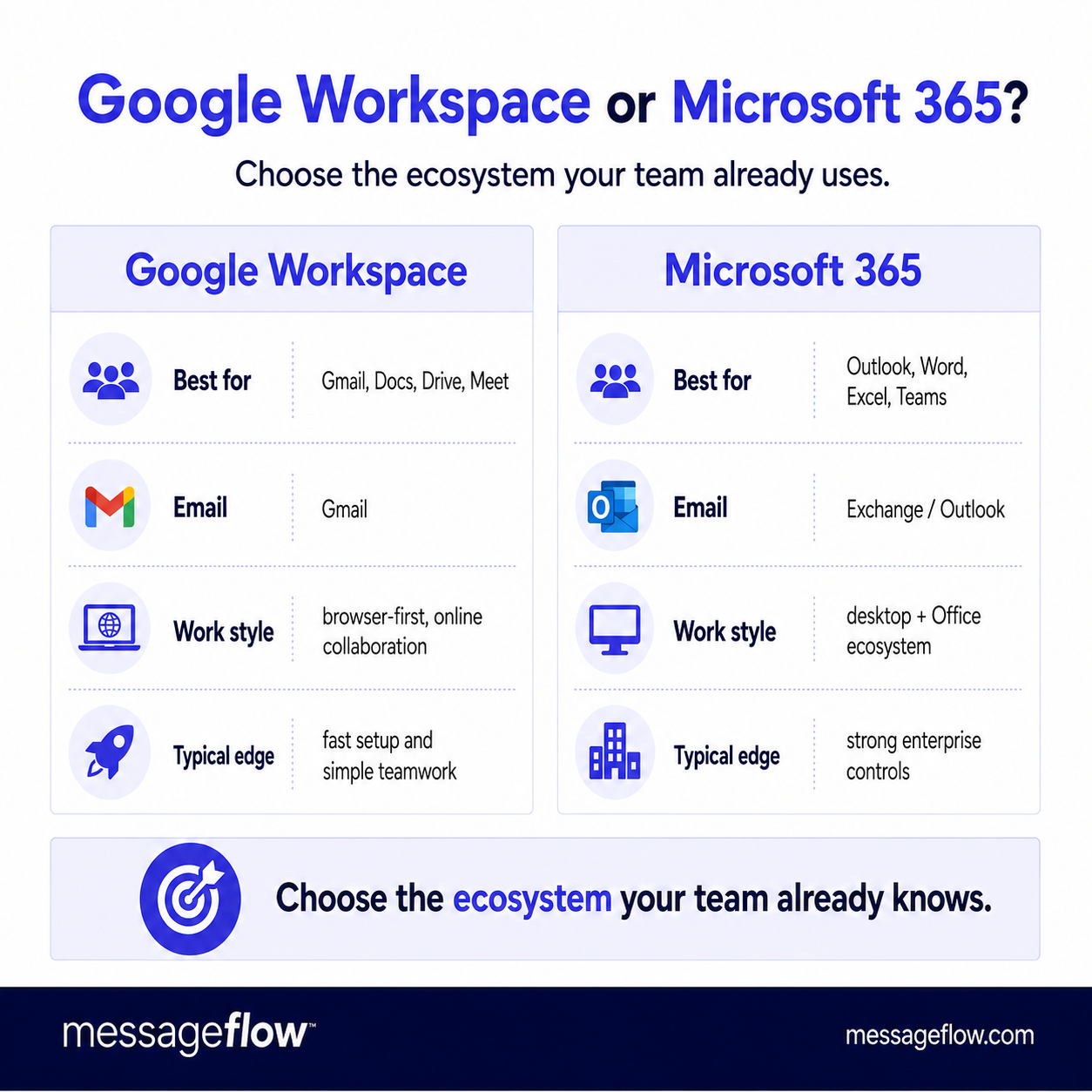
Google Workspace is usually better for teams that work browser-first in Gmail and Google Docs, while Microsoft 365 is usually better for teams that rely on Outlook, Excel, Word, and Teams. The email features are strong on both sides. The real cost is switching behavior.
For most companies, this decision should not start with the mailbox. Start with the workday.
If your team opens Gmail, writes in Google Docs, shares files in Drive, and joins Google Meet calls, Google Workspace will feel natural. If your team writes in Word, calculates in Excel, schedules in Outlook, collaborates in Teams, and stores files in OneDrive or SharePoint, Microsoft 365 will usually win.
| Question | Google Workspace is usually better if… | Microsoft 365 is usually better if… |
|---|---|---|
| Daily apps | Your team already uses Gmail, Docs, Sheets, Drive, and Meet | Your team already uses Outlook, Word, Excel, Teams, and SharePoint |
| Setup | You want simple browser-first administration | You want deeper Microsoft admin and compliance options |
| Storage model | Pooled storage works well for your team | Large mailboxes and archive options matter more |
| User habits | Users prefer Gmail and browser-based workflows | Users prefer Outlook desktop and Office files |
| Scaling | You want easy onboarding for small and mid-sized teams | You need stronger enterprise controls and Microsoft-native governance |
A common mistake is choosing based on a $1 or $2 monthly difference per user. That difference disappears quickly if the team loses time fighting tools they do not like.
Choose the ecosystem your team will actually use.
What to Check Before You Buy Email Hosting
Uptime
Most serious business providers advertise a 99.9% uptime commitment or similar availability target. That sounds high, but 99.9% uptime still allows roughly 8.8 hours of downtime per year.
For a normal small business, that may be acceptable. For a business where email drives support, sales, bookings, or operations, availability deserves more attention.
Do not only look for the uptime number. Look at the SLA wording, support response, incident communication, and whether the provider has a public status page.
Storage per user
Check storage per mailbox, not just the total account storage.
A shared pool can work well, but only if you understand it. A small mailbox can also work well, but only if your team does not send large attachments all day.
Sales, legal, recruitment, finance, and support teams often use more email storage than expected. They keep attachments, long threads, scanned documents, contracts, invoices, CVs, and support histories.
Security
At a minimum, business email should support:
- two-factor authentication,
- SPF, DKIM, and DMARC,
- spam and malware filtering,
- secure password reset and admin controls,
- role-based access where needed.
Do not treat 2FA as optional. A compromised mailbox can lead to invoice fraud, data leaks, domain reputation damage, and account takeovers elsewhere.
Admin control
Ask what happens when someone leaves the company.
Can you suspend the user? Reset access? Forward mail? Export or archive the mailbox? Convert the mailbox to a shared inbox? Transfer ownership of files and calendars?
Good email hosting is not just about sending and receiving messages. It is about controlling company communication over time.
Migration support
Migration is where cheap email can become expensive.
If you already have mailboxes, check whether the provider offers migration tools, IMAP migration, support-assisted migration, or partner help. Also check calendar and contact migration, not only email messages.
Email Hosting vs Bulk Sending: When an Inbox Is Not Enough
This is the section many businesses find too late.
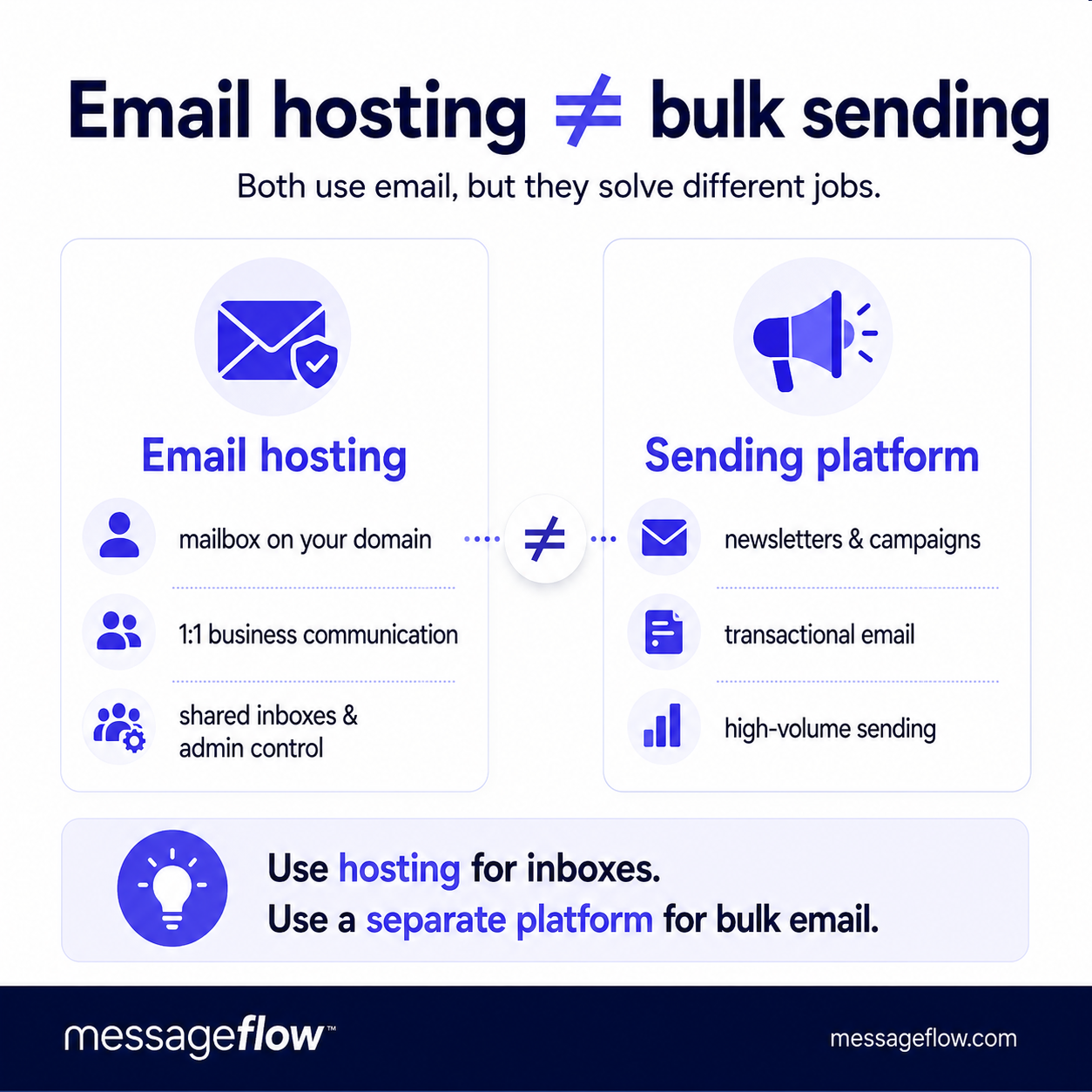
Email hosting is for ordinary communication: replying to clients, sending proposals, discussing invoices, booking meetings, and coordinating work. It is not meant for sending a newsletter, onboarding sequence, product alert, or marketing campaign to thousands of people.
The problem is not only the published sending limit.
Google Workspace and Microsoft 365 both have daily recipient and message limits. Google also limits external recipients and can suspend sending when users exceed limits. Microsoft Exchange Online documents recipient rate limits and explicitly recommends specialized providers for legitimate bulk commercial email.
The bar for bulk senders has also been raised industry-wide. Since February 2024, Google and Yahoo enforce bulk sender requirements: anyone sending 5,000 or more messages per day must authenticate mail with SPF, DKIM, and DMARC, offer one-click unsubscribe, and keep spam complaint rates below 0.3%.
But even if you stay under a technical limit, mailbox sending can still hurt you.
Bulk sending changes how mailbox providers see your domain. A normal employee inbox sends varied messages to different people throughout the day. A campaign sends similar content to many recipients at once. That pattern is closer to marketing or automated email than personal correspondence.
If you send campaigns from your ordinary business mailbox, you risk:
- account throttling or suspension,
- worse deliverability for normal business email,
- spam complaints attached to your primary domain,
- damaged sender reputation,
- blocked or delayed sales and support messages,
- confusion between human replies and campaign replies.
That is why mature teams separate the two jobs.
They keep email hosting for one-to-one communication and use a separate sending platform for campaigns, transactional emails, API-triggered messages, and larger volumes.
That is where infrastructure such as MessageFlow fits: not as a replacement for Google Workspace or Microsoft 365, but as the layer for sending email at scale with better control over deliverability, volume, reputation monitoring, and application/API workflows.
The rule is simple:
Use email hosting for conversations. Use dedicated sending infrastructure for campaigns and automated messages.
Keeping those two systems separate protects your domain, your inboxes, and your customer communication.
Common Mistakes When Choosing Email Hosting
Choosing only by the first-month price
A mailbox that costs almost nothing in year one can become expensive when renewal pricing starts or when you need to migrate later.
Look at annual cost, renewal cost, storage, support, and migration effort, not only the promotional price.
Ignoring per-user storage
A plan with 2 GB or 5 GB can be enough for a light user. It can be painful for sales, recruitment, legal, or support.
The cost of upgrading later is not only the plan price. It is the time spent cleaning mailboxes, explaining limits, and moving users.
Using a business inbox for newsletters
This is one of the fastest ways to create deliverability problems.
Your company inbox should be protected. Do not use the same mailbox and domain reputation for daily business conversations and bulk campaigns.
Forgetting SPF, DKIM, and DMARC
A custom domain is not finished when the inbox starts receiving mail.
You still need proper authentication records. SPF, DKIM, and DMARC help receiving servers understand which systems are allowed to send on behalf of your domain.
This matters even more if you later add a separate email marketing or transactional sending platform.
Self-hosting without the time to maintain it
Running your own mail server sounds attractive if you want control. In practice, it means managing updates, spam filtering, blocklists, deliverability, DNS records, backups, abuse handling, monitoring, and uptime.
For most small businesses, self-hosted email is not cheaper once you include the time required to run it well.
Final Recommendation
For most teams, the choice is simpler than the market makes it look.
Choose Google Workspace if your team already works in Gmail, Google Docs, Drive, and Meet.
Choose Microsoft 365 if your company runs on Outlook, Excel, Word, Teams, and Microsoft admin controls.
Choose Zoho Mail if you want affordable business email and can live without the full Google or Microsoft ecosystem.
Choose Fastmail if you want clean, private, reliable email without a heavy office suite.
Choose Proton Mail or Tuta if privacy is a core requirement and your team is willing to adapt to a more security-focused workflow.
Choose Hostinger, Namecheap, or OVHcloud if you are starting small and want email bundled with your domain or hosting.
Choose Openprovider if you are not just buying email for yourself, but reselling it to clients.
And if you are here because you want to send campaigns, product notifications, or large-volume messages, do not solve that with an inbox. Use email hosting for business communication and a dedicated platform like MessageFlow for bulk or application-driven sending.
FAQ: Best Email Hosting Services
The cheapest route is usually bundled email from a domain registrar or web host, or a low-cost provider such as Zoho Mail, Namecheap Private Email, or Hostinger Mail. Zoho also offers a free tier for up to five users in select regions.
Cheap can be fine for one or two inboxes. Before you move a whole team, check storage, renewal pricing, 2FA, migration options, and whether the free or entry-level plan supports the email clients your team uses.
For most businesses, the safest default choices are Google Workspace and Microsoft 365. They are not the cheapest, but they are familiar, well supported, and strong enough for most teams.
If budget matters more than ecosystem depth, Zoho Mail is usually the first alternative to compare. If privacy matters more than collaboration apps, compare Proton Mail, Tuta, and Mailfence.
It depends on how the team already works.
Google Workspace is usually easier for teams that prefer Gmail, Google Docs, and browser-based collaboration. Microsoft 365 is usually better for teams that rely on Outlook, Word, Excel, Teams, and Microsoft admin tools.
Do not choose based only on the email interface. Choose based on the full workflow.
Technically, you can send email from those accounts, but they are not built for bulk campaigns. Both platforms apply sending limits and monitor suspicious patterns. Microsoft also points legitimate bulk commercial senders toward specialized providers.
For newsletters, onboarding sequences, marketing campaigns, transactional emails, or API-based sending, use a separate sending platform. It protects your primary domain and keeps ordinary business communication safer.
Popular self-hosted options include Mail-in-a-Box and Mailcow, but the better question is whether you should self-host at all.
Self-hosting gives control, but it also means you are responsible for uptime, spam filtering, blocklists, authentication, backups, security patches, and deliverability. For most small companies, hosted email is the more practical choice.
Light users may be fine with 5 GB to 10 GB. Sales, support, legal, recruitment, and finance users often need much more because they store attachments, contracts, invoices, scans, and long conversation histories.
When in doubt, choose a plan that can grow without a painful migration.
Yes, in most serious setups.
Password resets, receipts, system notifications, verification links, product alerts, and application-triggered emails should not usually be sent from a normal employee inbox. A dedicated sending platform gives you better control over volume, logs, bounces, deliverability, and reputation.