RCS FLOW STUDIO

Create RCS campaigns that engage and convert

Design interactive RCS campaigns that go beyond one-way messaging, so your customers can engage and respond. With MessageFlow’s visual builder, you can combine content, buttons, and rules to create conversation flows tailored to your communication goals – all without writing a single line of code.
Find the right RCS campaign idea for your brand

Not sure where to start? Talk to one of our experts. We’ll walk you through RCS Flow Studio’s capabilities using real-world examples and help you choose an approach that fits your goals.

Design your entire conversation
on a single canvas

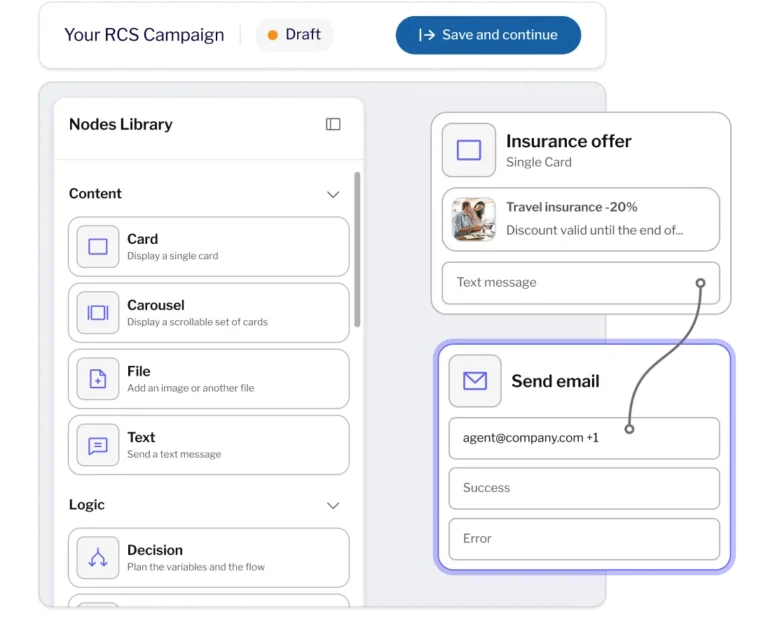
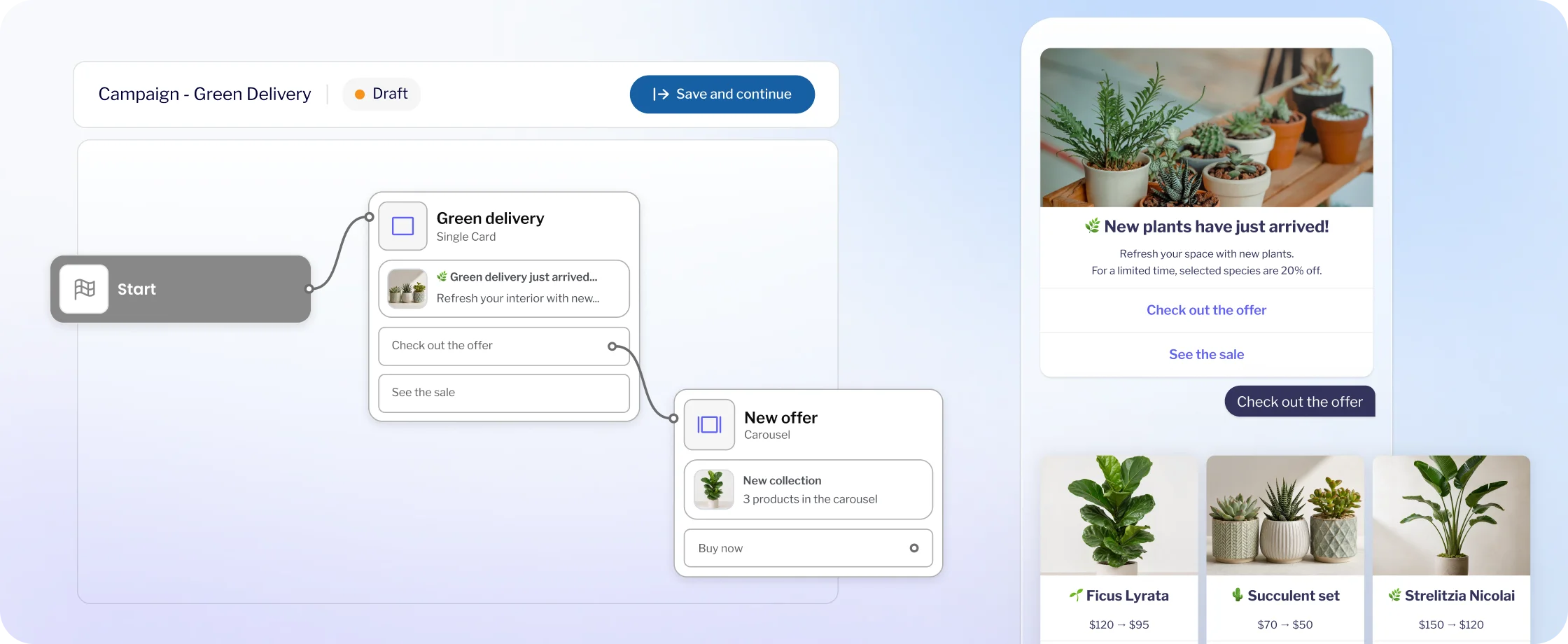
Build your RCS flow from the first message to the final interaction. Choose from ready-made content, logic, and integration blocks, place them on the canvas, and connect them to create each step of the conversation. See the entire conversation structure at a glance and define exactly what happens when a customer responds.

Combine text, rich media, cards, and carousels

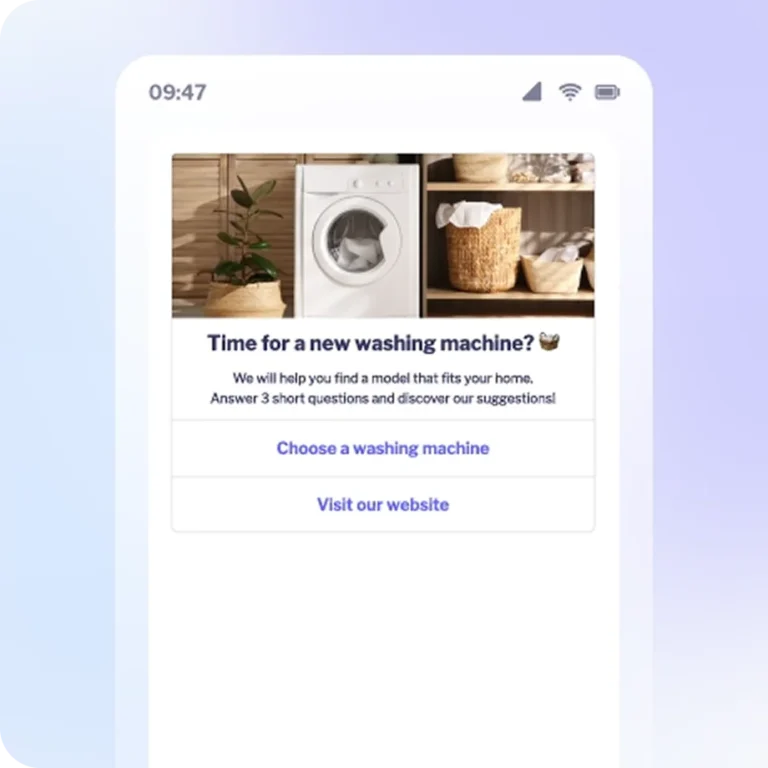
Choose the right message format for every interaction. Ask questions using text messages. Showcase a single offer with an RCS card or display multiple products and services in a carousel. Add images, videos, audio files, or PDF documents to enrich the experience.

Start with a template or build your own flow

Use ready-made templates to launch campaigns faster. Customize a basic template to fit your needs or build a conversation flow from scratch. Save your project for future use. You can also reuse flows from previous campaigns instead of starting over every time.

Talk to an expert

Tailor every conversation
to your customer’s responses

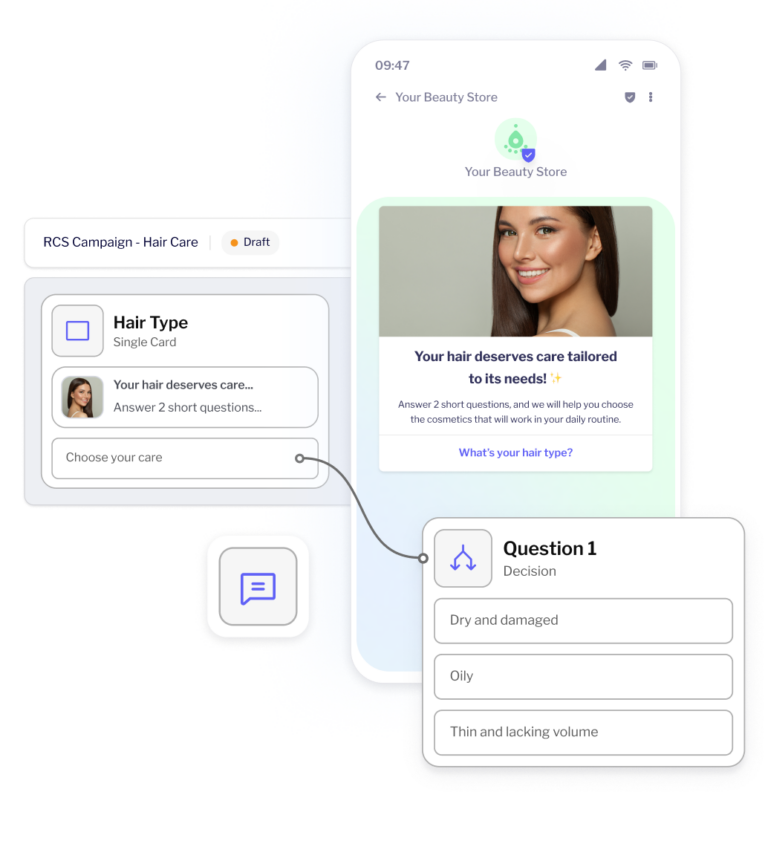
Different customers look for different products and need different information. With RCS Flow Studio, you can design conversation paths that adapt to each recipient’s previous choices. Customers select what interests them, and your configured rules guide them to relevant content or the next action.

Give customers options with interactive buttons

Add suggested reply buttons that guide customers through the conversation. Use action buttons to let them open a website, view a map, or make a phone call.

Capture free-text responses

Let customers type their own answers instead of choosing from predefined options. Store their responses and preferences in variables to use in subsequent messages. You can also use this data to determine which conversation path to follow based on your configured rules.

Guide each conversation down the right path

Add conditions to direct the conversation along one of two paths. Use the Decision block when you need more than two paths. This lets you present a relevant offer, ask a follow-up question, or skip an unnecessary step.

Schedule follow-up messages and reminders

Use the Timer block to set delays between conversation steps. For example, schedule a reminder if a customer doesn’t respond to an offer. Configure the flow to cancel a scheduled message if the recipient responds earlier, so they never receive an outdated follow-up.

Connect RCS conversations with your business systems

Bring data from your CRM, e-commerce platform, or other business systems into your RCS flows. With simple API integrations, you can connect customer conversations directly to your sales and support processes.

Use the HTTP Request block to exchange data with external systems during a conversation. Retrieve order status information, look up customer details, or send an inquiry to your CRM. Store API responses in variables and use them to personalize subsequent messages or determine the next conversation path.

Use dynamic carousels to display products and offers based on API data. Pull the latest information directly from your systems, including product descriptions and images. There’s no need to create every card manually or update content in the builder whenever your offers change.

Test your flow and launch
your campaign in MessageFlow

Once you’ve designed your conversation in RCS Flow Studio, prepare it for delivery. Preview your messages, check the key connections between blocks, and use your completed flow in the Campaigns module to reach your target audience.

01

Preview messages and validate your flow

Use the preview feature to see how individual messages will appear. Save your flow as a draft if you want to return to it later. When you mark it as ready, the builder validates key connections between blocks, including Decision rules and Timer outputs. This helps you identify configuration errors before launching your campaign.

Have an idea for an interactive RCS campaign?
Bring it to life with MessageFlow

Want to help customers find the right products, learn more about their preferences, or answer their questions faster? Talk to our experts. We’ll show you RCS Flow Studio in action and help you design a conversation flow tailored to your business needs.

RCS Flow Studio – Frequently Asked Questions

No. With RCS Flow Studio, you can add messages, connect blocks, configure rules, and design every step of the conversation without writing code. If you want to use data from your CRM, e-commerce platform, or another system, setting up the API integration may require assistance from your technical team.

A single RCS message (Single) lets you send text or rich media content without creating a multi-step conversation. An RCS Flow connects multiple messages into an interactive conversation. Each step can depend on customer responses, button selections, and predefined rules.

Yes. In addition to tapping predefined replies using buttons, recipients can enter their own text. You can store their responses in variables and use configured rules to determine the next step in the conversation. RCS Flow Studio follows predefined logic rather than using AI to automatically interpret natural language.

Yes. The HTTP Request and Dynamic Carousel blocks let you connect your flow to external APIs, retrieve information from your business systems, and send conversation data back to them.

For example, you can check order statuses, retrieve product information, or submit inquiries to your CRM. Integrations require a properly configured API and appropriate access permissions.

You can preview individual messages in the builder and test integrations using sample data. When you mark your flow as ready, the system also validates key connections, including Decision rules and Timer outputs.
Before launching your campaign, we recommend sending a test message to your own phone. This lets you check how text and rich media appear on the device, including image cropping and spacing. It’s also worth testing every planned conversation path to make sure the entire experience works as intended.

You can enable SMS fallback so recipients who can’t receive an RCS message automatically get an alternative SMS you’ve prepared. This feature requires an activeSMS service in your Messageflow’s account and a configured sender. SMS messages are billed separately. SMS fallback delivers alternative content but does not replicate the interactive RCS conversation.

RSS