TL;DR: Bulk SMS lets businesses and institutions reach thousands of contacts in seconds. Text messages have a 98% open rate and 90% are read within three minutes of delivery. This guide covers how mass SMS sending works, the different message types available, which features actually move the needle on campaign performance, and how to get started with MessageFlow.
Your message needs to reach 50,000 customers today. Send an email? Roughly one in five will open it. Send an SMS? Nearly all of them will read it, most within minutes.
Bulk SMS (also called mass text messaging or mass SMS sending) is one of the highest-performing channels in business communication. In 2024, 80% of businesses use SMS marketing software to text their customers, and nearly 70% are increasing their SMS marketing budgets. The reason is straightforward: text messages land in a place people actually check.
According to Forbes, SMS reaches an open rate of around 98%, compared to email’s 20%. And according to Validity, 90% of messages are read within three minutes of delivery. No other digital channel comes close.
Whether you run an e-commerce store, a healthcare practice, a financial institution, or a local government, this guide will show you what bulk SMS can do, which message types fit which use cases, and how the MessageFlow platform makes it easy to run campaigns at scale.
What Is Bulk SMS and How Does It Work?
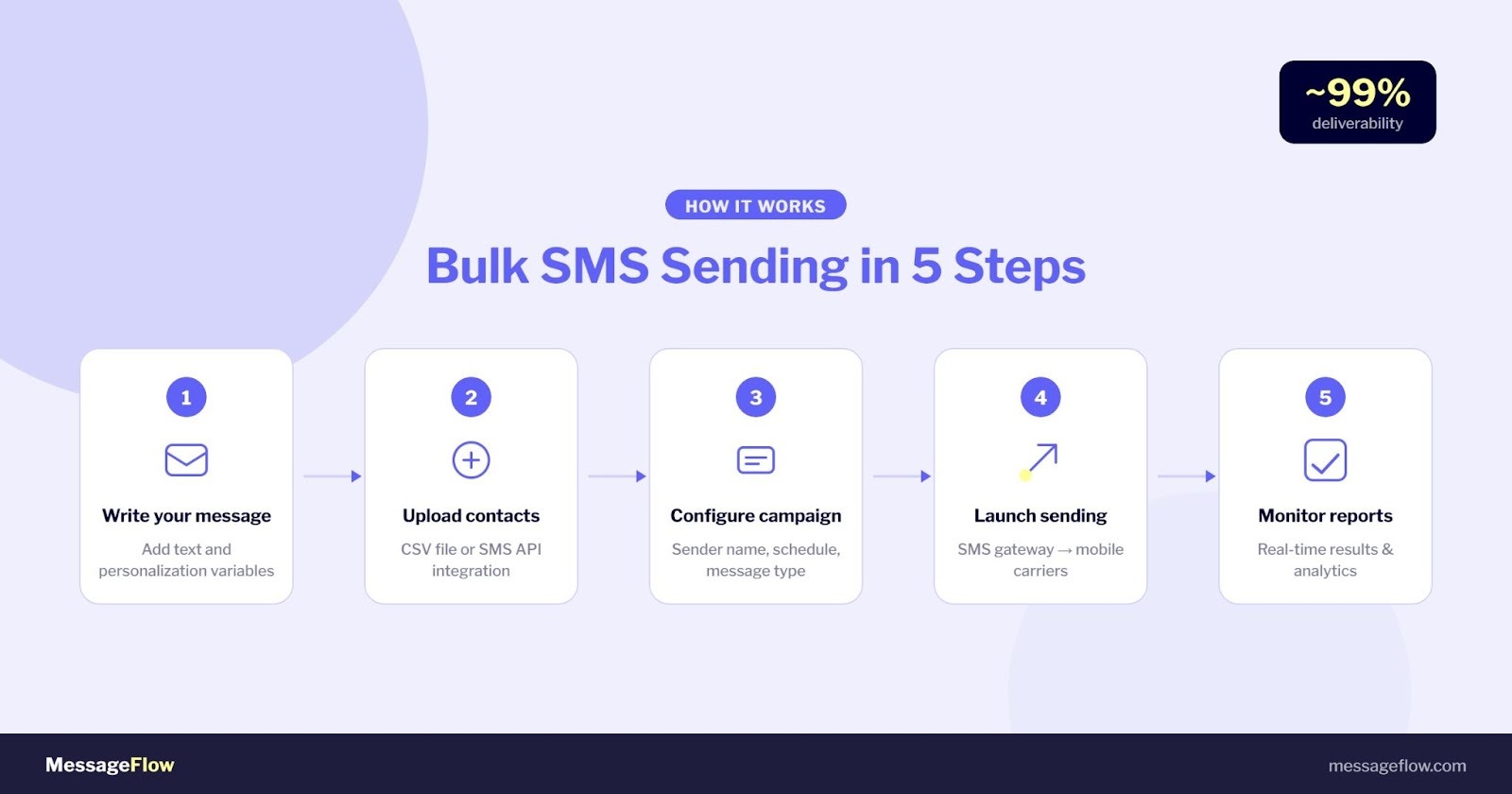
Bulk SMS is the technology that lets a business send a single message to a large group of recipients simultaneously, delivered through an SMS gateway connected directly to mobile carrier networks.
The workflow is straightforward: you prepare your message and recipient list, and the platform routes delivery through direct carrier connections. MessageFlow maintains deliverability close to 99%, and most campaigns are live within minutes of setup.
MessageFlow sends over 11.7 billion messages per month across more than 190 countries, serving more than 79,000 business customers worldwide. Every send, whether 500 messages or 5 million, runs through the same infrastructure.
What Types of Business SMS Messages Can You Send?
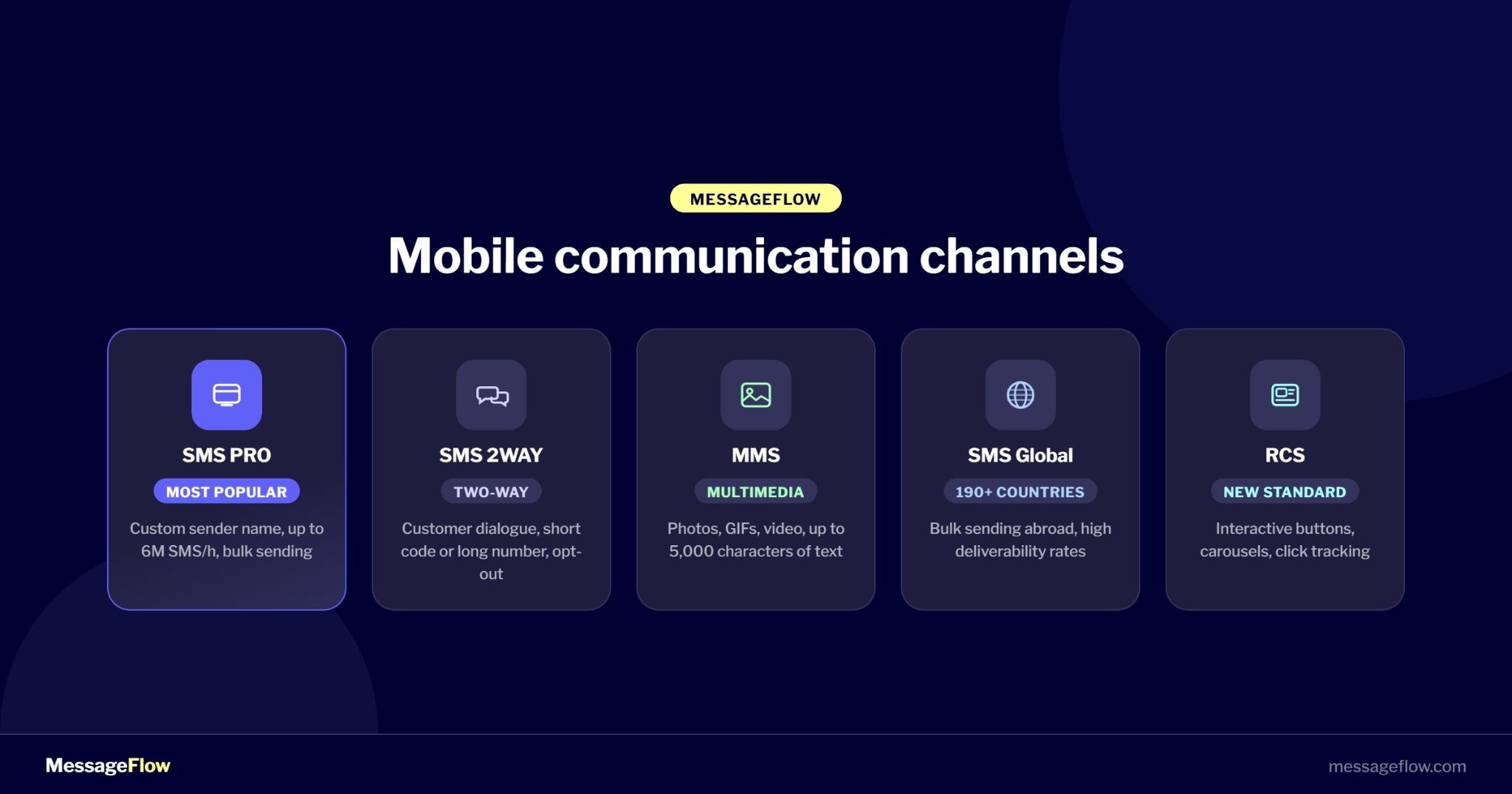
Not every campaign needs the same message format. Here’s a breakdown of the SMS types available on MessageFlow.
SMS PRO: Branded mass sending
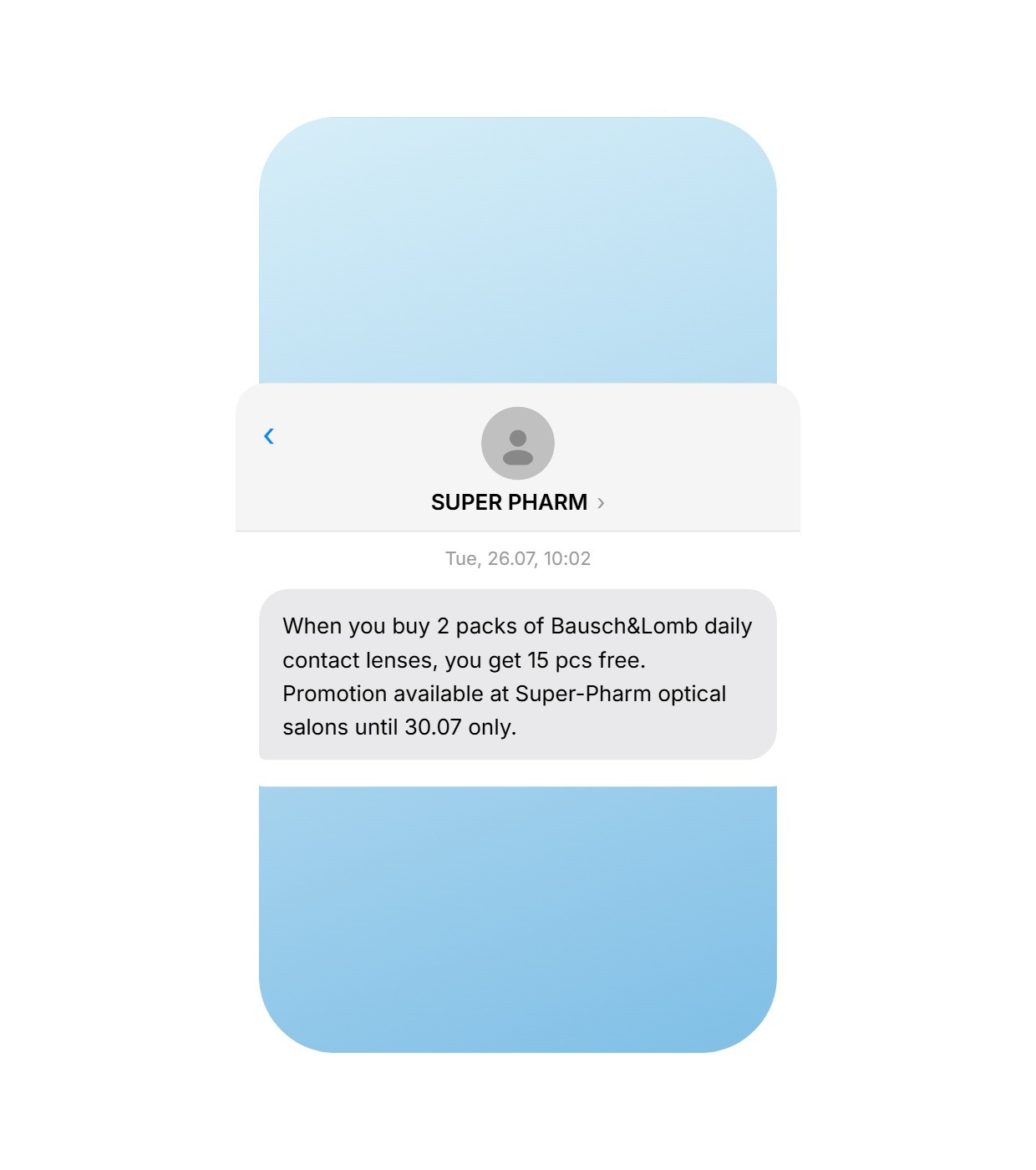
SMS PRO is the most widely used bulk sending type. Your message arrives with a custom 11-character sender name, typically your brand or company name, rather than an unknown number. Recipients immediately know who’s texting them, which directly affects open rates and trust.
Throughput reaches up to 6 million messages per hour. That makes SMS PRO suitable for everything from small promotional sends to large-scale operational broadcasts to hundreds of thousands of contacts.
Two-Way SMS: Real conversations at scale
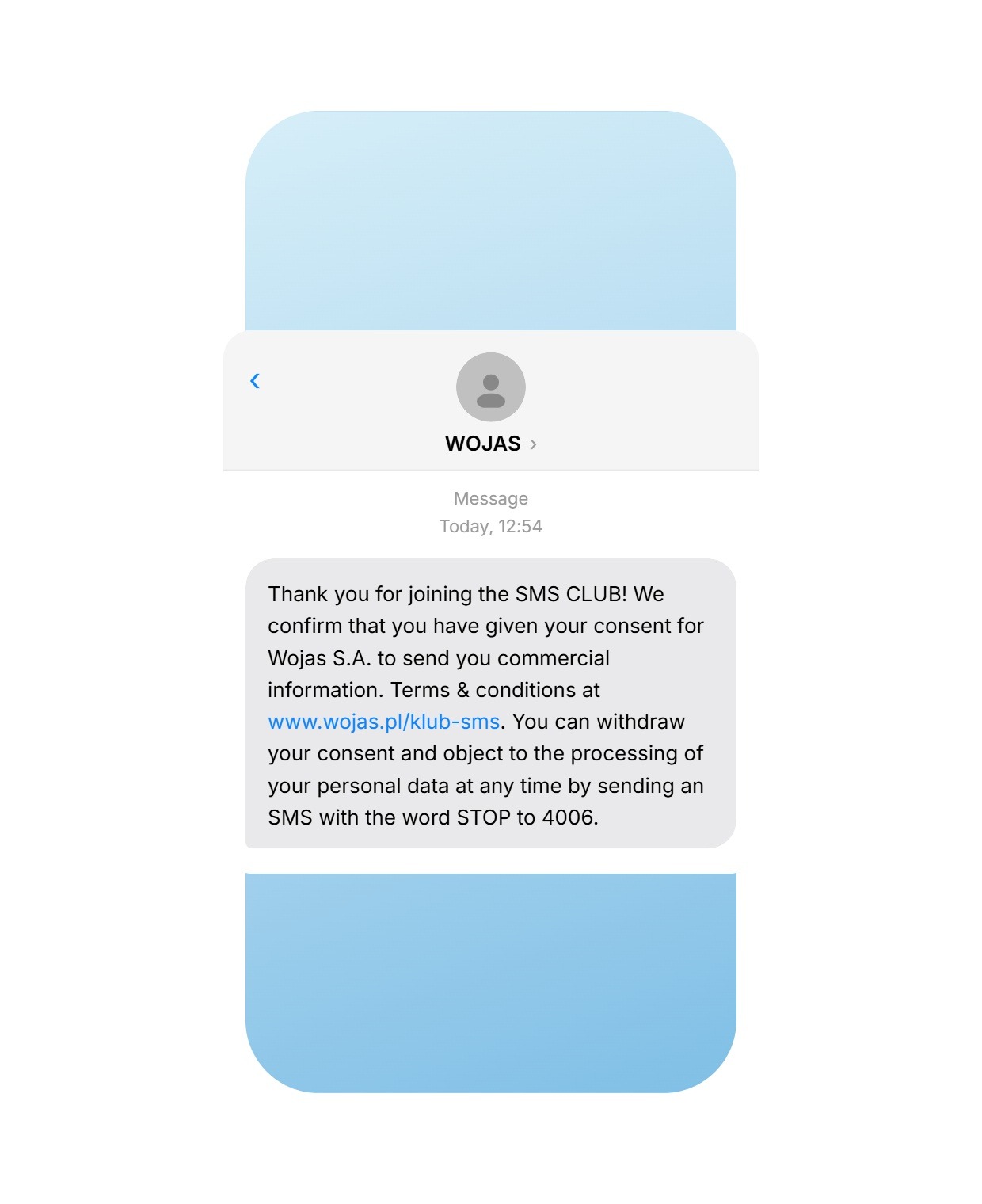
Two-way SMS turns your messaging into a two-way channel. Customers can reply to your messages or initiate contact themselves.
This opens up use cases that one-way SMS can’t cover: collecting feedback, running competitions, managing opt-ins and opt-outs, appointment confirmations, and customer support interactions. Two-way SMS runs on either a short code (e.g., 4909) or a long number (NDI). All replies are available in the MessageFlow panel for export, or delivered directly to your system via webhook.
MMS: Visual messaging
MMS lets you include images, GIFs, video, or audio alongside text (up to 5,000 characters). It’s the right format when the message needs visual impact: product launches, event promotions, visual appointment reminders, or branded campaigns where a static SMS wouldn’t do justice to the creative.
Global SMS: International campaigns
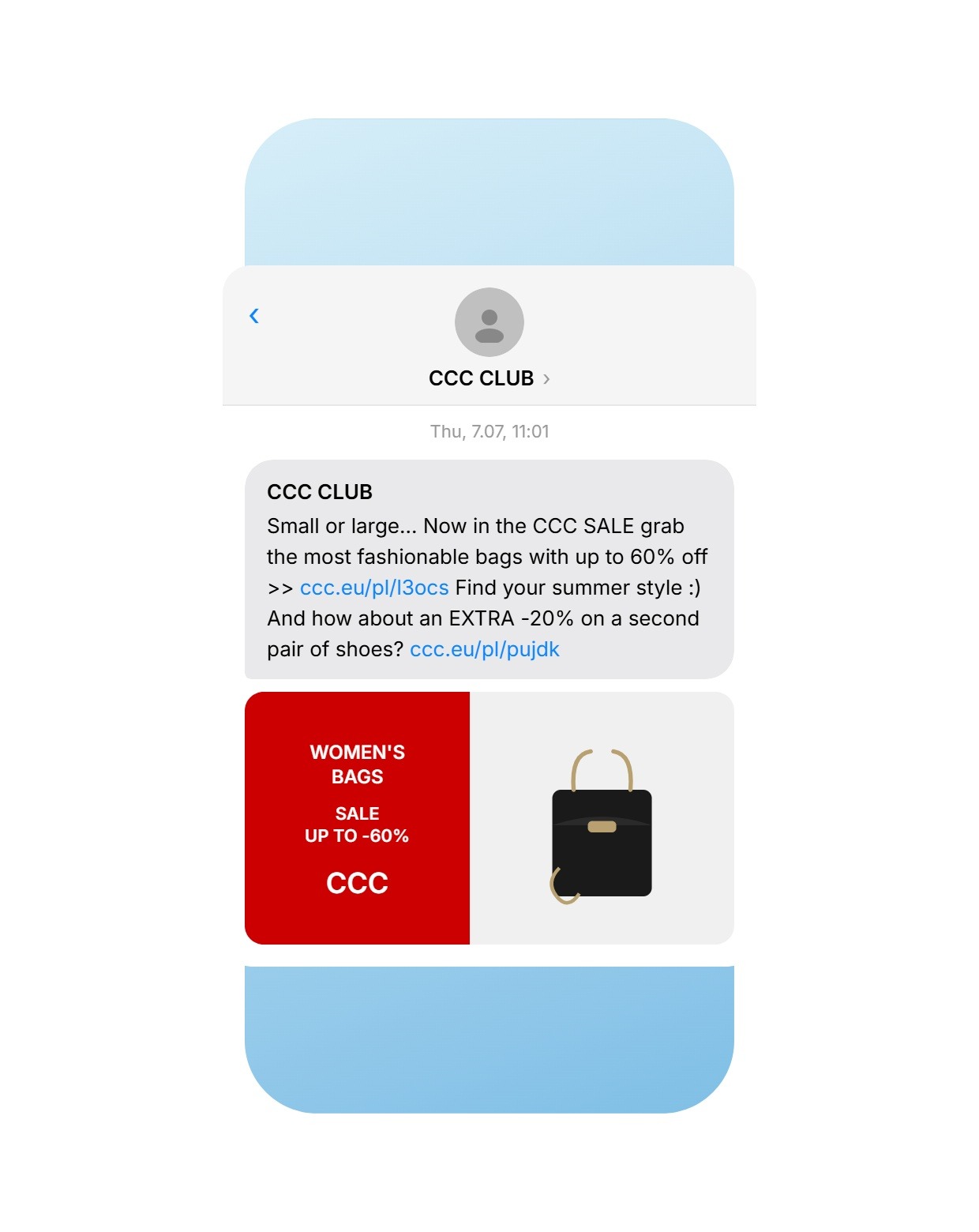
Your campaigns don’t have to stop at your borders. MessageFlow supports bulk SMS delivery to over 190 countries, with high deliverability and competitive per-message pricing across all major markets.
RCS: The next generation of business messaging
Looking ahead? RCS marketing builds on SMS reach with interactive buttons, image carousels, and click tracking, all within the native messaging app. SMS remains the baseline for universal reach; RCS adds the visual layer when the audience and device support it.
Which Platform Features Actually Improve Campaign Results?
Sending at scale is easy. Sending effectively takes a few specific tools.
Message personalization: Right message, right person
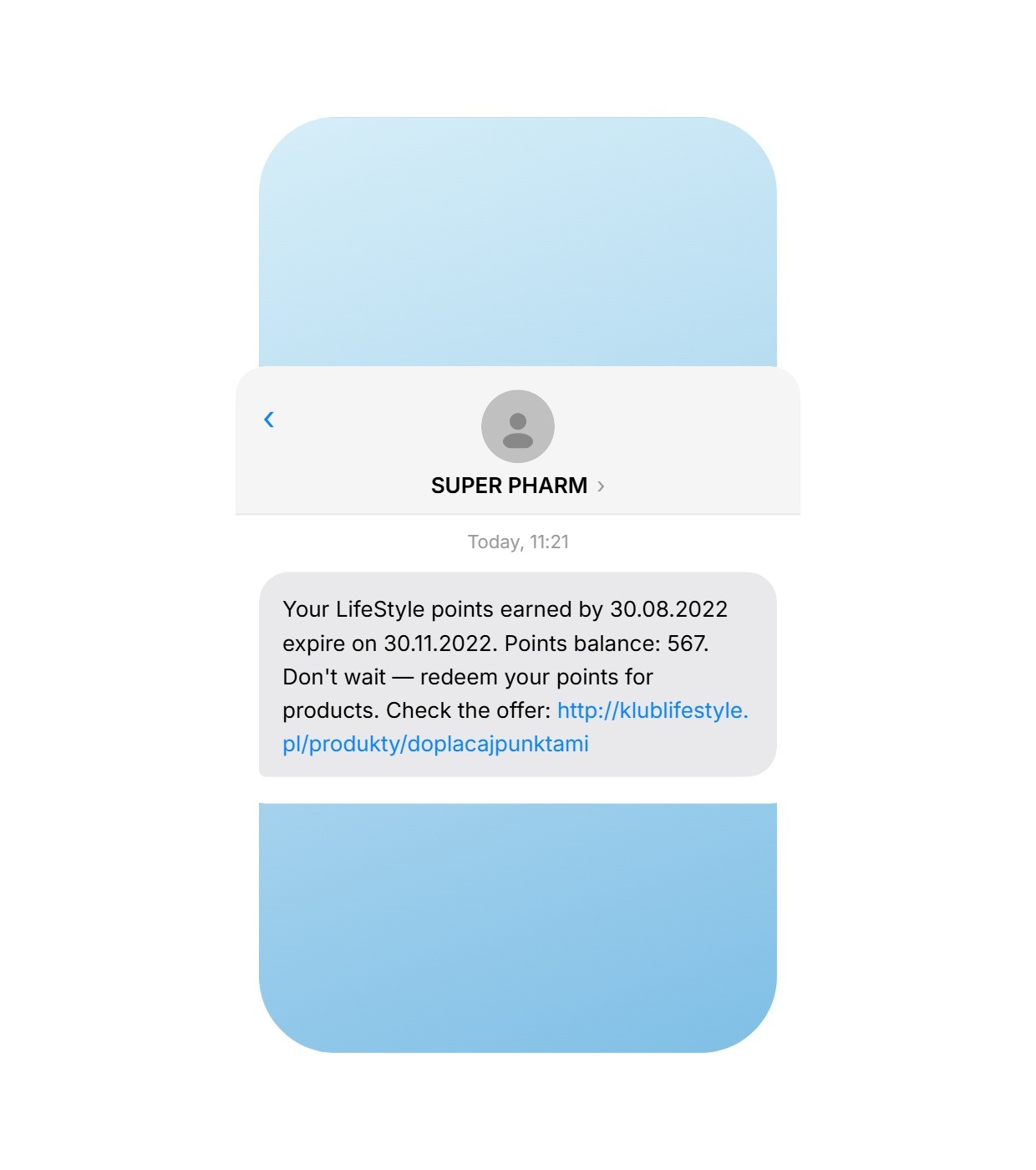
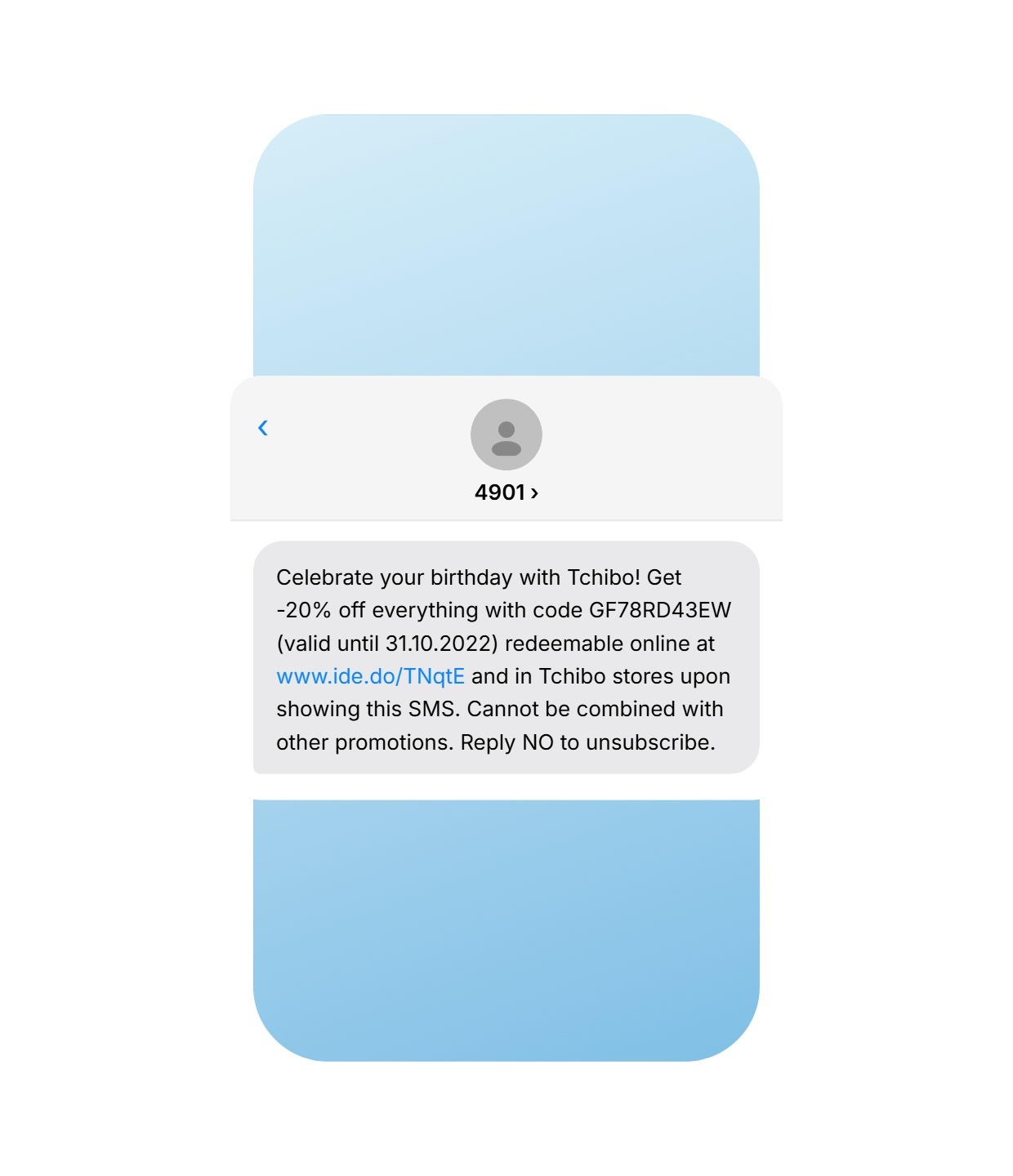
A personalization variable in your SMS text, the customer’s name, their loyalty points balance, or a unique discount code, makes the message feel individual rather than broadcast. That difference shows up in click rates and conversions.
Common personalization scenarios:
- Birthday SMS with a unique discount code
- Loyalty program update showing a member’s current points
- OTP or verification code tied to a specific transaction
Personalization data comes from your contact list. The platform substitutes the correct variable for each recipient automatically at send time.
Tracked and suffix links: Measure every click
SMS messages are limited to 160 characters, so every character counts. MessageFlow offers two types of shortened links:
Tracked (individual) links shorten your URL to a format like ide.do/abc, where the unique suffix identifies each recipient. Post-send reports show you exactly which phone numbers clicked, and when.
Suffix links create a shared URL (ide.do/yourbrand) pointing to a destination page. Reports show total click volume without individual attribution.
Long SMS: Up to 1,377 characters in one message
When 160 characters isn’t enough, you don’t have to cut your message. MessageFlow supports concatenated messages up to 1,377 characters (or 603 characters with special character encoding). Recipients see a single, seamless message on their device.
Opt-out link: Clean list, lower cost
Every well-managed list needs an easy unsubscribe path. MessageFlow’s opt-out link (ide.do/optout with a unique identifier) sends the recipient to a confirmation page. One click and they’re off the list for that channel automatically.
A smaller, fully opted-in list is cheaper to send to and delivers better results than a large list with disengaged contacts.
Booster SMS: Automated retargeting without the extra work
Even the best campaign won’t reach everyone on the first try. Some recipients skip the first message – not because the offer isn’t relevant, but because the timing was off. Booster SMS lets you recover that segment automatically, without any manual follow-up work.
Here’s how it works: after the main campaign completes, the system identifies recipients who didn’t click the link. That group receives a new message – with a different angle, a stronger call to action, or an added incentive like a higher discount. Anyone who is already engaged is excluded automatically.
Why it works:
- The retargeted group already knows your brand, so the barrier to conversion is lower
- A modified message lets you test a different approach to the same offer
- The system skips engaged recipients, so you’re not paying for unnecessary sends
In practice, Booster SMS can lift a campaign’s final click rate by a significant margin with minimal effort from your team.
MessageFlow Priority: Critical messages, out of the queue
Mass campaigns and transactional messages operate on completely different time scales. A marketing newsletter can afford to wait a few minutes in queue – a one-time login password can’t. When a customer is waiting for an OTP, every second of delay is a real risk: an abandoned checkout, a failed login, a support call.
MessageFlow Priority is an API add-on module that assigns the highest processing priority to messages you flag as critical. It runs on a dedicated routing layer, fully isolated from mass campaign traffic. That means a large marketing send running in parallel won’t affect the delivery time of your time-sensitive messages.
When to use Priority:
- One-time passwords (OTP) and verification codes
- Security alerts and suspicious transaction notifications
- Time-sensitive messages in checkout or onboarding flows
The module is configured at the API call level – a single parameter flags the message for the dedicated queue, ensuring immediate processing regardless of current system load.
How Does Audience Segmentation Change Your Results?
A single bulk send to your entire list makes sense when every contact needs the same message. Most of the time, it doesn’t.
MessageFlow Segments is a customer data analysis and segmentation tool that lets you build precise audience groups based on demographics, purchase history, behavioral data, or lifecycle stage.
In practice: instead of sending the same offer to all 100,000 contacts, send a win-back offer to customers who haven’t purchased in 90 days and a loyalty reward to those who bought last month. The result is higher CTR, fewer opt-outs, and measurably better ROI from the same sending budget.
Which Industries Use Bulk SMS Most Effectively?
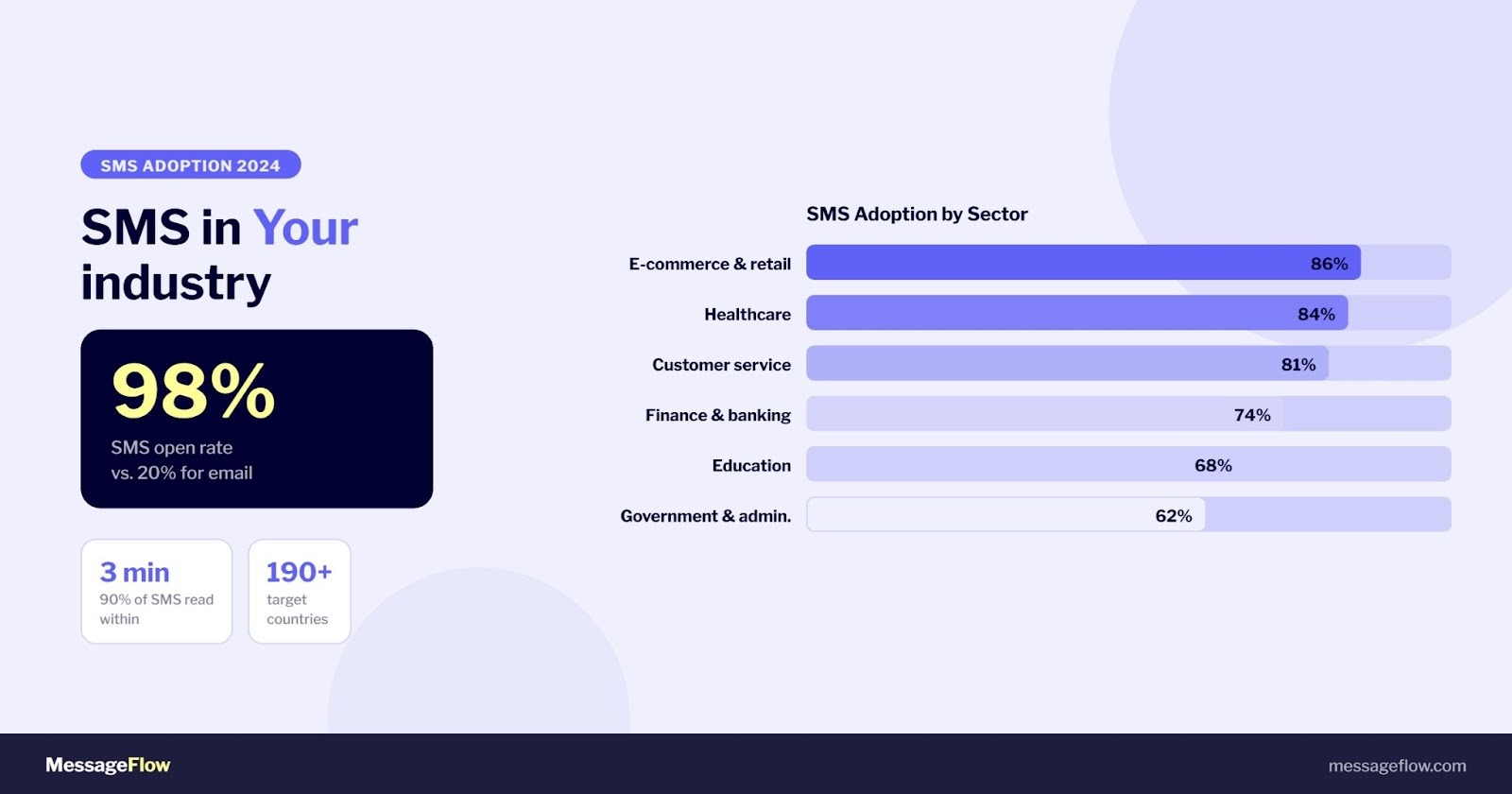
According to SimpleTexting’s 2024 SMS marketing report, e-commerce and retail lead SMS adoption at 86%, followed by healthcare at 84% and consumer services at 81%. Forrester research shows that 60% of brands using SMS marketing expect its value to increase over time, and approximately 17.4% of online revenue for brands using SMS now comes directly from that channel.
Here’s how different sectors apply bulk SMS in practice:
- E-commerce and retail: abandoned cart recovery, flash sales, order status updates, loyalty codes
- Banking and fintech: OTPs, transaction alerts, fraud notifications, account updates
- Healthcare: appointment reminders, test results, vaccination notices, patient follow-ups
- Logistics: shipment tracking, delivery confirmations, pickup alerts
- Local government and public institutions: resident alerts, deadline reminders, emergency communications
- Education: parent notifications, class updates, event announcements
SMS can reduce missed appointments by up to 80%, making it particularly high-value for healthcare and service businesses where no-shows carry a direct revenue cost.
How Much Does Bulk SMS for Business Cost?
Cost per message depends on three factors: message volume, destination country, and your chosen plan. As volume increases, the per-message rate decreases. This makes bulk SMS one of the most cost-effective channels at scale.
Full pricing details are available on the MessageFlow pricing page. For organizations that need guaranteed fast delivery on critical messages (OTPs, security alerts, time-sensitive transactional sends), MessageFlow Priority offers dedicated throughput and priority routing.
SMS vs. RCS: Which Should You Choose?
SMS reaches 100% of mobile phones, requires no internet connection, and delivers the same experience across every device and carrier. It’s the right choice when universal reach and guaranteed delivery matter most.
RCS adds rich media, interactive buttons, and in-conversation actions, but requires device and carrier support. It’s the right choice when campaign performance depends on visual engagement and interactivity, and your audience is on compatible devices.
The practical approach: use SMS as your baseline for broad reach and transactional messages, and layer RCS on top for campaigns where visual interaction drives the outcome. Both channels are available from the same MessageFlow platform.
SMS Sending Methods in MessageFlow
The platform offers two paths for managing communication, designed to fit the needs of both technical and marketing teams. Both methods provide access to the same channels and regardless of which you choose, the system gives you full visibility into delivery reports (DLR) and click analytics directly in the panel.
SMS API Integration
The right choice for teams that need full automation and want to trigger sends directly from their own systems. The REST API uses JSON and is supported by ready-made code snippets and libraries for the most common programming languages, keeping integration time short.
One of the key advantages of the API path is full operational transparency: every send made through the API is visible in the panel in real time. That means your customer support team can independently verify delivery statuses without pulling in a developer. The platform also supports webhooks, which push DLR reports directly to your database the moment a message status changes.
Campaign Builder in the Panel
Designed for marketing teams with no technical background required. The interface walks you through campaign setup step by step.
The built-in Smart Editor includes an automatic cost counter and real-time Unicode character detection. When a special character appears in your message, the system immediately flags that the character limit will drop from 160 to 70 protecting you from unexpected cost increases before the campaign goes out.
The panel also includes advanced send management features:
- Throttling – gradual send pacing prevents overloading your customer support line or internal IT infrastructure during large campaigns
- Booster SMS – automated retargeting that sends a follow-up message exclusively to recipients who didn’t engage with the original campaign
- Automatic error number archiving – contacts returning persistent delivery errors are excluded from future sends, eliminating spend on inactive numbers
How to Get Started with Bulk SMS on MessageFlow
The entire process from sign-up to first send typically takes less than 24 hours.
- Contact the Sales team
- Create your account at app.messageflow.com/register
- Upload your contact list (CSV file or via SMS API integration)
- Go to campaign configuration
- Configure your sender name, message content, and send time
- Launch and track results in real time through the reporting dashboard
The standard configuration covers domestic SMS PRO sends. Extended features including Two-Way SMS, MMS, shortcode senders, and international sending are available after accepting additional contract terms. Your Sales contact will walk you through the details during onboarding.
Summary
Bulk SMS is no longer just a promotional channel. It’s the infrastructure for the full customer communication lifecycle: transactional messages, marketing campaigns, two-way support conversations, and everything in between.
Businesses that text customers are 683% more likely to report digital marketing success than those that don’t. A 98% open rate, near-100% deliverability, and instant reach across any mobile device make SMS the most reliable direct channel in an omnichannel stack.
If you’re ready to start or scale your business SMS sending, create a free account on MessageFlow or book a demo with our team.