
TL;DR: RCS messaging (Rich Communication Services) is the modern successor to SMS. It lets businesses and consumers send high-resolution media, interactive buttons, and verified sender profiles natively in the phone’s default messaging app, with no extra app required. Now supported on both Android and iPhone (iOS 18+), RCS reaches up to 85% of smartphones in major markets. For businesses, it delivers open rates up to 98%, click-through rates of 15-30%, and conversion uplifts that significantly outperform traditional SMS campaigns.
Most businesses are still sending plain text SMS in 2026. No images. No buttons. No way to know if anyone read it. RCS messaging changes all of that, without moving your customers to a new platform or asking them to install anything.
RCS, which stands for Rich Communication Services, is the next-generation messaging protocol developed by the GSMA as a direct replacement for SMS. It transforms your customers’ default messaging inbox into a rich, interactive channel: think HD images, branded sender profiles, clickable CTA buttons, and real-time read receipts. And it all works without asking your customers to download a thing.
With 2.5 billion monthly active users globally and Apple’s adoption of RCS in iOS 18, the channel has crossed from “promising technology” to mainstream infrastructure. Here’s everything you need to know.
RCS messaging explained: definition and full name
RCS messaging (Rich Communication Services) is an open mobile messaging standard developed by the GSM Association (GSMA) that upgrades traditional SMS with modern capabilities: rich media, interactive elements, typing indicators, read receipts, and verified sender profiles. It works natively in the phone’s default messaging app, with no third-party app required.
Think of it as SMS rebuilt for the smartphone era. Or, to use an analogy that resonates with most marketers: it’s WhatsApp for your native inbox, without requiring your customers to sign up for anything.
You may also see RCS referred to as RCS chat, the term used in Google Messages and Apple Messages for the active RCS conversation thread. “RCS chat” and “RCS messaging” describe the same underlying standard; the difference is context. “RCS messaging” is the protocol; “RCS chat” is the interface your customers see when they open a conversation.
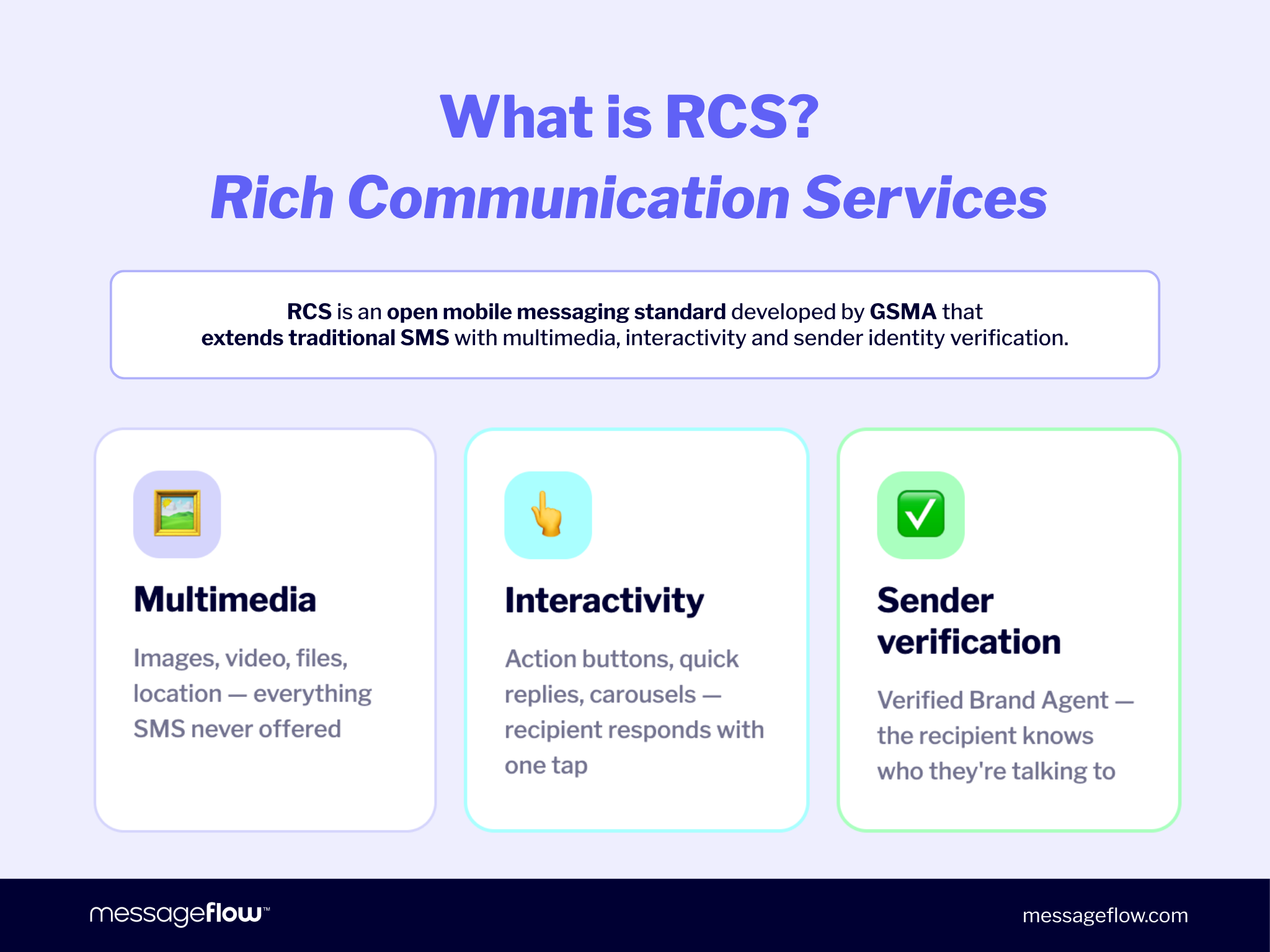
RCS stands for Rich Communication Services
The word “rich” is the key. It refers to rich content: images, video, files, location, interactive buttons, and branded sender profiles. Everything that traditional SMS never supported.
You may also see it called “RCS text messaging,” “RCS chat,” or “RCS business messaging.” These terms all describe the same protocol, viewed from different angles: the user’s experience and the business-facing implementation.
A brief history: from GSMA 2008 to Apple iOS 18
RCS has been in development for nearly two decades. Its rollout has been gradual, but two pivotal moments in 2024 and 2025 changed everything.
| Year | Milestone |
|---|---|
| 2007 | GSMA begins development; industry seeks SMS successor |
| 2008 | RCS officially standardized by GSMA |
| 2011 | First European operator rollouts (limited success) |
| 2017 | Universal Profile released: the modern RCS standard |
| 2017 | Google Messages drives global RCS adoption; 1B+ daily P2P messages in the US |
| 2024 | Apple adds RCS support in iOS 18 (September) |
| 2025 | RCS for Business rebranded; E2EE added to Universal Profile 3.0 |
The Apple moment cannot be overstated. For years, iPhone’s exclusion from RCS was the single biggest barrier to widespread adoption. That barrier is now gone.
How does RCS messaging work? The technical basics
RCS messaging operates over internet connections (Wi-Fi or mobile data) rather than traditional cellular networks. This is the fundamental technical shift from SMS, which runs over the GSM voice network.
When a customer sends or receives an RCS message, it travels through their carrier’s RCS infrastructure and lands in their native messaging app, just like a text. No new app. No login. No friction.
RCS vs. SMS vs. MMS: the key technical differences
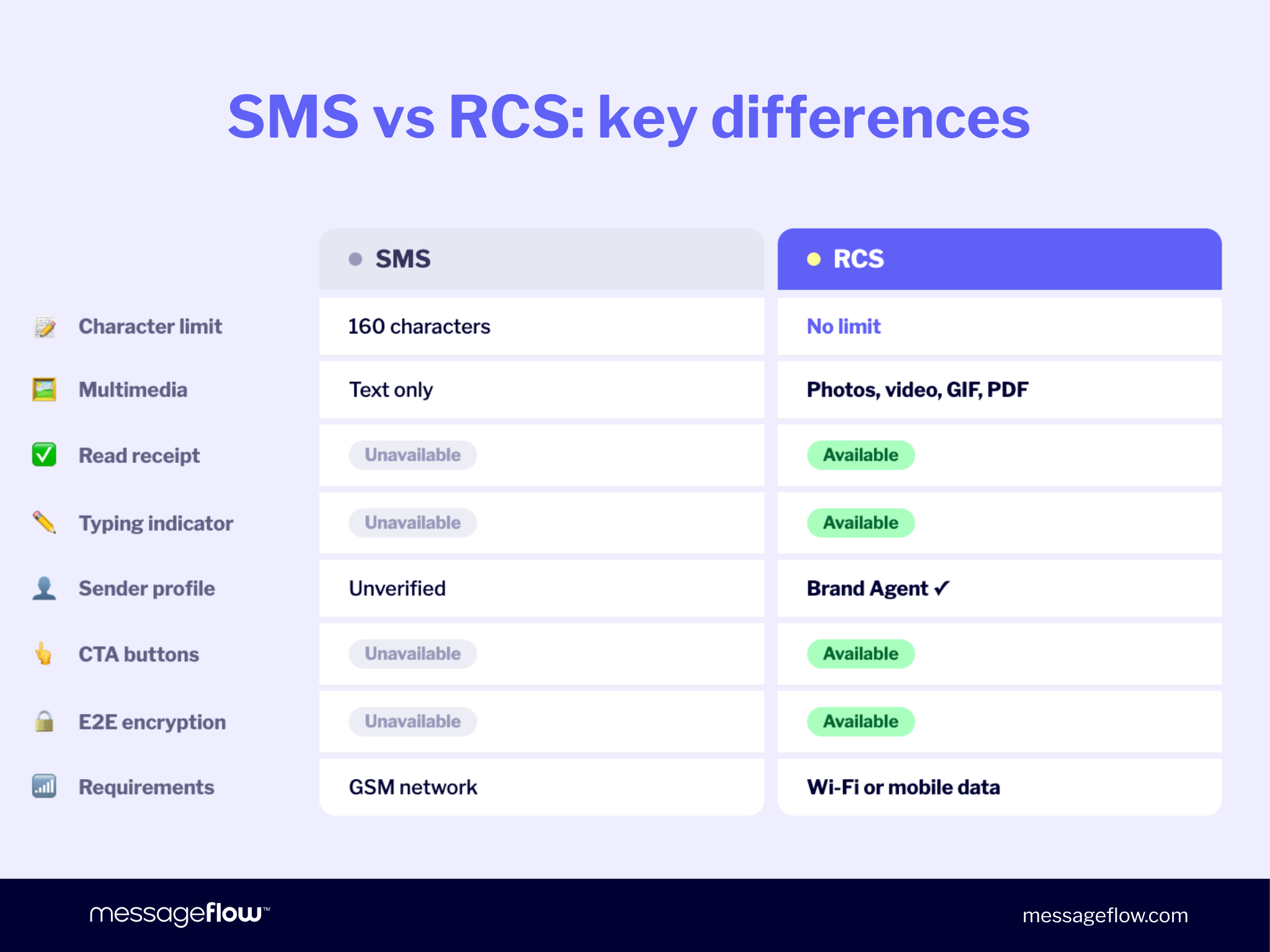
For markets like the US, UK, and Canada where MMS was widely adopted, a three-way comparison is essential. RCS vs. MMS is not even close: RCS doesn’t just beat SMS, it leaves MMS behind entirely.
| Feature | SMS | MMS | RCS | Push Notifications |
|---|---|---|---|---|
| Character limit | 160 | No limit | approx. 1000 (depends on the platform) | ~240 (varies by OS) |
| Media | Text only | Images/video (compressed) | HD images, video, GIF, PDF | Icon + image (limited) |
| Read receipts | No | No | Yes | Delivery only |
| Typing indicator | No | No | Yes | No |
| Verified sender | No | No | Yes, Brand Agent (A2P only)* – needs Google & mobile network operators verification | App icon only |
| Interactive buttons | No | No | Yes | Yes (2-3 actions) |
| End-to-end encryption | No | No | Yes (mainly in P2P communication) | Transport encryption only |
| Requires app download | No | No | No | Yes (your app) |
| Network | GSM/cellular | GSM/cellular | Wi-Fi or mobile data | Wi-Fi or mobile data |
* A verified Brand Agent – your logo, company name, and trust badge visible on every message – is exclusive to RCS for Business (A2P). In person-to-person conversations, the standard contact name is displayed.
MMS was a meaningful upgrade for consumer picture sharing. But it was never built for business use: images arrive compressed and pixelated, there’s no interactivity, and there’s no verified sender profile. RCS messaging solves all three.
For a deeper breakdown, see our detailed RCS vs. SMS comparison.
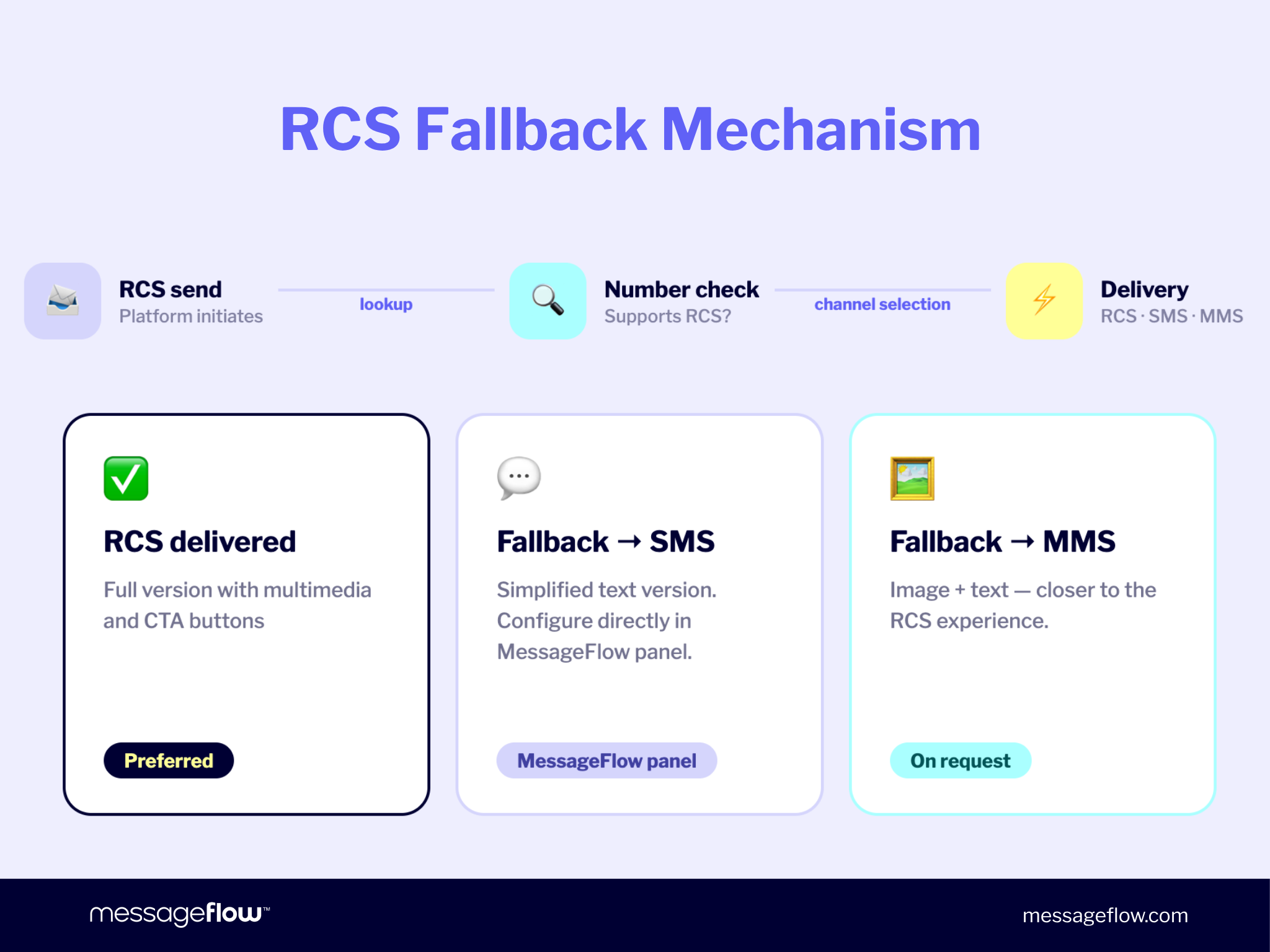
SMS fallback: what happens when RCS isn’t delivered (for business senders)
💡 This section is relevant if you’re a business sending RCS campaigns at scale. For everyday consumer-to-consumer messaging, your phone handles delivery automatically.
Not every recipient will support RCS. Some use older devices, some are on carriers that haven’t rolled it out yet, and some may have RCS disabled in their settings.
This is where SMS fallback matters. When an RCS message can’t be delivered, the platform automatically sends an SMS version instead. The recipient still gets the message; they just see a simplified text format.
💡 For businesses, a well-configured SMS fallback means you’re never leaving a contact unreached. MessageFlow’s platform handles this automatically, including a pre-send lookup that identifies which numbers in your list are RCS-ready before the campaign goes out.
RCS messaging features: what you can send and receive
RCS exists in two distinct contexts, and the features available in each differ meaningfully:
- RCS P2P (person-to-person) – conversations between individual users in the native messaging app, such as Google Messages on Android or Apple Messages on iOS 18+.
- RCS for Business / A2P (application-to-person) – messages sent by businesses to customers at scale, via platforms such as MessageFlow. This is where verified brand profiles, carousels, and CTA buttons live.
Some features are shared; others belong exclusively to one context.
Consumer features (RCS P2P)
These are the features available when you send RCS messages to friends or family through your default messaging app.
Rich media, no compression
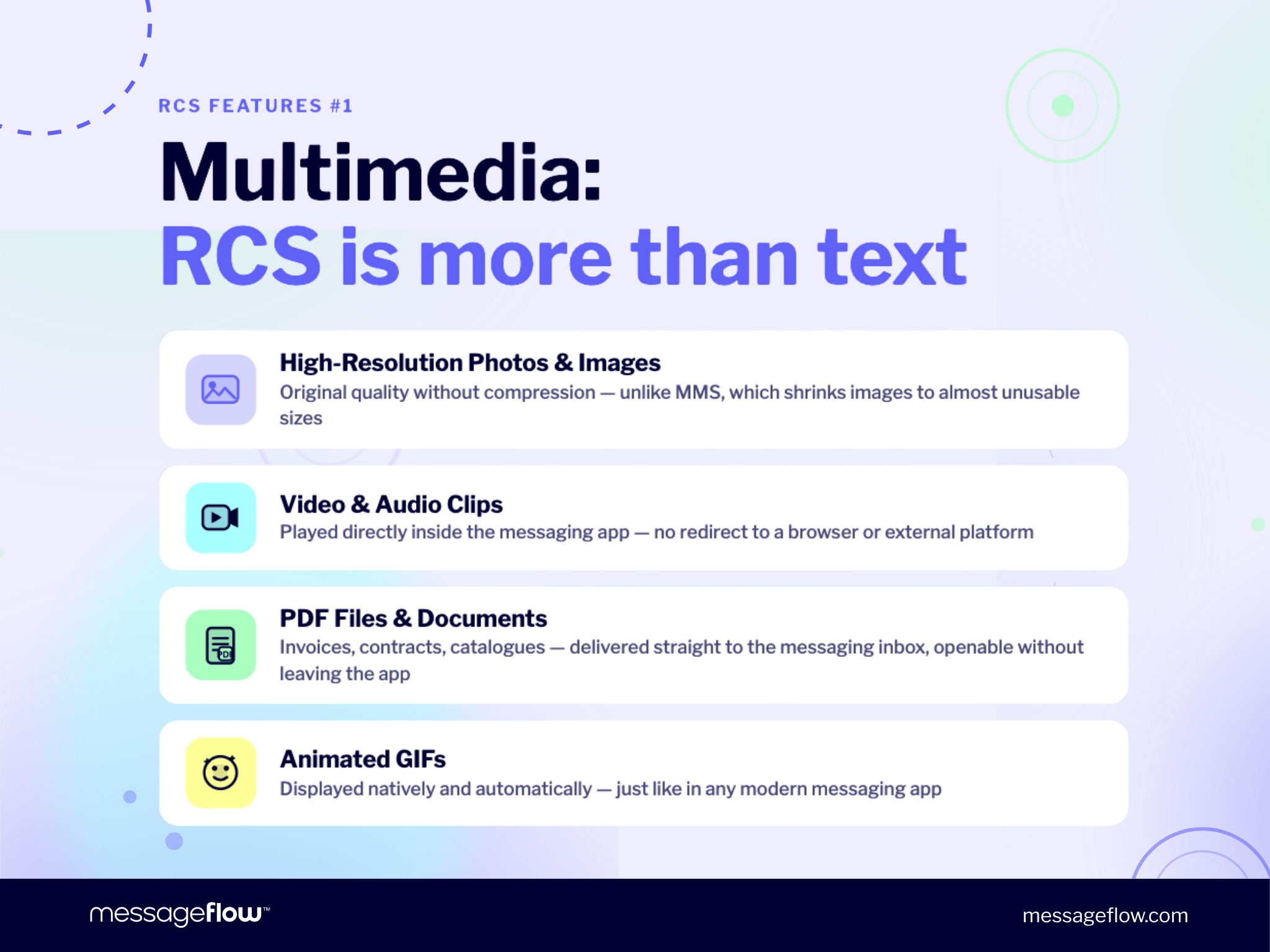
High-resolution images and graphics – delivered in original quality, not crushed down to MMS size.
Video and audio clips – played directly in the messaging app, without browser redirects.
Animated GIFs – displayed natively and automatically.
PDFs and documents – opened without leaving the app.
Conversation awareness
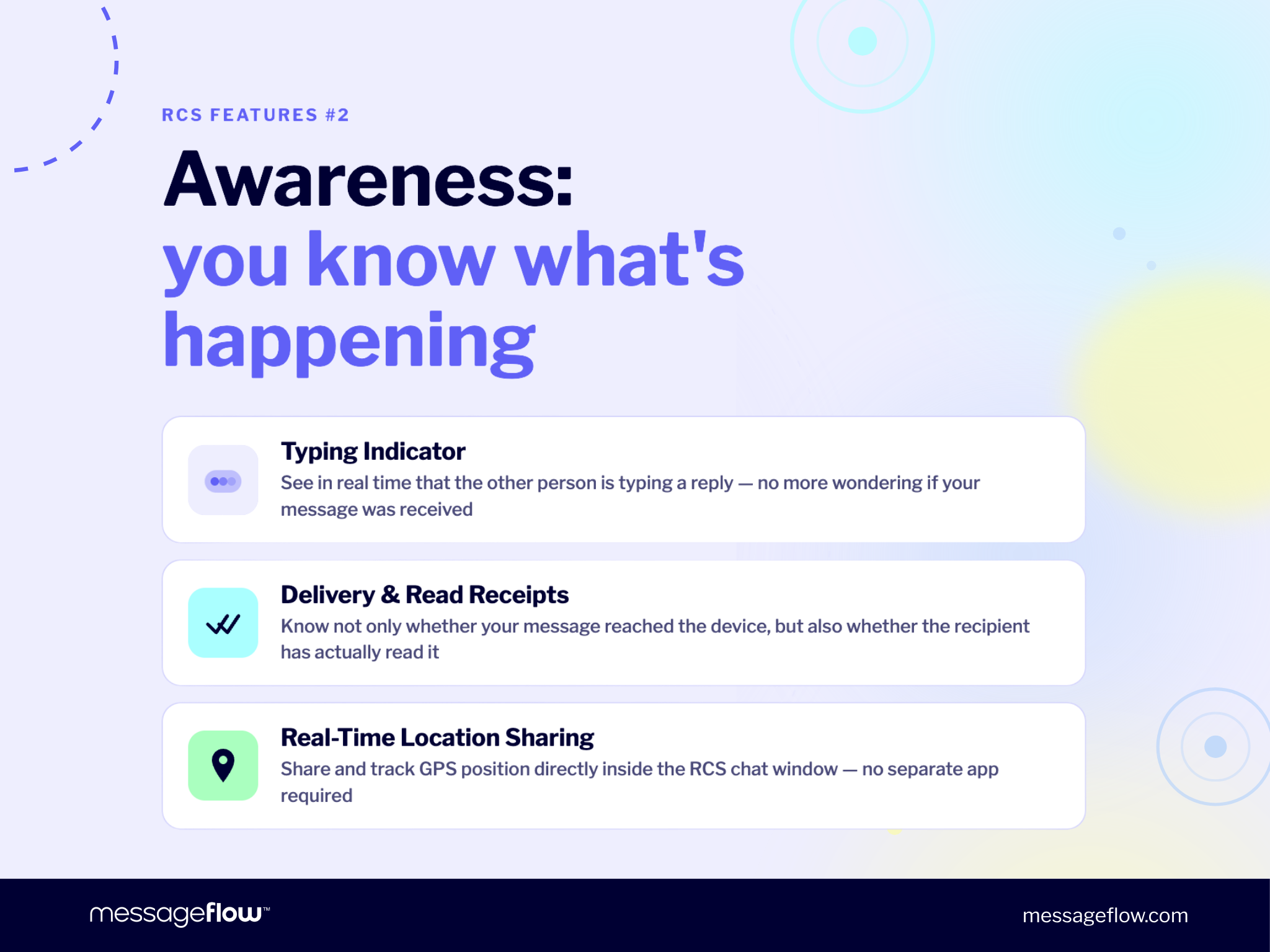
Typing indicator – recipients know a response is coming in real time.
Delivery and read receipts – confirmation that a message landed and was opened.
Real-time location sharing – directly in the chat window, without switching to a maps app.
End-to-end encryption
In P2P conversations, RCS supports end-to-end encryption (E2EE), meaning message content is visible only to sender and recipient. E2EE was standardised in Universal Profile 3.0 (March 2025) and is in limited rollout across Google Messages and Apple Messages as of early 2026.
💡 E2EE applies to consumer P2P conversations. For business messaging (A2P), the primary trust mechanism is the verified Brand Agent profile, not E2EE.
Group chats
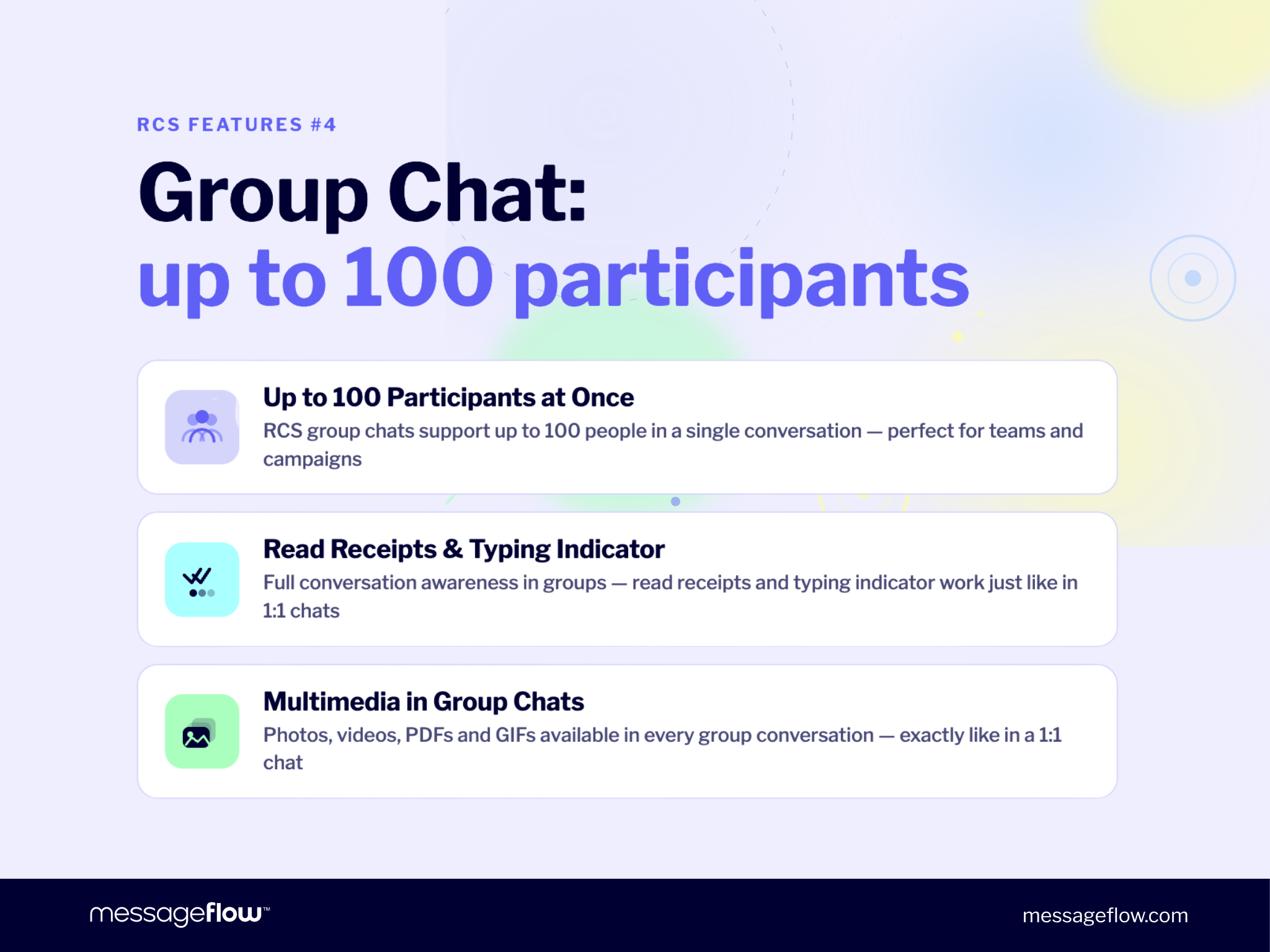
RCS supports group chats with up to 100 participants, with the full P2P feature set available throughout: typing indicators, read receipts, and rich media. Group chats are a P2P feature and are not part of the RCS for Business (A2P) message types.
Business features (RCS for Business / A2P)
These features are available when a business sends messages to customers via RCS for Business. They are platform capabilities controlled by the sender, not by the end user’s messaging app.
Suggested replies (quick reply chips) – pre-set response buttons recipients tap to reply instantly. Ideal for surveys, confirmations, and preference capture without the customer needing to type anything.
Interactive CTA buttons – “Buy Now,” “Book Appointment,” “Track My Order,” each linked to a specific destination. The purchase journey starts inside the message.
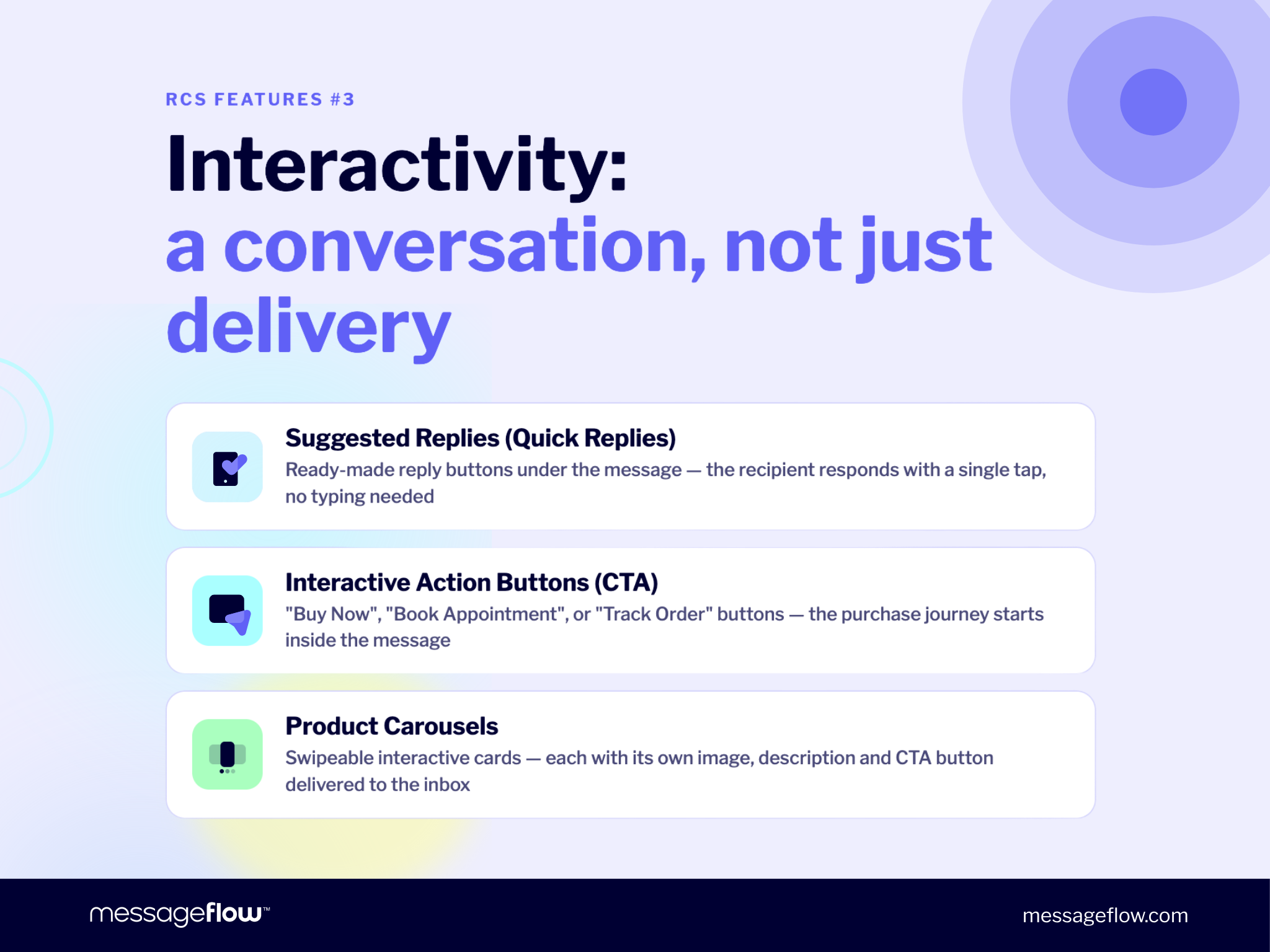
Product carousels – scrollable card series, each with its own image, description, and CTA button. For e-commerce, this is the equivalent of a “recommended products” section delivered directly to the customer’s inbox.
Verified Brand Agent – your logo, full company name, and a Google-verified trust badge, visible on every message. Customers see exactly who is messaging them before they read a word. This is the primary trust and anti-phishing mechanism in business RCS, and it is exclusive to A2P.
RCS on iPhone: the blue/green bubble problem, solved
For US, UK, and Canadian audiences, the cultural weight of the blue/green bubble divide is real. It shaped consumer attitudes toward messaging for years, and it had a direct cost for businesses running cross-device campaigns.
Why the blue vs. green bubble divide mattered
Apple’s iMessage displays as blue. Standard SMS text messaging displays as green. To US consumers, the color wasn’t cosmetic: it signaled whether your contact was in the Apple ecosystem or outside it.
For businesses, this divide had a practical cost. Rich RCS messaging experiences worked on Android. iPhone users received degraded, unformatted text. A single customer list required two different messaging strategies.
Apple’s RCS support in iOS 18: what changed
Apple added native RCS support in iOS 18, released in September 2024. iPhone users can now send and receive RCS messages with Android users, and businesses can deliver the same rich experience to both audiences through a single send.
RCS now reaches 70-85% of smartphones in the US, Germany, France, and the UK. That’s the addressable audience for your RCS marketing campaigns today.
Current limitations: carrier support still varies
Full feature parity depends on carrier implementation. In the US, AT&T, Verizon, and T-Mobile support RCS for both Android and iOS customers. In Europe and Canada, rollout timelines vary by operator and market.
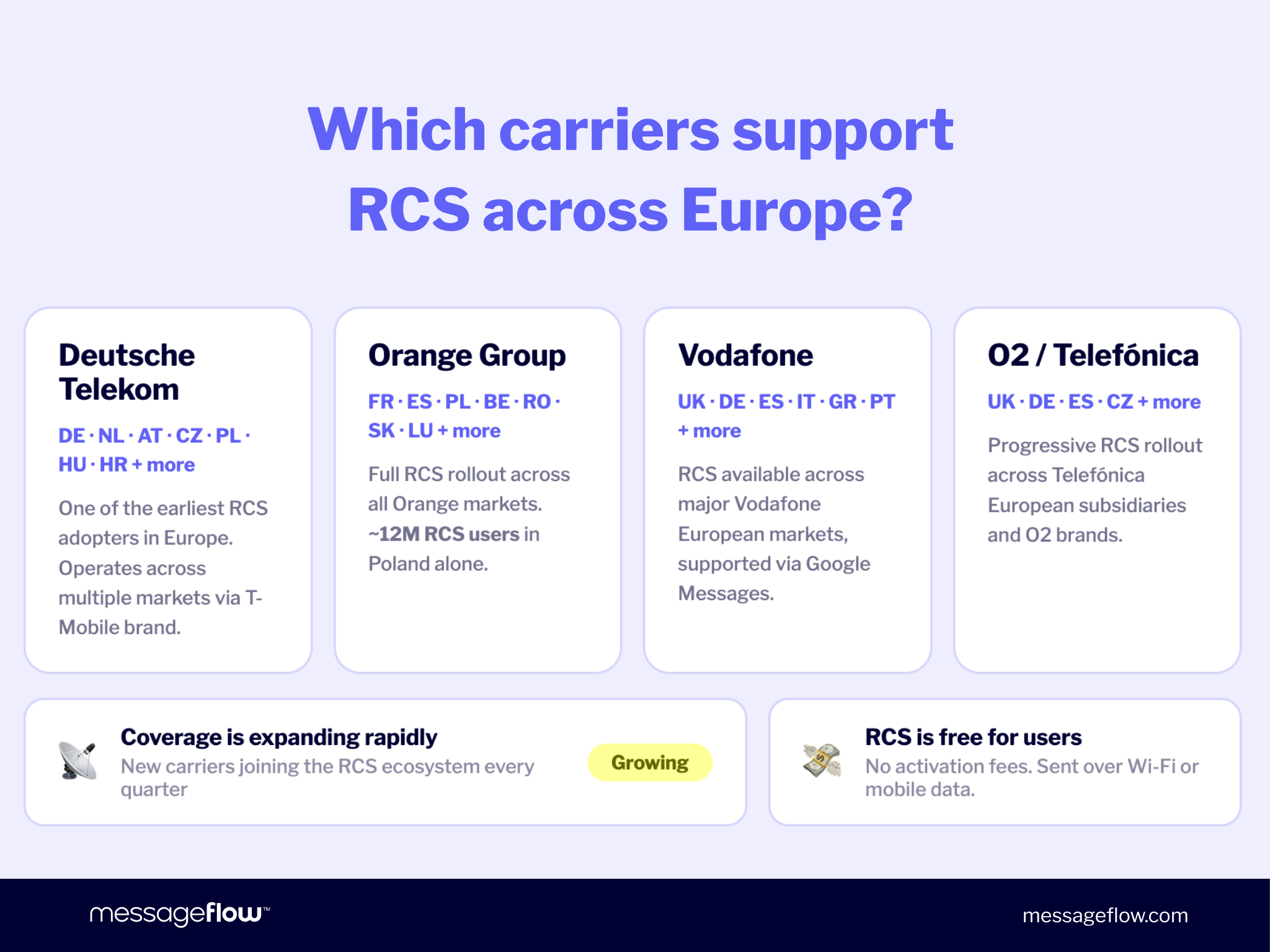
RCS for Business availability on iOS is still expanding by region. Before launching a campaign, verify carrier support in your target markets. For a full breakdown, see our guide to Apple’s RCS support
How to enable RCS messaging
On most modern Android devices, RCS is already active by default in Google Messages. On iPhone, it works automatically on iOS 18 or later when your carrier supports it.
If you need to check your RCS status, switch it on or off, or troubleshoot a specific device, our step-by-step guide to turning RCS on or off covers every major Android and iOS scenario.
RCS for business: what marketers and enterprises need to know
The business-specific features described above – verified Brand Agent, CTA buttons, carousels, and suggested replies – are all part of RCS for Business. This section explains how that platform works and what it means for your team.
This is where RCS messaging shifts from a consumer upgrade to a genuine business channel. RCS for Business takes everything described above and puts it in a verified, branded, measurable format built for A2P messaging at scale.
What is RCS for Business?
RCS for Business is the enterprise version of RCS, managed and verified by Google. It was previously known as RCS Business Messaging (RBM): Google rebranded it in September 2025. If you see “RBM” referenced in other articles, it’s the same technology under an older name.
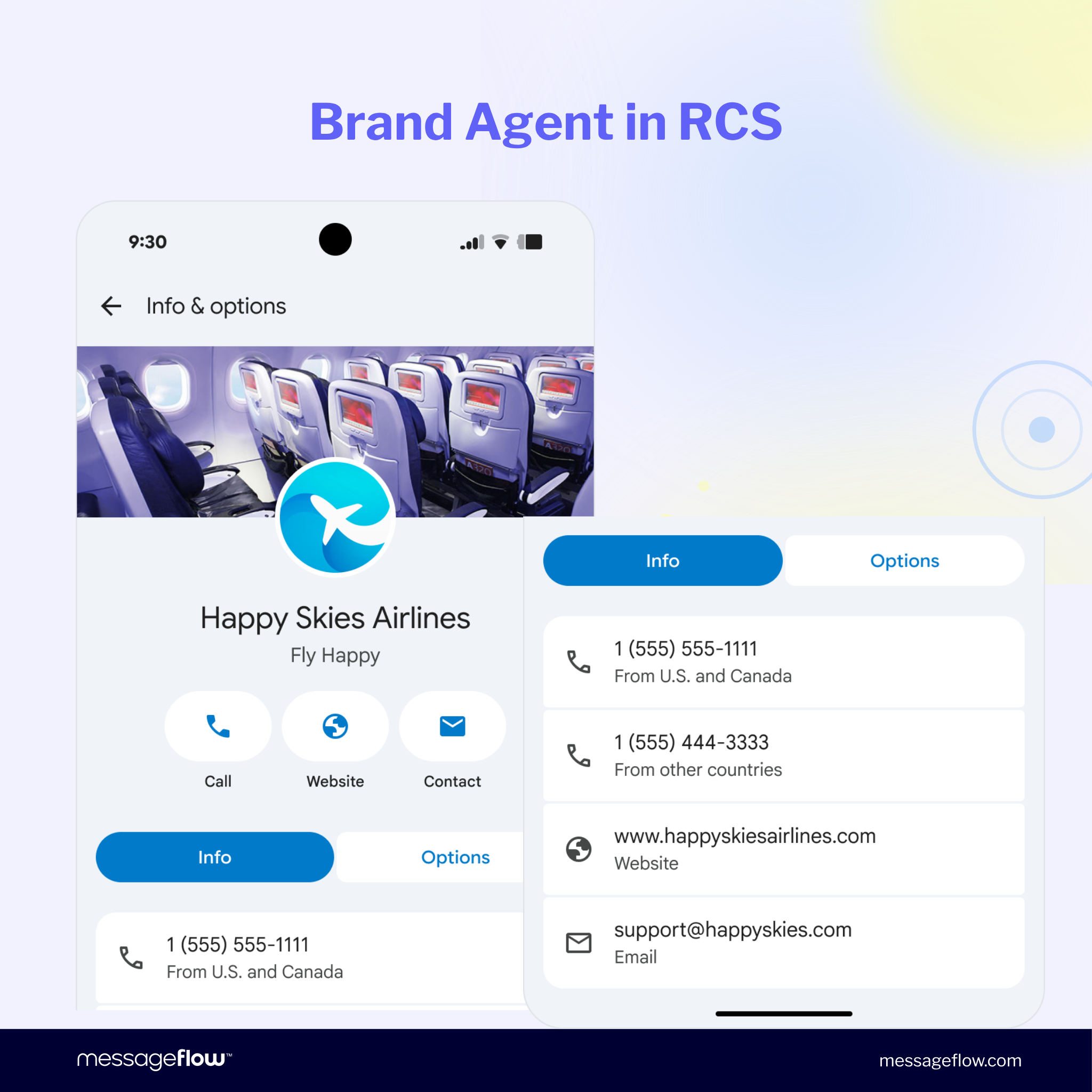
With RCS for Business, your messages arrive from a verified brand profile rather than an anonymous number. Customers see your logo, your company name, and a trust badge on every message. This isn’t cosmetic. It’s a fundamental trust signal that changes how recipients interact with your content.
For a deep-dive into the technical setup and campaign mechanics, see our RCS for Business guide.
Verified brand profile: why it beats a phone number
Traditional SMS arrives from a numeric sender ID or a short code. The recipient has no way to confirm who sent it. This creates a phishing vulnerability that has eroded consumer trust in business SMS for years.
RCS for Business replaces that anonymous number with a Brand Agent: a Google-verified sender profile that includes your logo, full company name, verification badge, and contact information. Customers know immediately who they’re hearing from, and that certainty drives engagement.
Message types for businesses
| Type | Description | Best for |
|---|---|---|
| Basic | Text + buttons, verified sender | Notifications, OTP, 2FA alerts |
| Single rich card | Image/video + text + buttons | Product offers, promotions |
| Carousel | Scrollable series of cards | Product catalogs, collections |
| Conversational | Two-way chat with chatbot | Customer service, lead qualification |
Each format maps to a specific use case. A financial services company sending a loan offer needs a single rich card. A fashion retailer launching a new collection needs a carousel. A telecoms provider handling customer queries needs a conversational flow, a format that powers conversational commerce directly inside the customer’s inbox.
Industry use cases: who should use RCS for Business?
RCS for Business isn’t limited to one vertical. The combination of reach, verified sender identity, and interactivity makes it effective across industries, and adoption data backs that up.
RCS adoption is already significant across multiple sectors:
| Industry | Already using RCS | Planning to adopt |
|---|---|---|
| Financial services | 49% | 45% |
| Technology | 39% | 42% |
| Healthcare | 36% | 45% |
| Retail | 26% | 35% |
Financial services leads because RCS messaging solves a real problem: branded, verified OTP and transaction alerts that customers actually trust. Retail is growing fast because carousels and CTA buttons make product promotions genuinely shoppable.
E-commerce: Replace a generic “your order is on the way” SMS with an RCS message showing the delivery map, your logo, and a button to reschedule the slot. Same information, dramatically better experience.
Logistics: Real-time location sharing replaces the awkward “click this link” update. The map is in the message.
Healthcare: Appointment reminders with a “Confirm” or “Reschedule” button, sent from a verified brand sender, drive more responses than plain text.
Financial services: Verified profiles on 2FA and fraud alerts restore customer confidence in a channel long associated with phishing risk.
Ready to see what RCS marketing looks like in practice? Explore MessageFlow’s RCS for Business platform.
💡 From a business perspective, the greatest value of RCS comes from the combination of three elements: nativeness (reaching the same space as SMS), interactivity, and building trust in the sender through a verified Brand Agent. RCS transforms mobile communication from simple notifications into a channel that simultaneously informs, engages, and effectively guides the user to take action.
Piotr Kudzior, Product Manager – Conversational Messaging, MessageFlow
RCS vs. SMS vs. WhatsApp: which channel should you choose?
Every marketing team managing multiple channels eventually hits this question. The practical answer isn’t to pick one and abandon the others. It’s to understand what each channel does best, then orchestrate accordingly.
| Criterion | RCS | SMS | |
|---|---|---|---|
| Reach | Android + iOS 18+ (70-85% of US/EU smartphones) | Universal (every phone) | 2B+ users, requires app install |
| Rich media | Yes, native | No | Yes |
| Verified sender (for businesses) | Yes, Google-verified | No | Yes, Business API |
| Requires app | No, native | No, native | Yes |
| SMS fallback (for businesses) | Automatic | n/a | No fallback |
| Best for | Branded B2C campaigns, conversational commerce | Mass notifications, global reach | Markets where WhatsApp dominates (LATAM, EU, India) |
A simple way to think about it: SMS is your safety net. WhatsApp is your local champion in markets where it’s already the default. RCS messaging is your primary branded channel wherever Android and iPhone both support it.
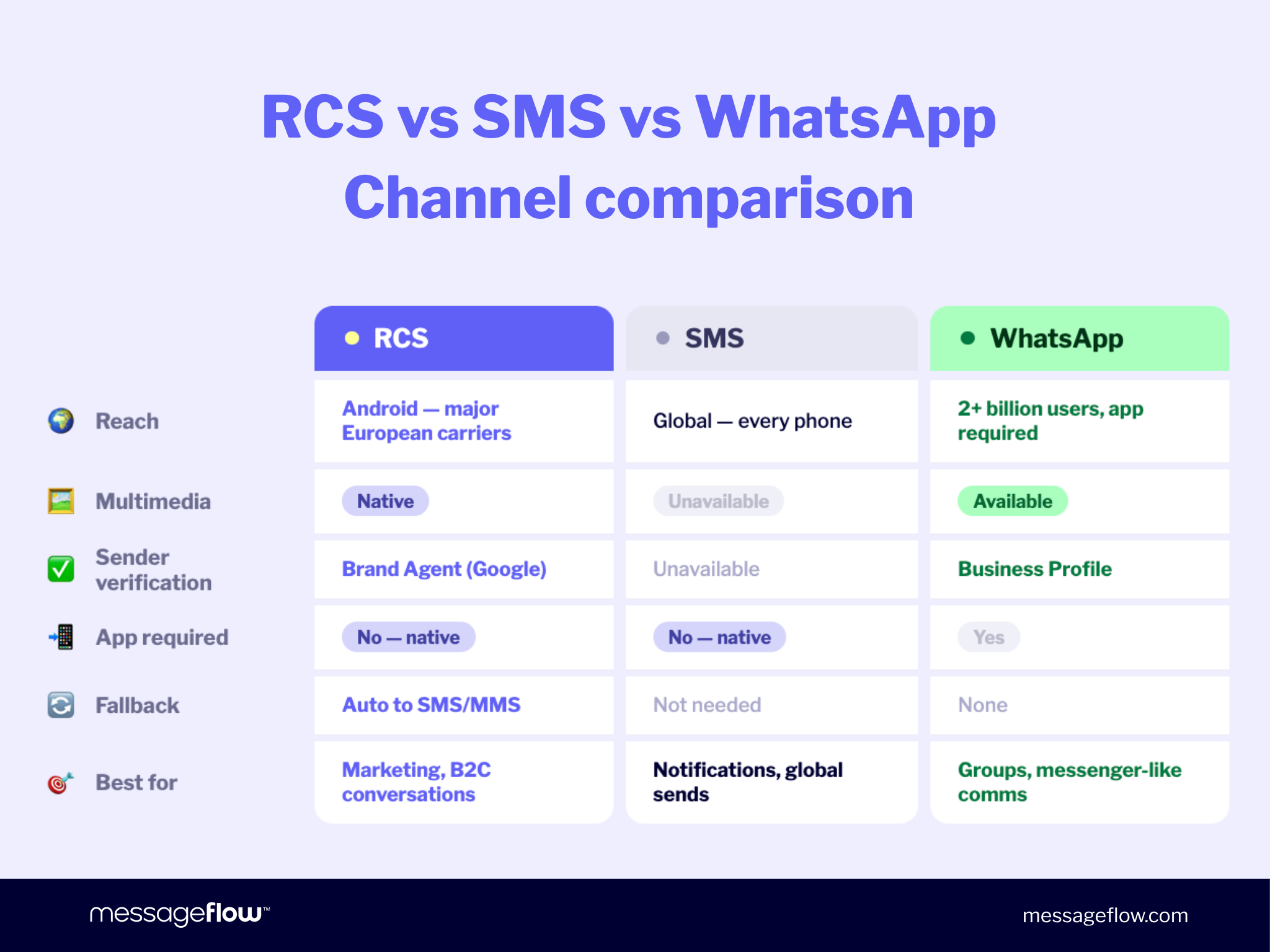
In practice, the strongest setups don’t choose between them. They layer them. RCS handles the main campaign. SMS fallback catches anyone RCS can’t reach. WhatsApp covers markets like Germany, Brazil, or India where that app is the de facto messaging standard. Each channel earns its place.
💡 RCS doesn’t compete with OTT messengers in a straightforward way. Its strength lies in combining the convenience of modern chat – familiar from apps like WhatsApp – with the nativeness and control characteristic of traditional SMS communication. It’s the best of both worlds.
Piotr Kudzior, Product Manager – Conversational Messaging, MessageFlow
For a detailed head-to-head, see our detailed RCS vs. SMS comparison.
Does RCS actually perform? The numbers for 2026
Choosing a new channel is a business decision, and business decisions need data. Here’s what the evidence shows.
The engagement gap between RCS messaging and traditional channels is substantial. RCS messages are 35 times more likely to be read than emails, and open rates reach up to 98%, on par with SMS but with far richer content delivered.
Click-through rates are where RCS really separates itself. RCS campaigns consistently generate CTRs between 15% and 30%, compared to 4-7% for standard SMS. Speed matters too: 90% of rich media RCS messages are opened within 15 minutes of delivery, putting it in the same “immediate attention” tier as push notifications.
Conversion rate uplifts versus MMS run 60-70%. Cost per conversion lands significantly lower than SMS on a per-engagement basis. For businesses still benchmarking against what SMS text messaging used to deliver, those gaps are hard to ignore.
The market is responding. RCS business messaging traffic reached 50 billion messages globally in 2025, and the channel grew 111% during holiday 2024 compared to the year before. The global RCS market is projected to grow from $3 billion in 2025 to over $13 billion by 2035. That’s not a niche channel finding its footing. That’s infrastructure.
For a full sourced breakdown, see our top RCS statistics for 2025.
Is RCS messaging secure?
Strong performance matters, but not if it comes with security tradeoffs. RCS addresses security differently depending on whether you’re a consumer or a business sender.
For consumers (P2P), RCS messaging protects all messages with Transport Layer Security (TLS) by default, securing data in transit against interception. End-to-end encryption (E2EE) was standardised in Universal Profile 3.0 in March 2025, with both Google and Apple committed to the rollout.
E2EE for RCS uses the MLS protocol, the same standard underpinning other trusted secure messaging apps. As of early 2026, E2EE is in limited rollout across Google Messages and Apple Messages, expanding by carrier.
For businesses (A2P), E2EE is not currently available for RCS for Business campaigns. The primary security mechanism for business messaging is the verified Brand Agent profile, which solves the most damaging security problem in SMS: impersonation. Customers can see exactly who sent a message before they read it.
That verification is Google-managed and auditable – meaningfully stronger than the “trust the number” model SMS text messaging relies on.
For a full breakdown of encryption, SMS fallback security, and compliance considerations, see our detailed breakdown of RCS security.
So, what is RCS messaging? A quick summary
RCS messaging is what SMS should have become years ago. It’s the same native inbox your customers already use for texts, rebuilt with the capabilities that modern RCS marketing actually needs: verified senders, rich media, interactive buttons, real-time receipts, and end-to-end encryption.
It runs on infrastructure, not on an app your customers have to download. It reaches the majority of smartphones in the US, UK, Canada, and across Europe now that iOS 18 supports it. And it performs: higher open rates, higher CTR, and higher conversion than the channels most businesses are still defaulting to.
For consumers, RCS means richer conversations. For your business, it means a channel that can carry a full branded experience from the first message to the completed purchase, entirely within your customer’s native inbox.
If your team is ready to move from evaluation to execution, explore MessageFlow’s RCS for Business platform and see how it fits your current stack.
💡 Today, messages that recipients can absorb quickly and effortlessly are the ones that win. Hence the popularity of Reels and TikTok – we have just a few seconds to capture attention. More and more often, we don’t read the full content, we simply scan headlines and visual cues. Marketing has to keep up with this. That’s why the capabilities of rich RCS matter so much: they allow you to deliver visually compelling messages and clear CTAs directly to the native messaging app. This isn’t just a technological shift – it’s above all a precise match with the way we consume content today.
Piotr Kudzior, Product Manager – Conversational Messaging, MessageFlow
Frequently asked questions about RCS messaging
RCS (Rich Communication Services) is a next-generation messaging protocol developed by the GSMA as the successor to SMS. It enables businesses and consumers to send high-resolution media, use interactive buttons, see read receipts, and receive messages from verified brand senders, all natively in the phone’s default messaging app, with no extra app required.
RCS stands for Rich Communication Services. It is an open industry standard developed by the GSM Association (GSMA) that upgrades traditional SMS and MMS with modern features: rich media, typing indicators, read receipts, and interactive elements. Google has been the primary driver of global RCS messaging adoption through its Google Messages app on Android.
Yes. Apple added RCS support in iOS 18, released in September 2024. iPhone users can now exchange RCS messages with Android users, ending the blue/green bubble divide for supported carriers. Full feature availability depends on carrier implementation, and RCS for Business rollout on iOS is still expanding by market.
SMS is a 160-character text message sent over cellular networks. RCS messaging is its modern replacement, delivered over data (Wi-Fi or mobile internet), supporting HD media, typing indicators, read receipts, interactive buttons, and verified sender profiles. SMS is universal. RCS reaches the majority of smartphones in major markets now that Apple supports it, but still requires compatible carriers.
RCS P2P (person-to-person) is what happens when you message a friend or family member using your native messaging app. It gives you HD media, typing indicators, read receipts, end-to-end encryption, and group chats with up to 100 people – but no branded sender profile or interactive business elements.
RCS for Business (A2P, application-to-person) is the enterprise version. Businesses send from a Google-verified Brand Agent with a logo and trust badge, and can include carousels, CTA buttons, and chatbot flows. E2EE is not currently available for A2P; the Brand Agent profile is the primary trust mechanism instead. Features like product carousels, suggested replies, and CTA buttons are A2P-only – they are not available in consumer chats.
RCS for Business (formerly RCS Business Messaging, or RBM) is the enterprise version of RCS, managed by Google. Businesses send messages from a verified brand profile with a logo, name, and trust badge, and can include carousels, CTA buttons, and chatbot flows. It requires Google verification and carrier support, and significantly outperforms SMS in engagement across every measured metric.
RCS messaging uses Transport Layer Security (TLS) by default. End-to-end encryption (E2EE) was added to Universal Profile 3.0 in March 2025 and is in limited rollout as of early 2026 across Google Messages and Apple Messages. For business messaging, verified sender profiles prevent impersonation and phishing, addressing the primary fraud risk that has affected SMS text messaging for years.
Ready to add RCS to your marketing stack? Explore MessageFlow’s RCS for Business platform and see how leading brands are using it today.
An “RCS message” is any message sent using the Rich Communication Services protocol, the modern upgrade to SMS. When your phone displays an RCS message, it means the conversation is running over RCS rather than standard SMS. You’ll typically see read receipts, typing indicators, and high-quality media. The experience is similar to iMessage or WhatsApp, but works natively in your default messaging app with no additional sign-up.
RCS chat is the term used in Google Messages and Apple Messages for an active RCS conversation. When your messaging app shows “RCS” or displays a verified sender logo, you’re in an RCS chat. The term is interchangeable with “RCS messaging” in everyday use — it refers to the same standard, just from the user’s interface perspective.
For consumers, yes sending person-to-person RCS messages costs nothing beyond normal data usage, the same as any internet-based messaging. For businesses sending A2P campaigns, RCS is a paid channel: costs vary by volume, carrier, and platform, and are typically priced per message similar to SMS. Contact your CPaaS provider for current RCS pricing.
RCS messages support approximately 1,000 characters per message, compared to the 160-character limit of SMS. In practice, most business RCS campaigns stay well under this limit — short, action-oriented messages with a CTA button consistently outperform long-form text regardless of the technical ceiling.
Yes. RCS messaging uses your mobile data or Wi-Fi connection, not the traditional cellular SMS network. For most users on standard plans, this has no meaningful cost impact. If you’re on a limited data plan or roaming internationally, be aware that RCS uses data in the same way as any internet-based messaging app.